Meet the new AI Action Hub, AI Analytics, embedded dashboards, offline check in/out, and more.
Act Fast on Urgent Issues, Get Immediate Answers from Your Data
Your team does its best work fixing problems and keeping locations running, not chasing status updates or hunting for the right report. ServiceChannel AI and other new capabilities are built right into your daily workflows, so you can focus on what matters most. From an AI Action Hub that puts urgent work at the top of your list to AI Analytics that answers questions about your facilities data, these innovations and more are available starting October 27-29, 2026.
Highlights
- New! Prioritize and automate work in your AI Action Hub. Build custom rules, identify stalled work orders, and let AI agents recommend or take next steps based on the rules and oversight you set.
- New! Get answers from your data faster with AI Analytics. Ask questions about your facilities data in chat to quickly uncover what’s driving spend and performance.
- New! Give anyone access to your operational dashboards. View key Analytics dashboards directly within the web app to monitor work orders, spend, assets, providers, invoices, and more.
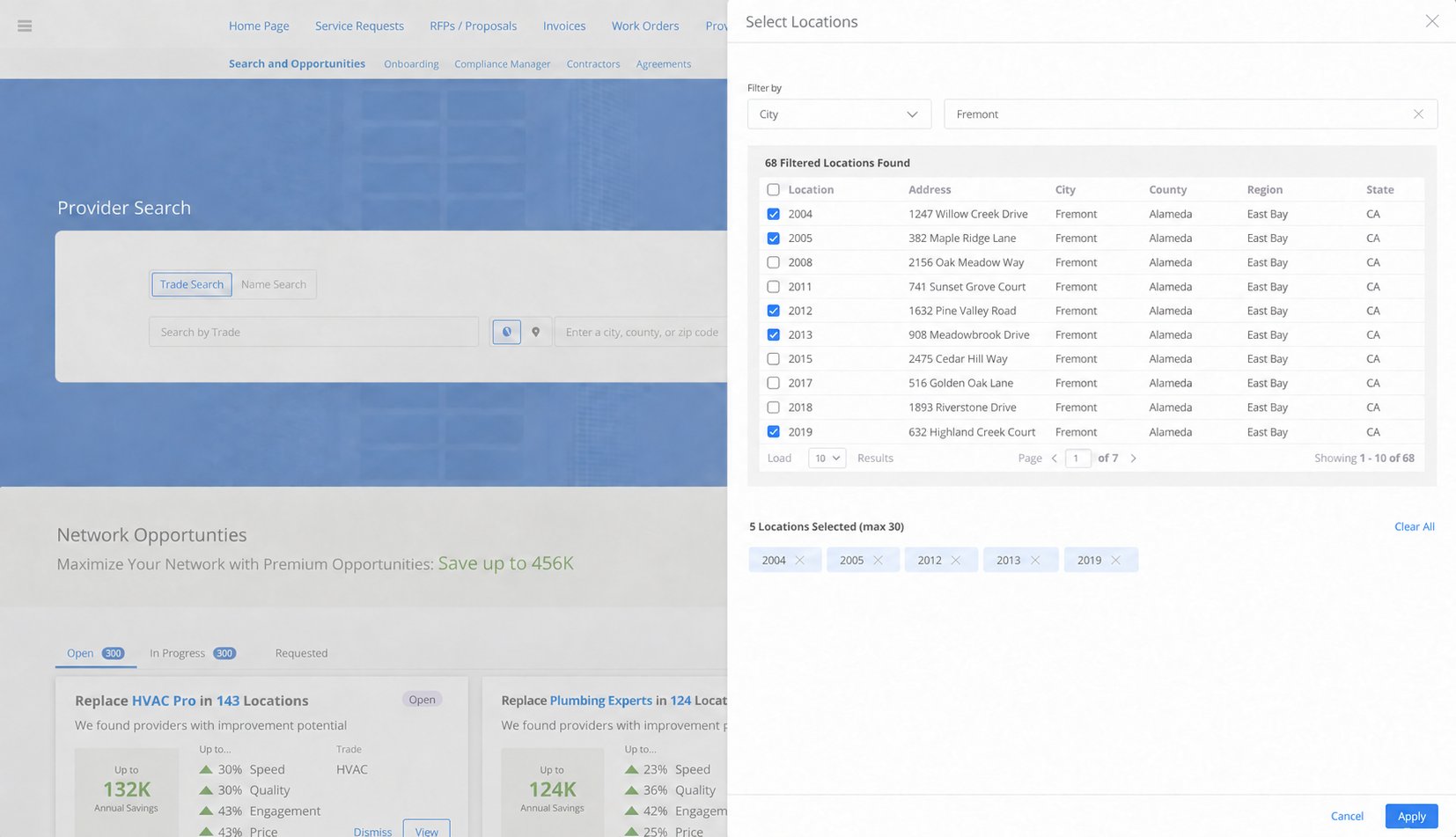
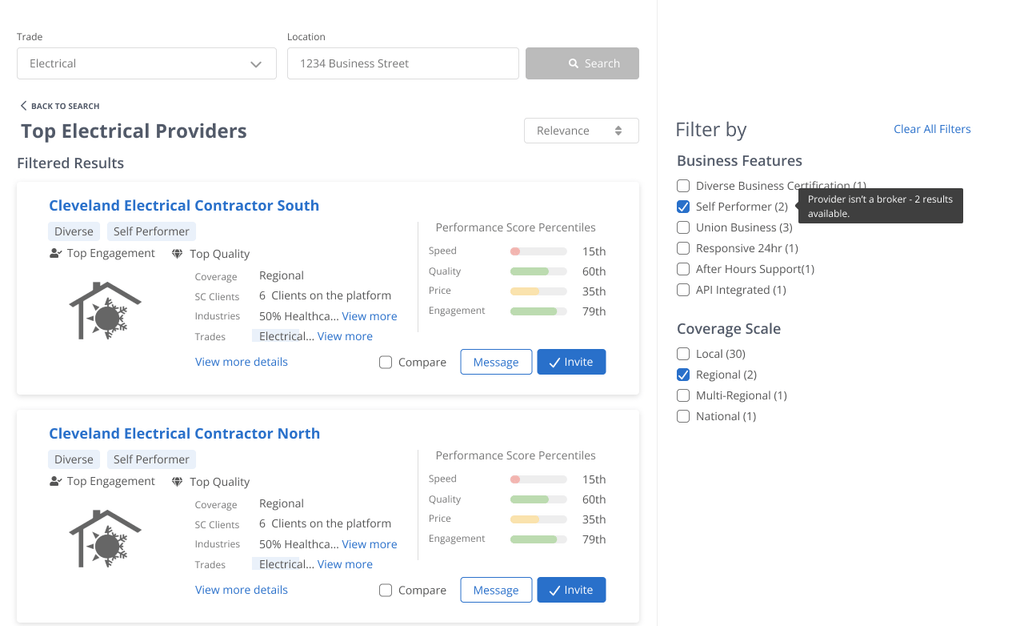
- New! Find the right provider for multiple locations. Search for new vendors that will service all your chosen sites.
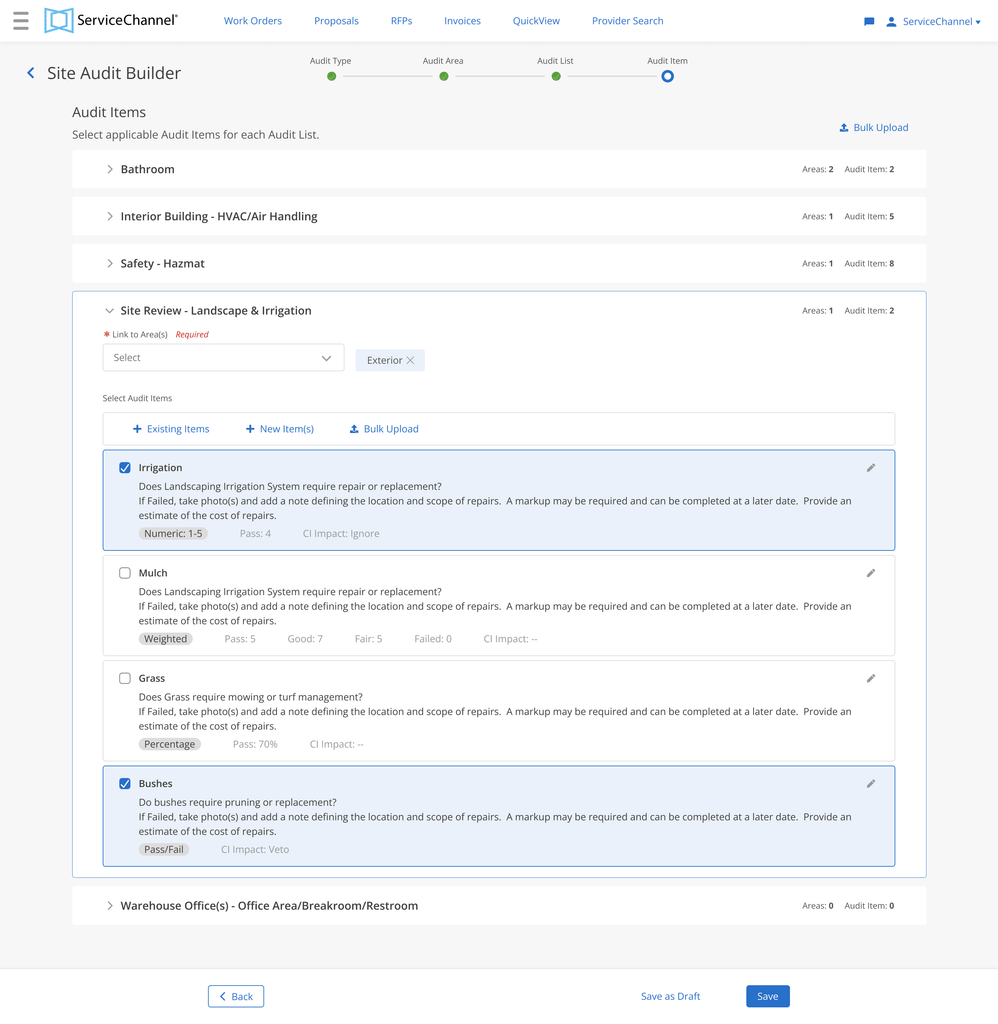
- New! Create and manage site audits the easy way. Add and edit audits directly rather than uploading a template spreadsheet.
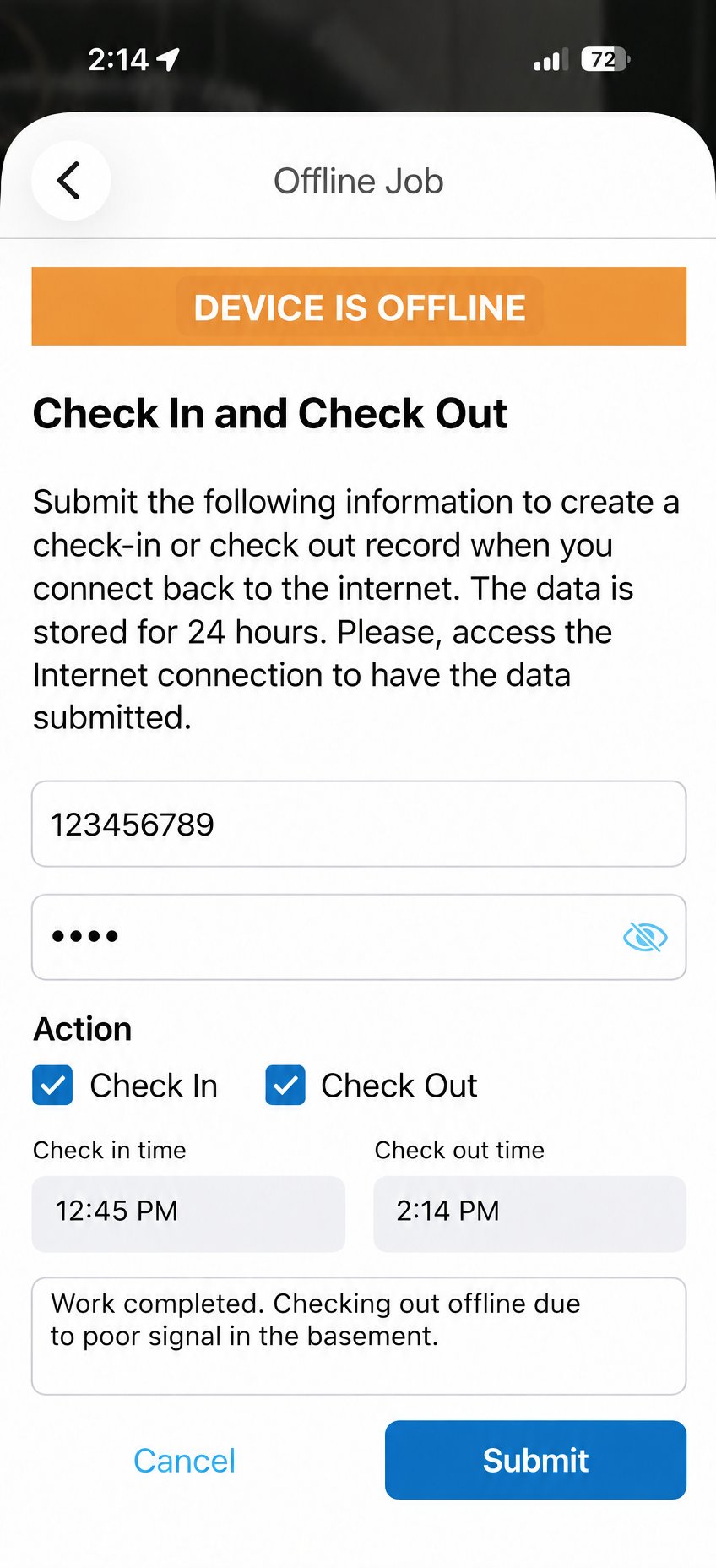
- New! Boost tech accountability with offline check in/out. Regardless of internet service, technicians can record a complete record of time on-site.
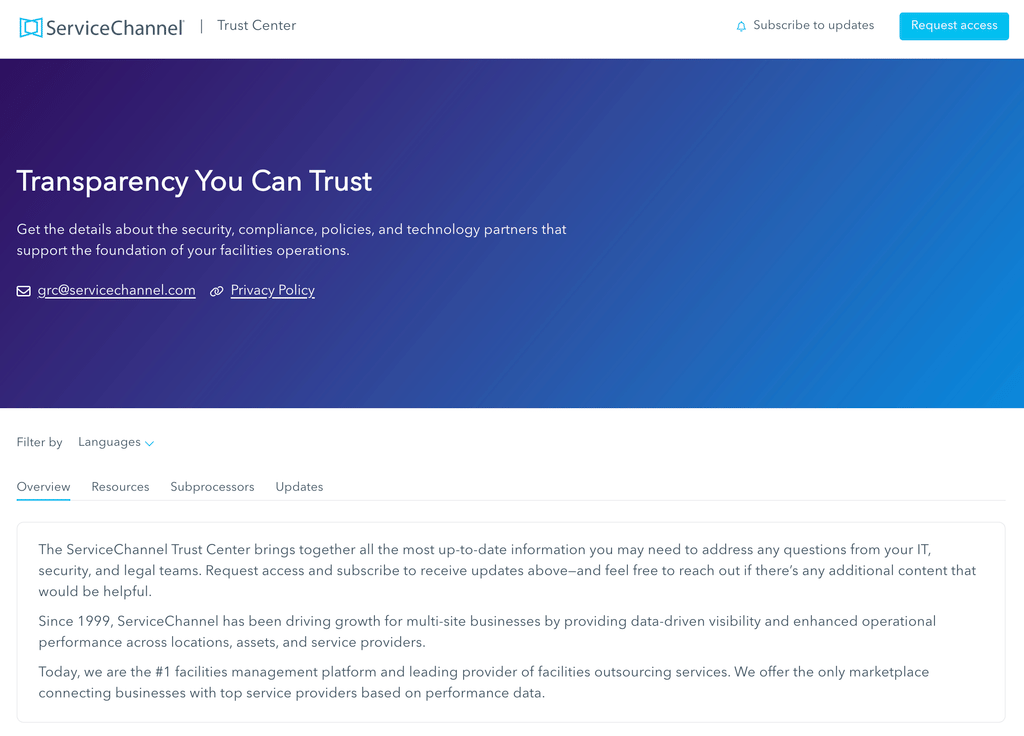
- Access security and compliance information in one place. Find and share reports, policies, certifications, and other resources with your IT, security, and legal teams in the ServiceChannel Trust Center.
- Additional updates: Self-paced training, Slack integration, bulk proposal approvals, negotiated labor rates, dispatch saved views, refrigerant leak trends, AI root cause and resolution codes, detailed budget reporting, checklist drafts, and more…
Prioritize and automate work with AI Action Hub
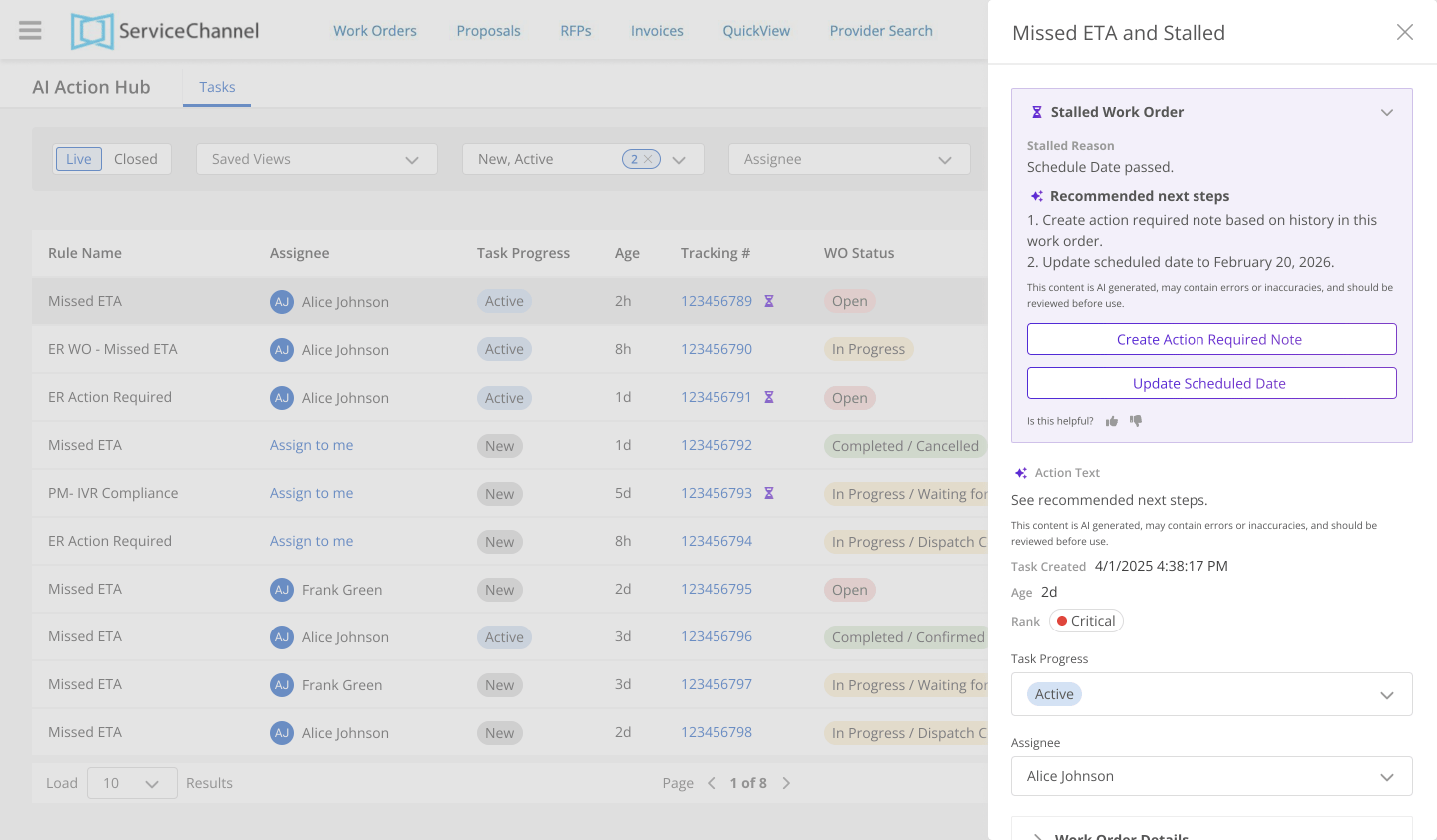
Facilities teams spend hours every week chasing work orders, asking providers for status updates, and searching for overdue items to escalate. AI Action Hub replaces those lost hours with a prioritized task list and automated actions, so you can see in seconds the work that needs attention today and get recommended next steps. With your permission, it can even take action on your behalf — while you stay in control.
Action Hub will be included for all subscribers and available in beta on December 1, 2026. AI agents will be available in early 2027. Contact your customer support team to activate.
Get answers fast from your facilities data with AI Analytics
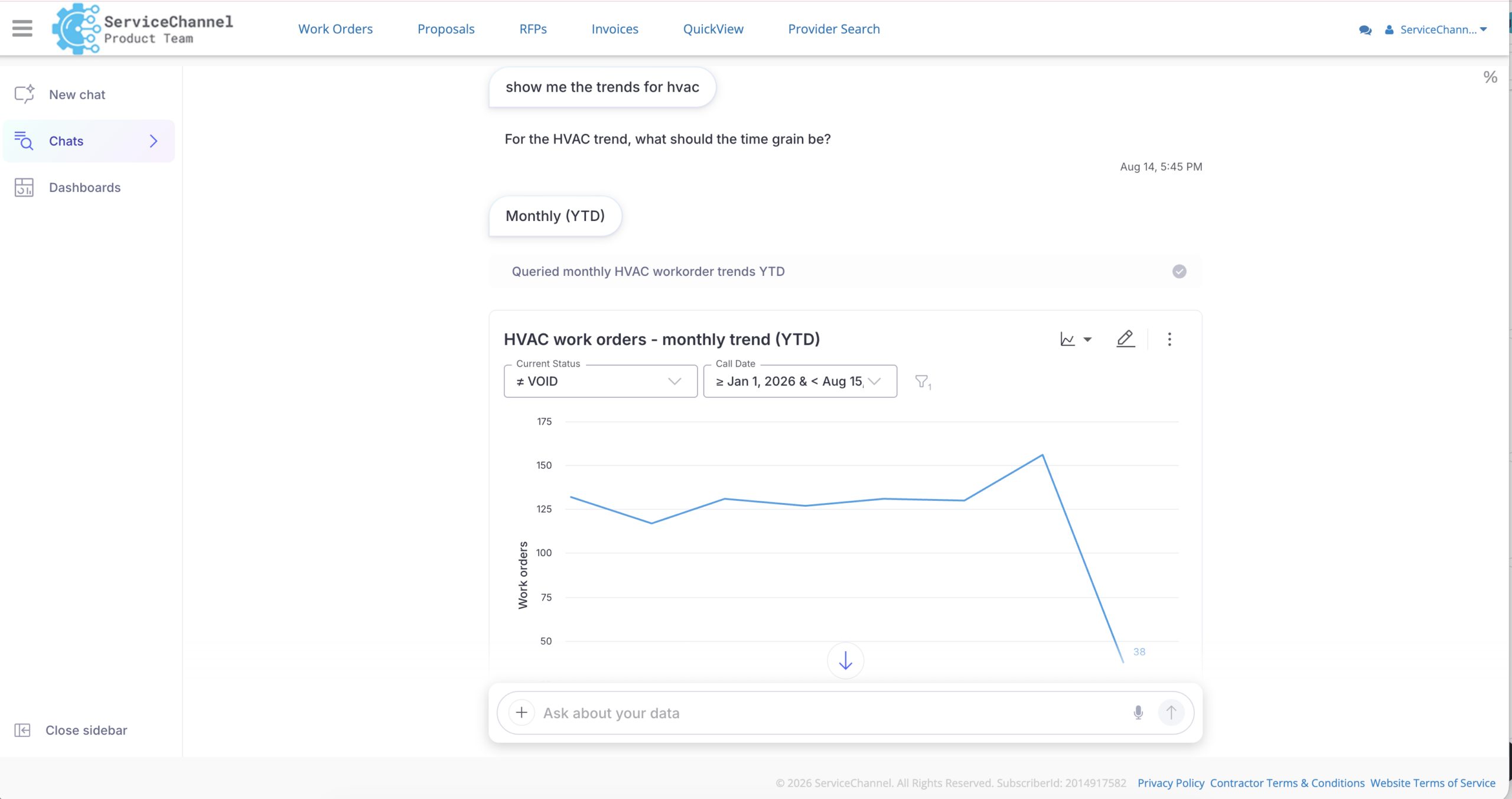
Instantly understand what’s driving spend or how performance is trending without digging through dashboards, applying filters, or asking an analyst to pull a report. Just speak or type questions like “What’s driving repair costs this quarter?” or “Which regions had the highest spend last month?” and get answers in seconds, not days. Then dig deeper with follow-up questions and get charts, tables, and scheduled reports to share with your team.
AI Analytics is available in beta for all customers in English, with one free trial license per subscriber. Contact your customer support team to activate.
Give everyone access to your operational dashboards
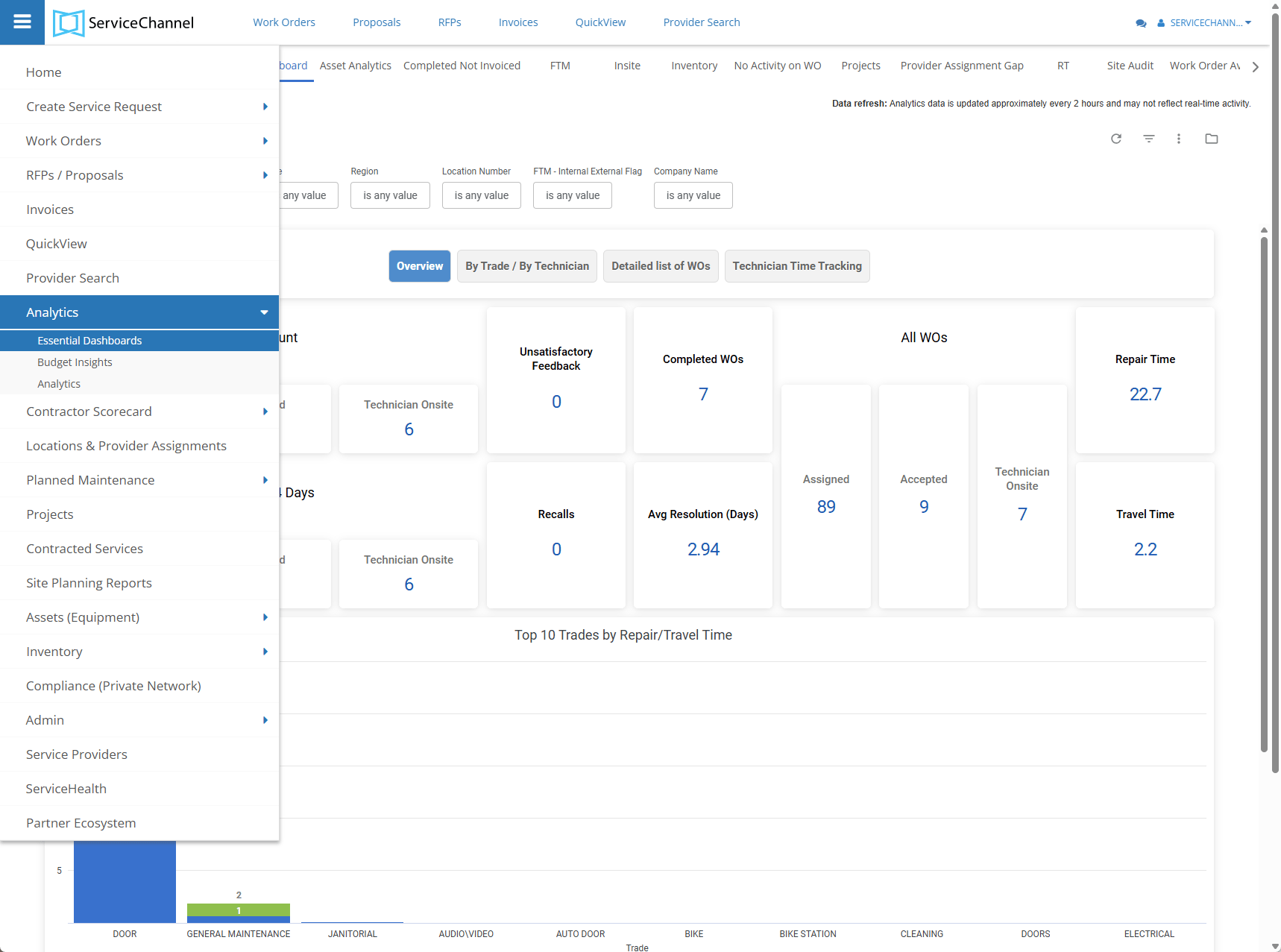
Now anyone on your team can view key reports and dashboards directly within the ServiceChannel web app, with no Analytics user license required. This gives them visibility into work order activity, invoice spend, asset health, provider performance, and operational gaps. With these insights close at hand, your team can quickly spot areas that need attention and make more informed decisions on everyday work.
To get started, ask your ServiceChannel administrator to assign you the Embed Analytics User role.
Find the right providers for multiple locations fast
Instead of running a separate search for each location, you can now find providers that serve multiple locations in a single search. Select multiple location IDs or location names to find proven providers with coverage across all of those sites, so you can optimize the number of providers in your network. Then narrow the results based on what matters most to you, including capabilities, coverage, self-performer status, after-hours availability, union status, and more.
To get started, go to Provider Search in the navigation bar. Select multiple location IDs or names. Use filters to see only the providers that match your needs.
Create and manage site audits the easy way
Save time and effort by skipping spreadsheet-based template uploads. The new site audit builder in Site Planning lets you create recurring inspections visually. Configure areas, sections, questions, scoring logic, and impact levels directly in Site Planning on desktop, then rearrange sections and questions with drag and drop and see the results immediately. Save audits as drafts and return to finish your setup without starting over.
To get started, Site Planning administrators can go to Admin > Site Planning Setup > Site Audit Builder to create or edit audits.
Boost tech accountability with offline check in/out
Connectivity gaps don’t have to create gaps in work order data. Now technicians can check in/out and add notes while offline in basements, remote sites, and other areas with poor coverage. Entries are securely stored on the device for up to 24 hours and synced automatically once they’re back online for more complete labor records and more accurate invoicing.
To get started, ask your administrator to enable offline check-in and check-out for your account.
Access security and compliance information in one place
When your IT, security, or legal teams have questions, the ServiceChannel Trust Center gives them one place to find answers. Get all the latest information about our security, compliance, policies, and technology partners. Access certifications, policies, and business continuity and disaster recovery documentation, and review information about the third-party partners that support the ServiceChannel platform.
To get started, visit the ServiceChannel Trust Center and subscribe to receive new or updated security and compliance information as it becomes available. Reach out to your Customer Success Manager or Support for state-specific information.
Additional updates
This release brings even more improvements across the ServiceChannel platform:
- Self-paced training: Onboard providers and team members faster with live and on-demand video courses in the ServiceChannel Empower Learning Management System.
- ServiceChannel for Slack: Create and follow work orders, receive real-time updates, and respond to notes directly from Slack.
- Bulk proposal actions: Select multiple proposals and approve, reject, place on hold, assign, reassign, or edit them in a single step.
- Negotiated labor rates: Add hourly labor rates to negotiated price lists so agreed rates populate invoices and proposals automatically, with mismatches flagged before submission.
- Dispatch Board filters and saved views: Filter by assigned technician and date range and save up to 50 filters.
- Refrigerant reporting: Track historical leak rates, find incomplete or unlinked leak records, and export audit-ready details to CSV or Excel.
- AI-suggested root cause and resolution codes: ServiceChannel AI suggests the most likely codes at the close of a work order, giving you more complete data to spot recurring problems.
- Budget performance drill-downs: Drill into trade, category, GL code, region, location, or priority to see what’s driving spend.
- Save checklist progress without blocking check-out: Technicians can save partially completed checklists at check-out and finish later, while required items must still be completed before the work order is marked complete.
- Keep work order materials accurate: You and your providers can add, edit, or remove parts directly on work orders on desktop to correct materials data before invoicing.
Get full details
For all the latest features, availability, and set-up instructions, explore the Fall ‘26 release notes.
See all the updates