Skip To Content
Platform Software

Work Orders

Automate your work orders to keep everything running smoothly
Book a Demo

Put your work orders on autopilot

  • Solve problems faster, without waste

    In a hurry? Automatically dispatch emergencies to the top-ranked provider. Willing to wait for lower cost? Try out interactive troubleshooting, or route for approvals to the right people.

  • Keep your spend in check

    Block expensive work until proposals are approved, stop invoices until the work is completed, and validate invoices for the right rates and hours.

  • Get everyone on the same page

    With all internal and external work orders in one app, your staff knows when providers will arrive, and providers see issue and asset details to get the work done quickly.
Highlights

  • Help location staff solve problems with troubleshooting steps 
  • Configure workflows and assignments to meet your specific needs 
  • Reduce spend with Not -To-Exceed (NTE) limits 
  • Increase accountability with validated invoices  
  • Automate your processes for approvals and landlord responsibilities 
  • Get proposal approval recommendations based on past decisions  
 
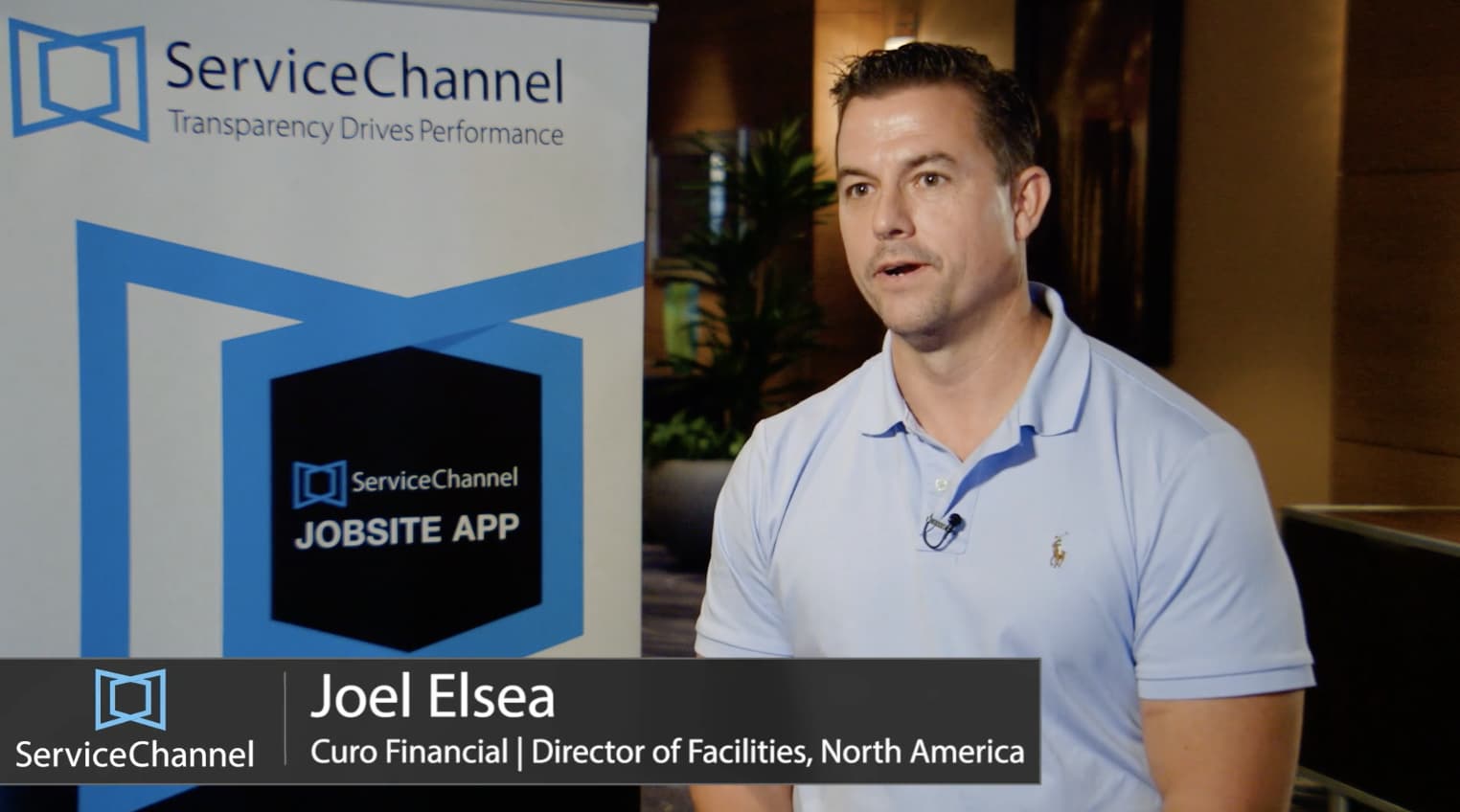
ServiceChannel does all the heavy lifting for you – just place a work order and the rest is practically automatic.

Joel Elsea Director of Facilities, Curo Financial

Features

The Work Order module helps you minimize the time you spend putting out fires by automating as much of the process as possible, and by keeping everyone informed.
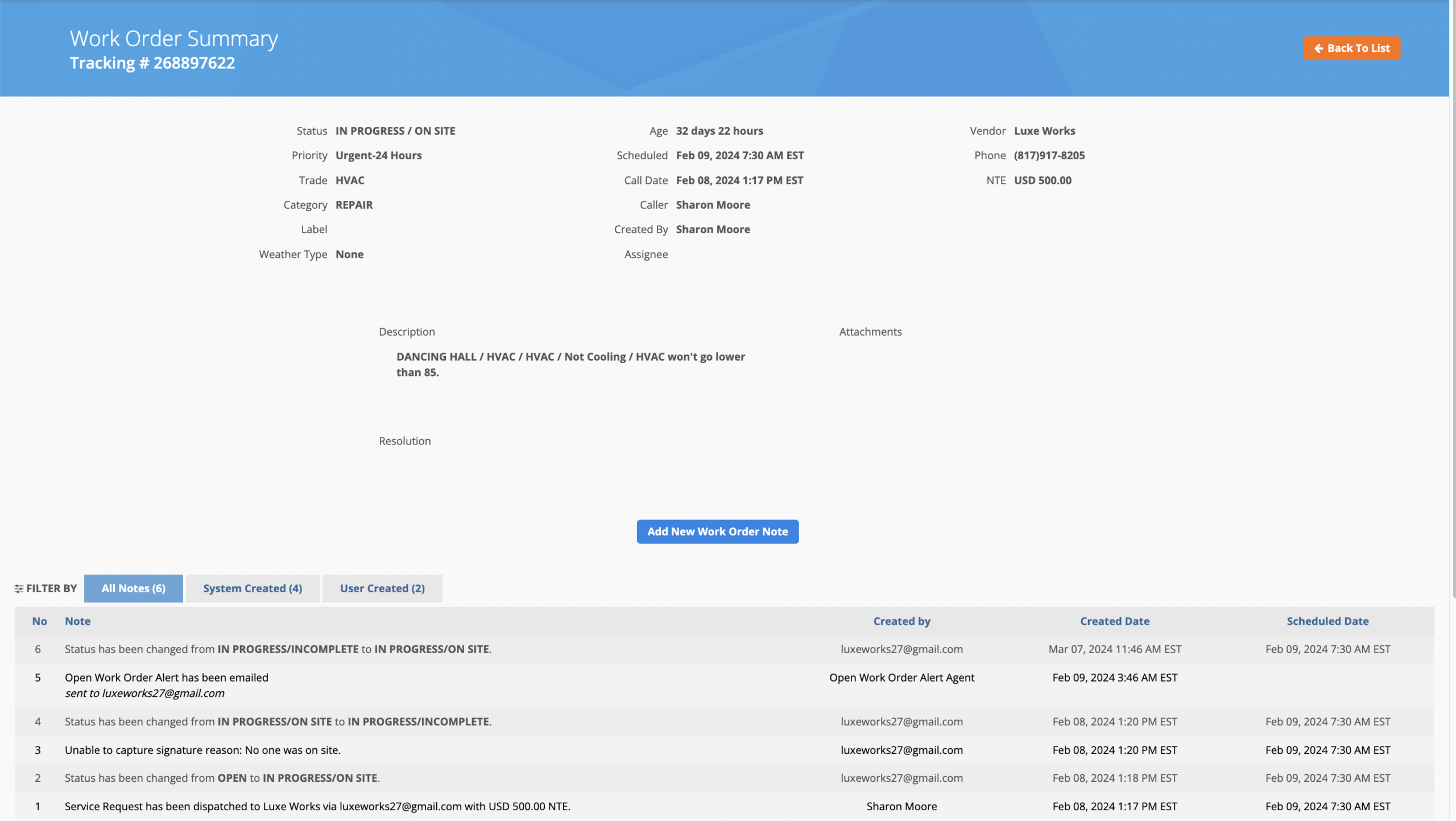
Work Order Details

Keep everyone informed so that nothing slips through the cracks

  • See attachments and notes, check provider activity, review spend, and more  
  • Ensure location staff know when to expect providers 
  • Give providers the issue and asset details needed to get the job done 
  • Assign, rank, and reroute work orders to providers based on customizable conditions  
  • Keep work orders organized with labels to analyze spending trends for emergency situations, special projects, and other classifications meaningful to your operations.

Location Experience

Empower location staff and providers to keep things running smoothly onsite 
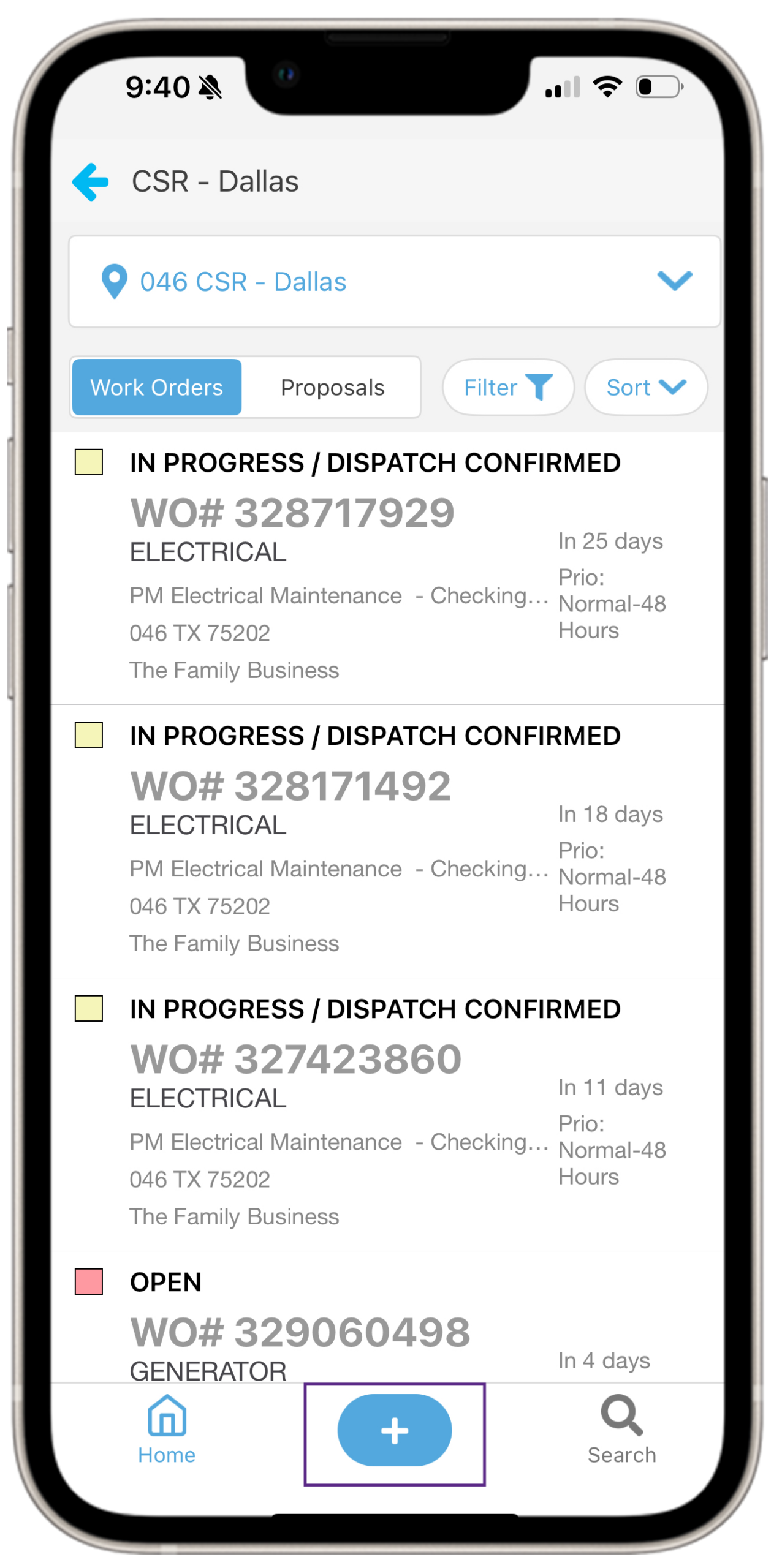
  • Location staff can create work orders, place service requests and track status using the mobile app 
  • Providers can check-in, view issue details, access the site and track their work with the Provider App  
  • Allow providers to generate work orders while onsite for pre- approved types of work, such as landscaping and snow removal 

Proposal Automation

Spend less time reviewing routine expenditures and avoid overpaying for work 

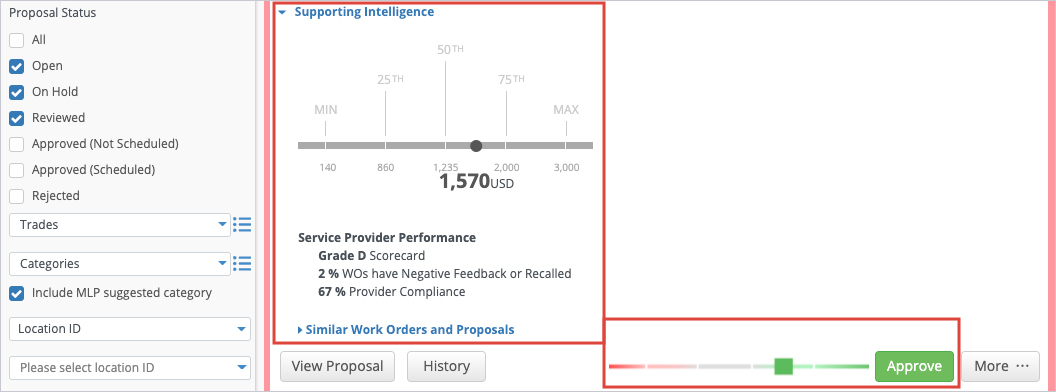
  • Get automated proposal recommendations to approve or reject backed by data and practices from your industry peers.  
  • Compare the price to similar proposals with context on provider performance so you can quickly and confidently make decisions 
  • Automatically send invoice information directly to payroll and ERP systems 

Automation and NTEs

Automate processes to save time and money
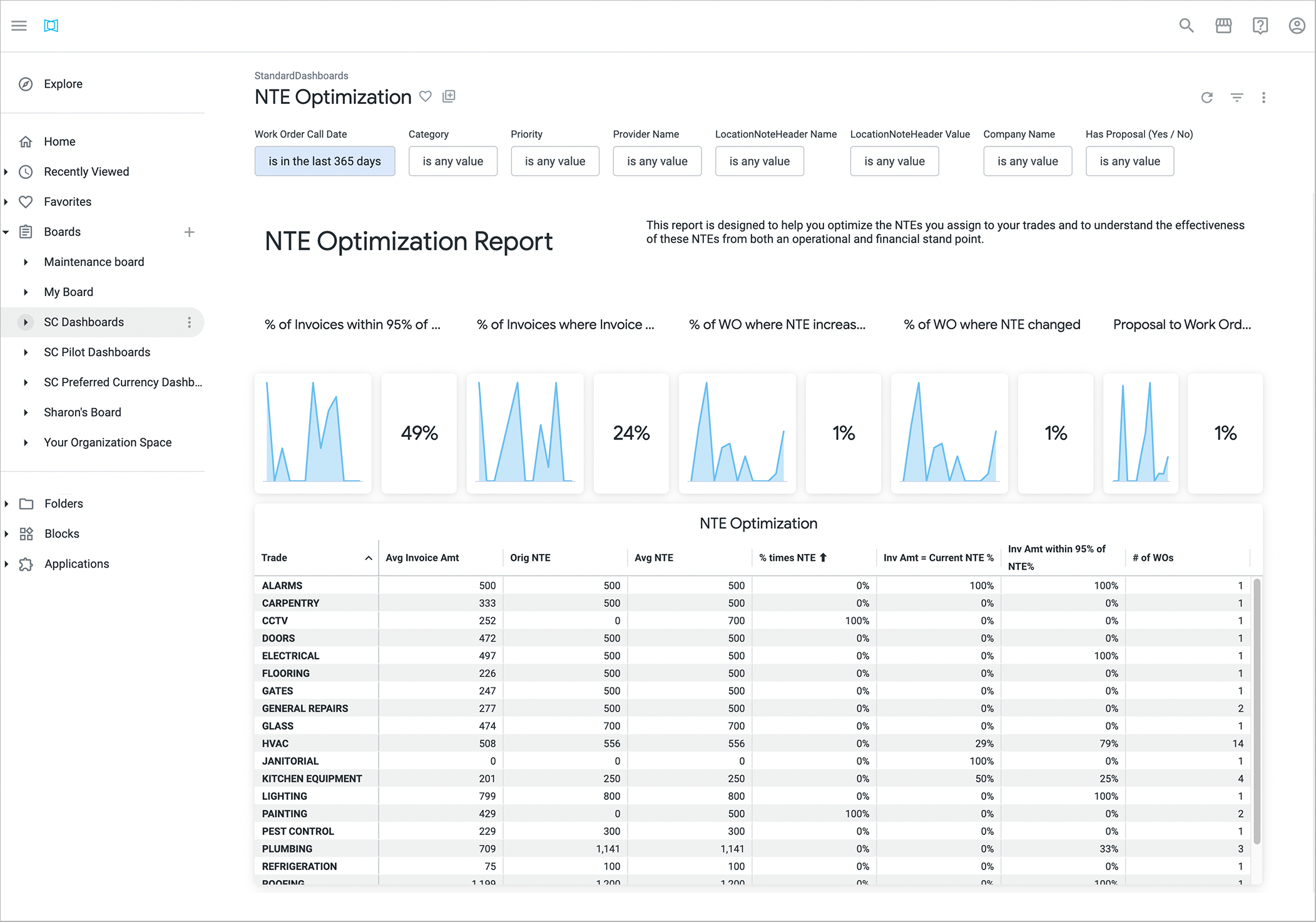
  • Set not-to-exceed cost controls to ensure work order costs stay within budget 
  • Automate processes by setting up business rules that increase call avoidance
  • Automate dispatch for both repair and planned maintenance 

Validation

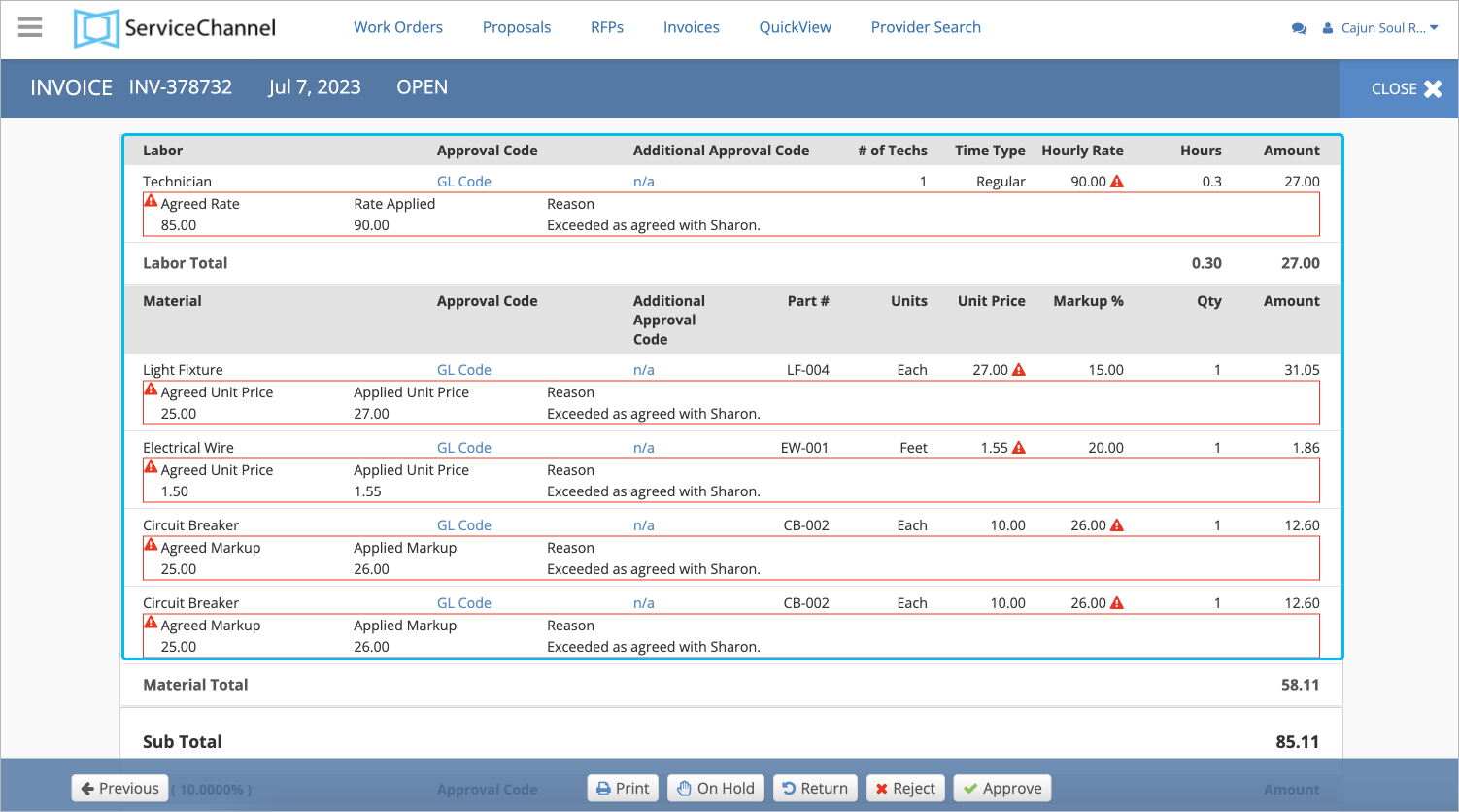
Ensure inconsistencies are flagged for further review

  • Avoid overspending with automatic invoice flagging for mismatches 
  • Validate a provider’s time onsite with real-time GPS 
  • Set rules to automatically approve invoices without identified errors 

Map View

Quickly see which regions and locations require your attention
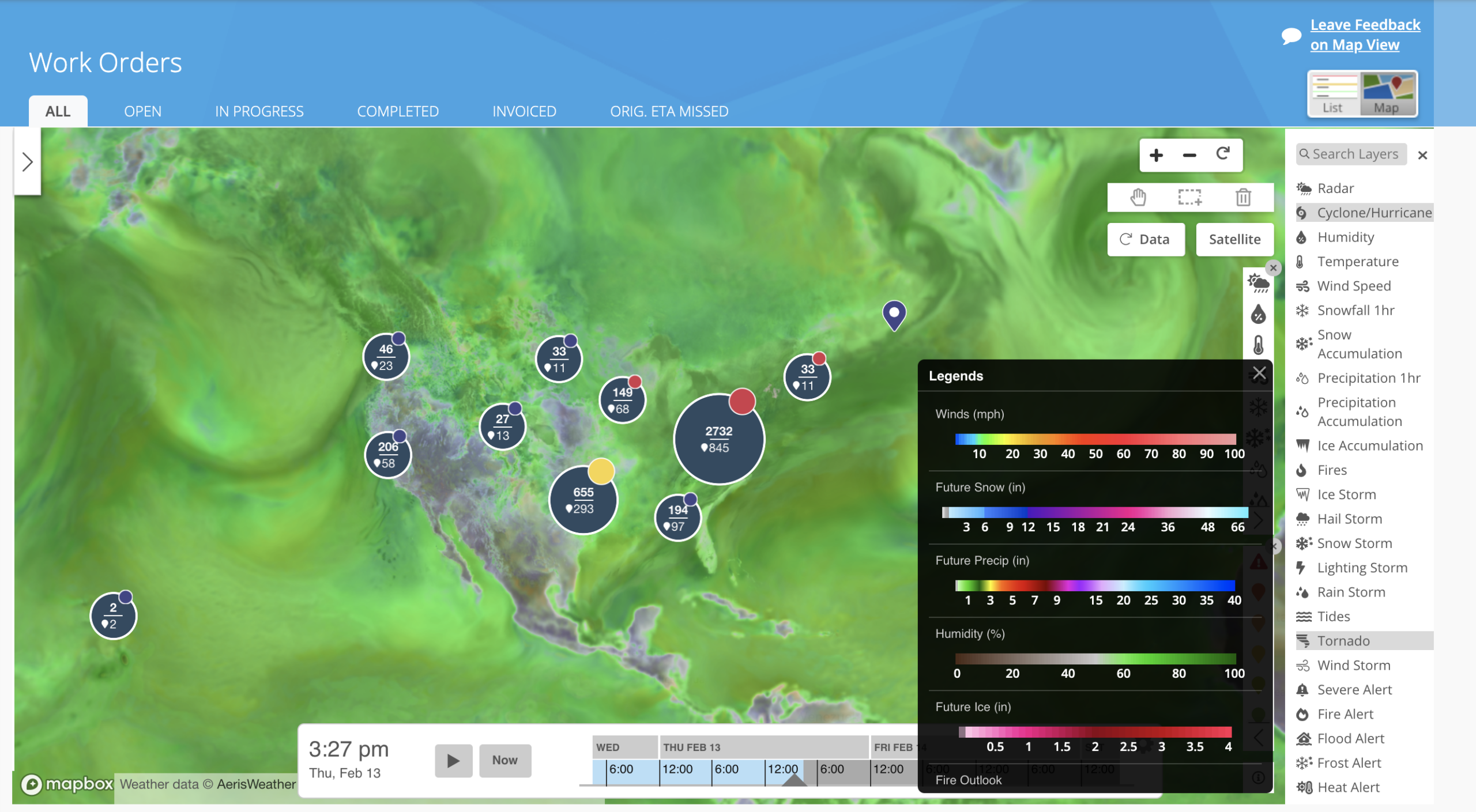
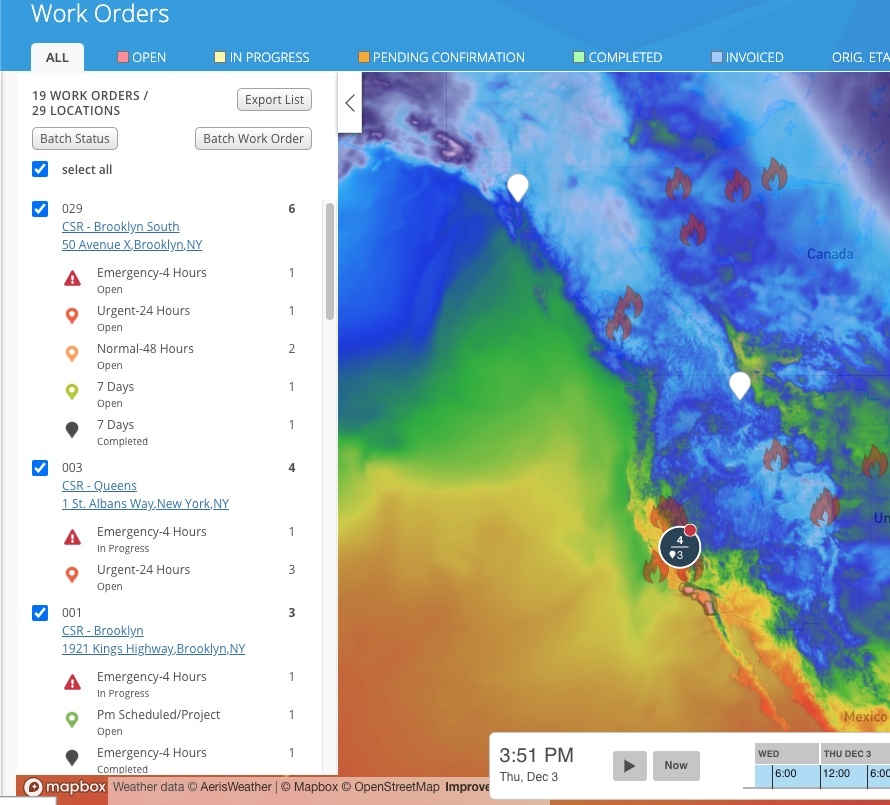
  • See which locations and regions have high work order volumes, prioritization, and emergency work orders on an interactive map 
  • Overlay weather events and alerts in proximity to your locations so you’re prepared for major disruptions  
  • Proactively protect your assets from weather events with batch work order creation directly from Map View 

Preventive Maintenance

Extend asset lifespan while minimizing downtime

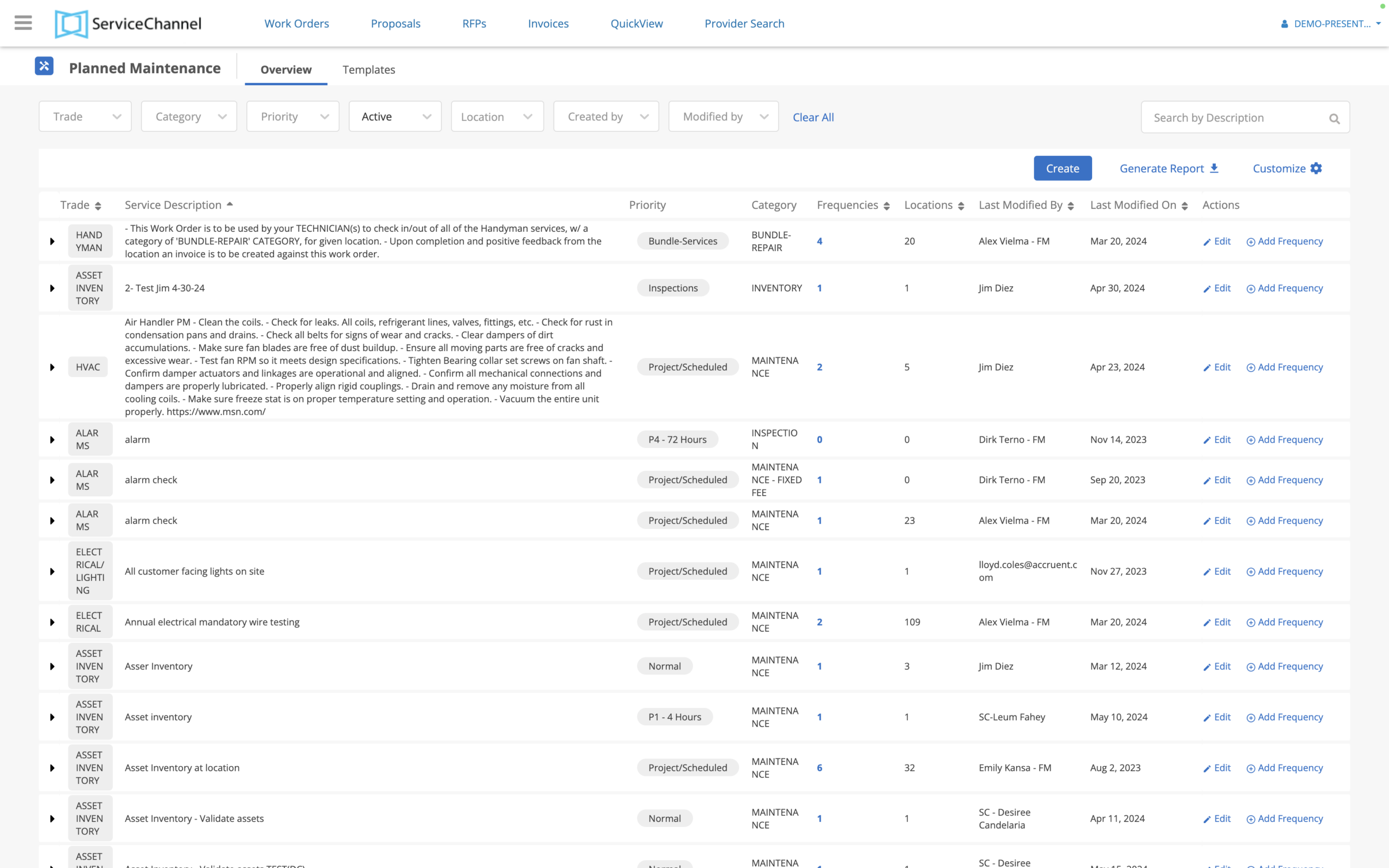
  • Schedule compliance-related maintenance tasks automatically to help your facility meet safety and regulatory requirements
  • Automatically create work requests and dispatch maintenance teams based on your set preventive maintenance schedules
  • Monitor and log historical data for all assets and use these records to help your maintenance managers with regular upkeep and planning upcoming tasks
  • Schedule site audits for facilities and operations teams to quickly assess your brand conditions, and to create work orders on the spot to resolve any gaps

FAQs

Frequently Asked Questions about Work Orders

Can’t find an answer to your question? Get in touch.

What is work order software?

Work order software is used to manage the planning, purchasing, tracking, and invoicing of maintenance and repair services. With the right work order software, you can automate workflows, minimize downtime, and keep facilities ready for your customers, leading to increased sales and reduced costs.

Also known as a work order management system, it centralizes all the work done on a company’s facilities and assets in a single source of truth, and it streamlines communications between location staff, external service providers, internal technicians, and corporate staff.

Work order management is one of the core functions of facilities management software, also known as a computerized maintenance management system (CMMS) or an enterprise asset management (EAM) system.

Who uses work order software?

Work order software is used by employees ranging from store associates to the VP of Facilities, as well as by third party contractors.

  • Finance teams use the data from work order software for financial reporting and forecasting and to identify cost savings opportunities.How do Not-To-Exceed (NTE) limits work?
  • Facilities teams, along with IT, Risk, Loss Prevention, and Merchandising teams, use work order software to manage service delivery and analyze performance for both internal technicians and contracted providers.
  • Technicians use work order software to track time spent, work done, and asset conditions all in one app while in the field.
  • Location managers use work order software to submit requests for service, monitor real-time status, and leave feedback for providers.
  • Operations leaders use work order software to monitor location conditions and to preserve brand standards.
  • Compliance managers use work order software to document maintenance activities, comply with regulations, and prepare for audits.

How do NTE limits work?

You can set NTE limits for certain trades by entering a Not To Exceed Limit (amount) and currency. You can change these limits at any time, which will leave an audit trail. 

The NTE Optimization Dashboard is designed to help you optimize the not-to-exceed amounts (or NTEs) configured to your trades. It shows you the percentage of invoices that were within 95% of your NTE, helping you understand the effectiveness of NTEs from both an operational and a financial standpoint. 

How long does it take to implement work order software?

We’ll get you ramped up and realizing value quickly. With the hands-on support of our expert team, including dedicated implementation and customer success managers, clients usually go live with ServiceChannel in 30 to 90 days.

If you have existing work order or asset software, we can help import your historical data into ServiceChannel.

If you don’t have enough staff to use work order software, then ServiceChannel Managed can help to administer the platform software and oversee work orders and providers on your behalf.

To learn more about the implementation process, please schedule a consultation.

SEE ALSO

ServiceChannel Mobile App


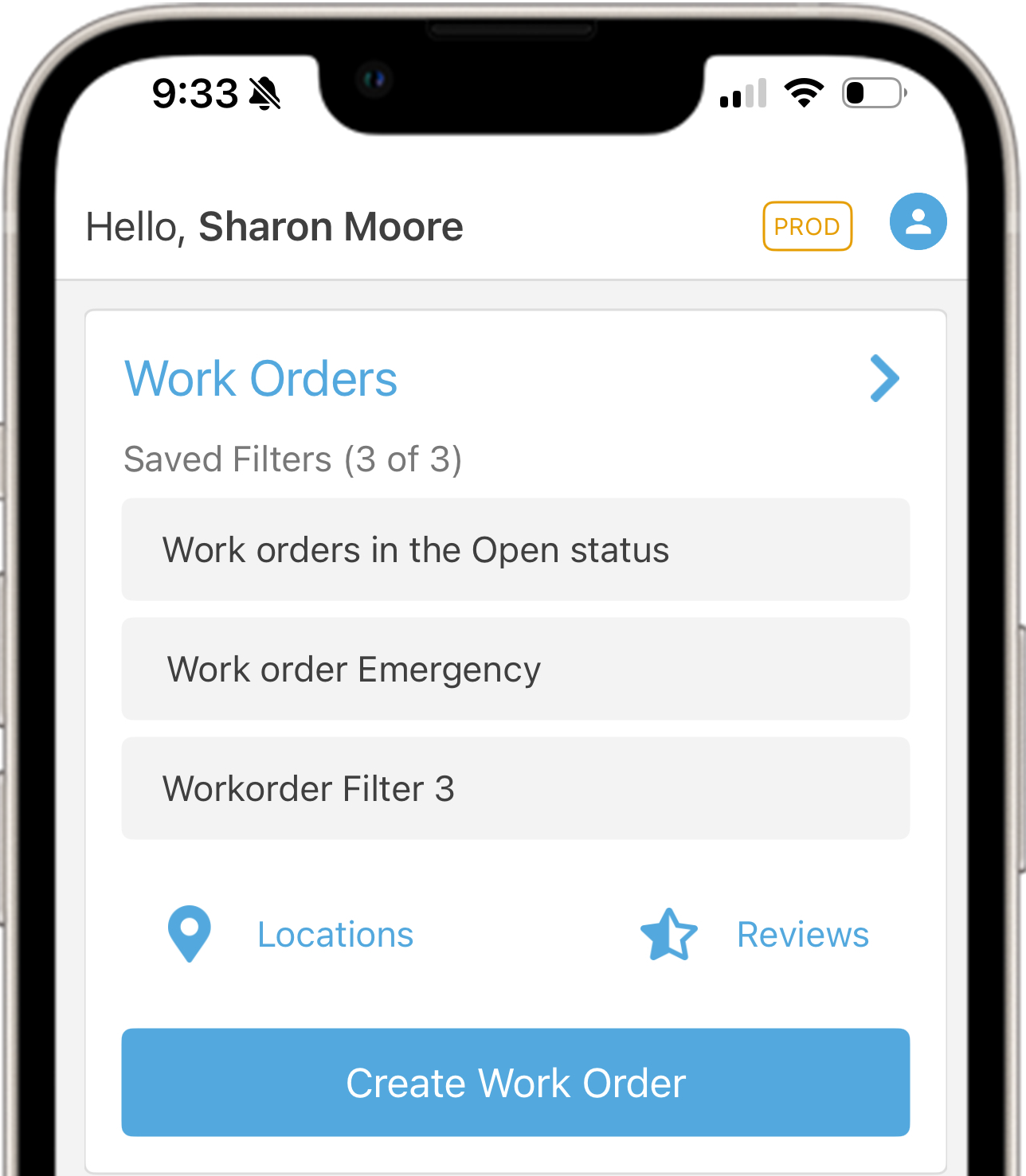
With the ServiceChannel App, you’re never more than a tap away from your work orders. Onsite or on the road, make every minute of your day productive and ensure issues are resolved promptly.

Learn More

Let’s get started

Want to learn more about automating your work orders?

Tell us about your challenges with work order management, and we’ll help you build a strategy to achieve your goals.

Book a Demo