
ServiceChannel
Modified on
October 15, 2026
With the 2026 summer release, you can now work faster with AI-powered tools, get to the right work order details more easily, and keep work moving.
Highlights
AI-powered workflows
- Instant AI work order summaries now available for all providers
- NEW! Save time with AI asset recognition via mobile
More updates to boost your service and efficiency
- Navigate easily with an updated interface for ServiceChannel Provider mobile app
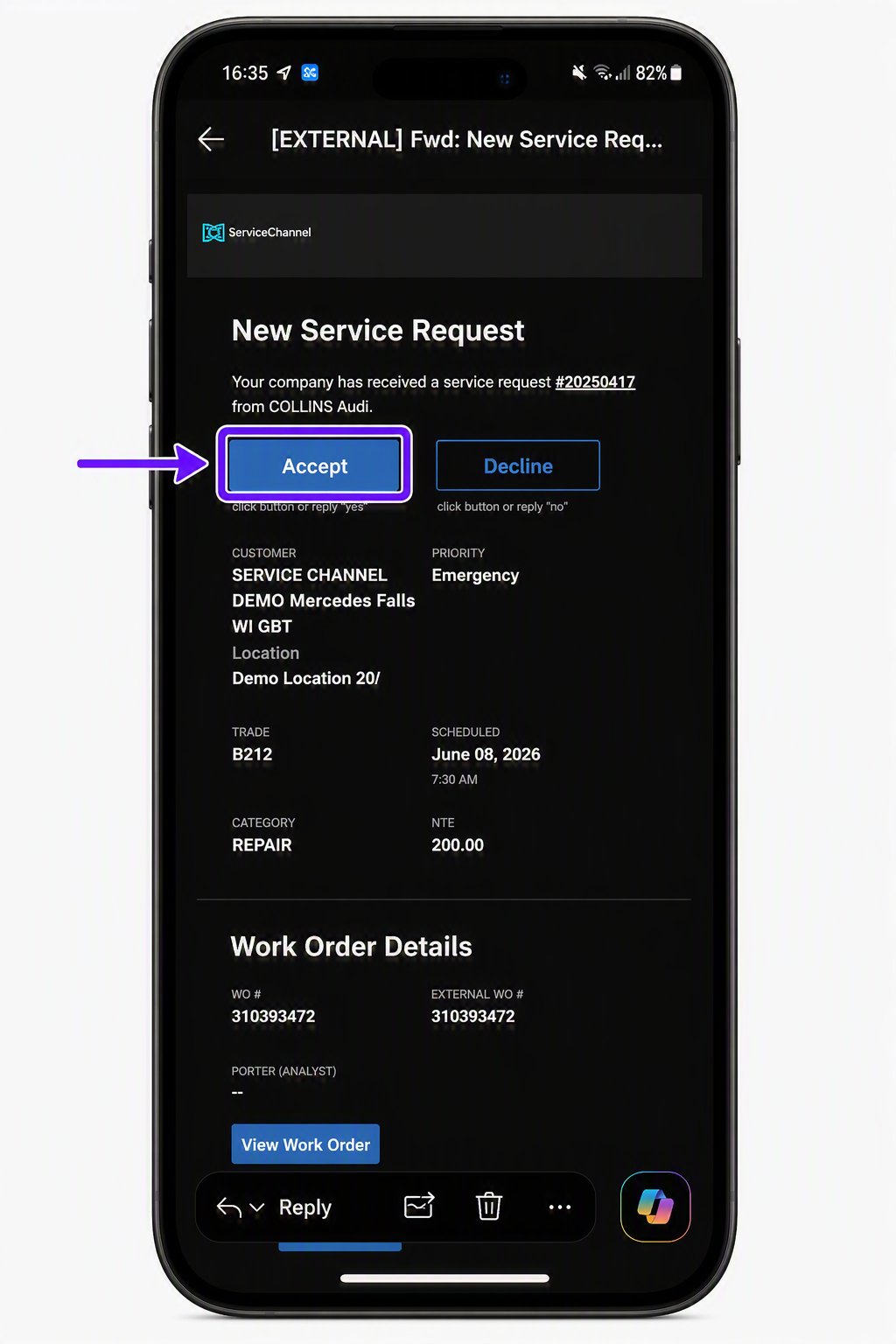
- When accessing a work order requires a PIN, you can now open it in the mobile app with one click, right from the Service Request email
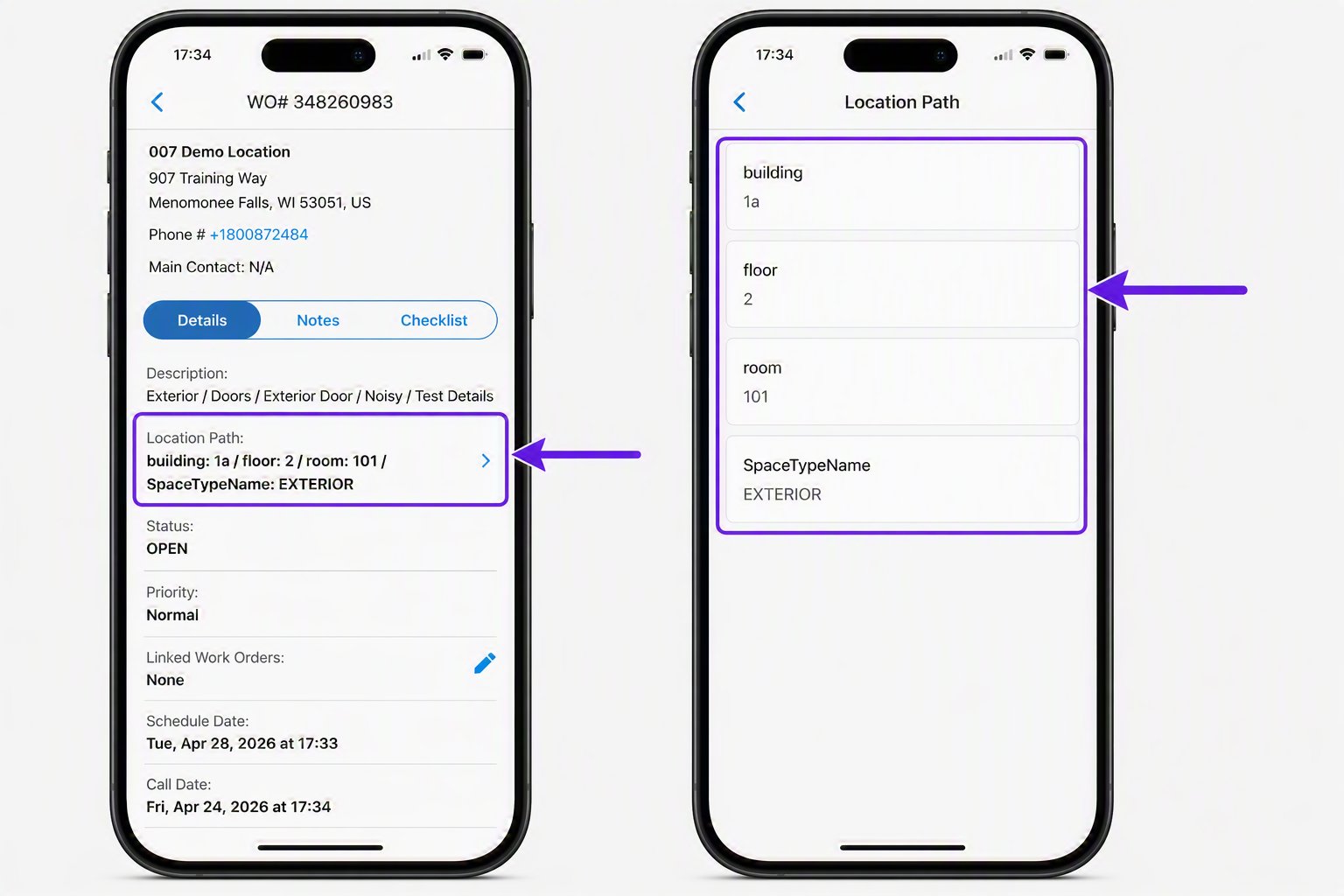
- Get to the right service location fast with precise location details
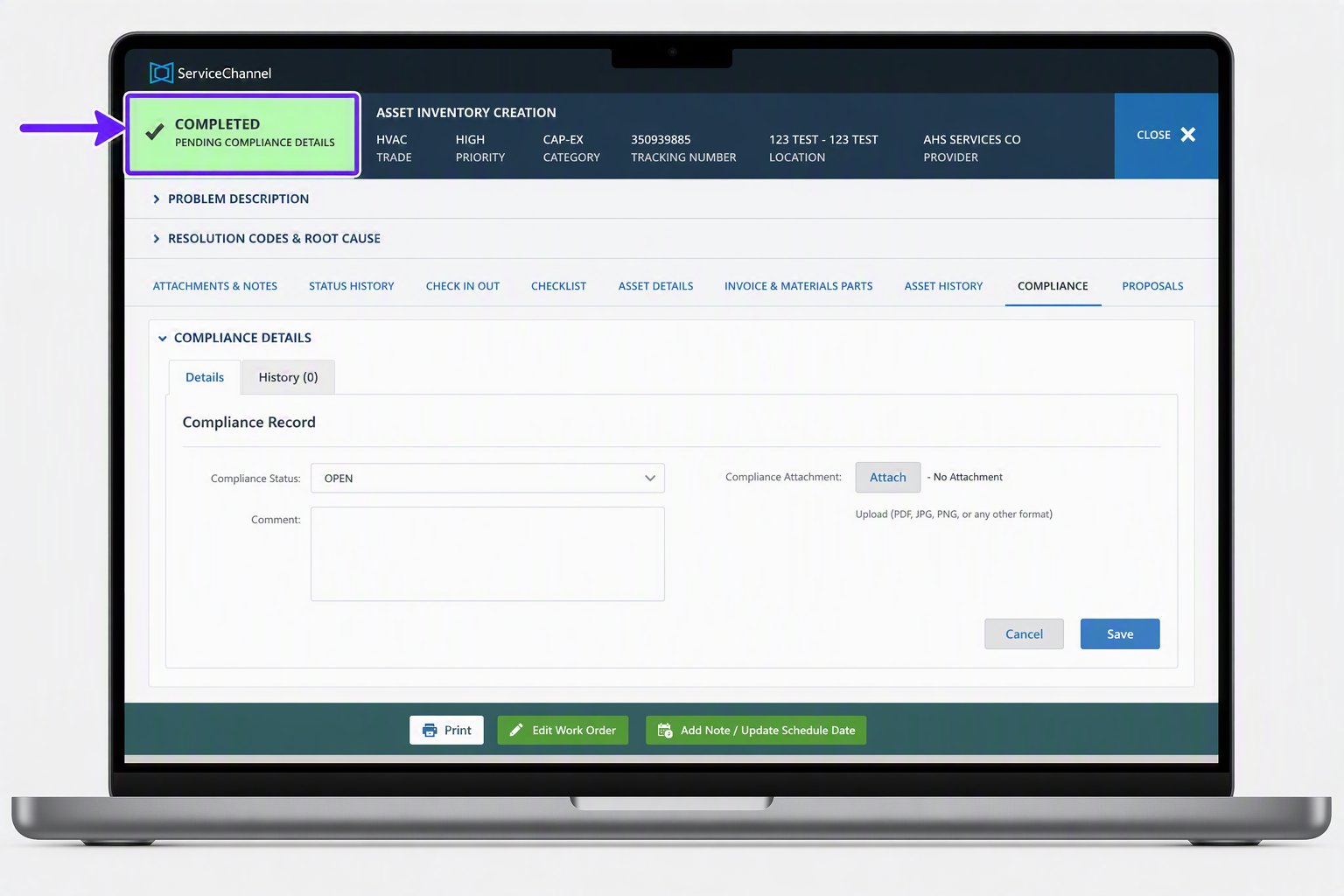
- Sidestep barriers to prompt payment with a new Pending Compliance Details work order status
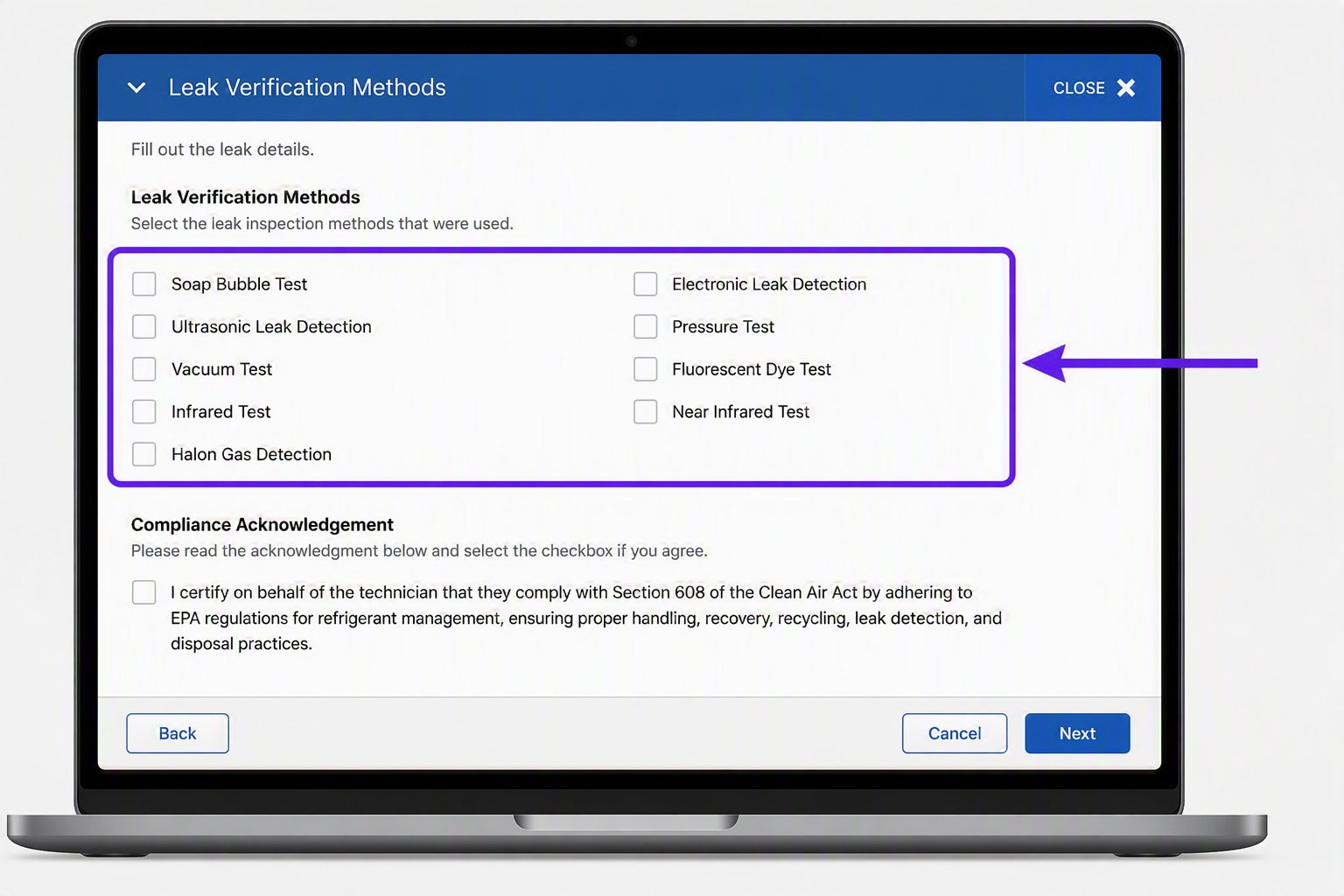
- Quickly document your refrigerant leak verification method and acknowledge compliance — now required — just by checking a box.
AI-powered updates
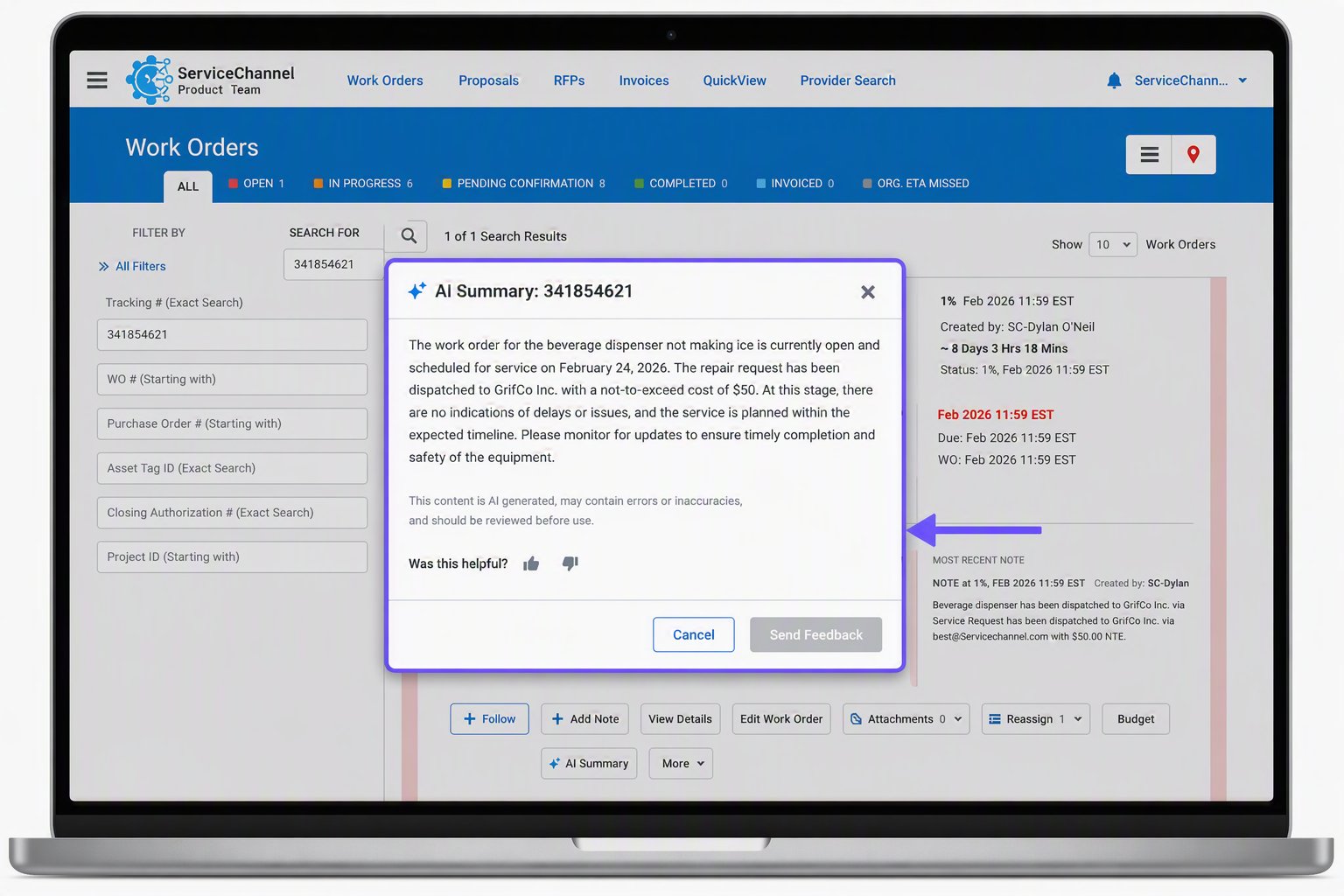
See work order status at-a-glance with AI summaries — now in place for all providers!
- With a single click, you can now quickly see what’s happened, what’s next, and what’s blocking progress.
- Avoid time-consuming scrolling through pages of work order notes or wasting time in email or phone escalations with your team or customers.
- First announced in the spring product release with gradual availability, this time-saving feature is now in place for all providers.
Get started
Look for the AI Summary button on both the work order page and any work details page.
Identify and create assets faster with AI asset recognition
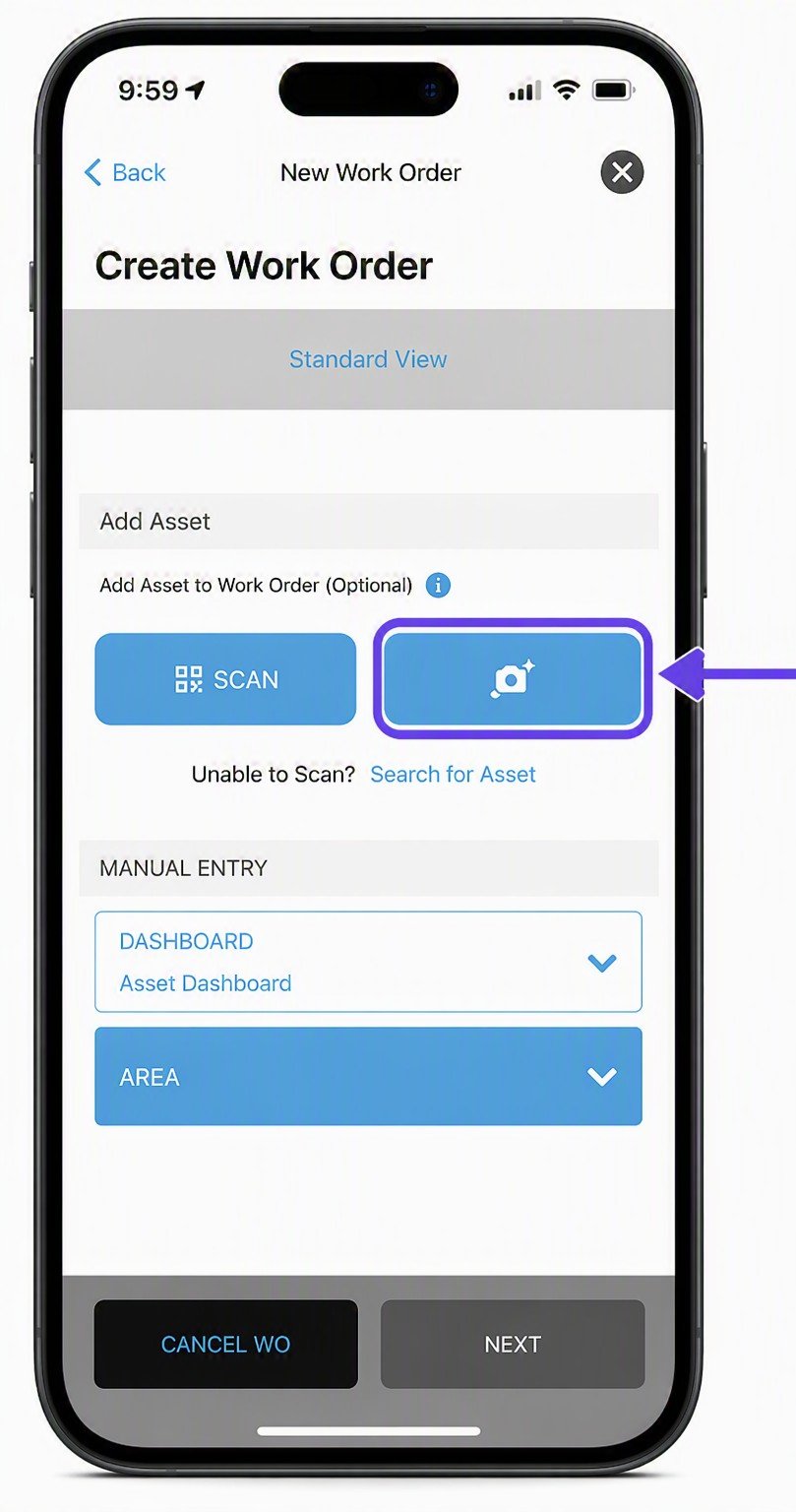
Now when your client engages you to help with asset management, you can identify, create, and manage assets simply by taking a photo in your ServiceChannel Provider mobile app.
- No more manual data entry or tag scanning. Just snap a quick photo of the nameplate.
- The app uses AI image recognition to extract and auto-fill key details like make, model and serial number to save time and reduce typing and errors.
- It suggests an asset type and matches to existing records, auto-fills the asset fields, and asks you to confirm the values before saving.
Get started
This feature is available when enabled by a customer.
More updates to help you move work forward
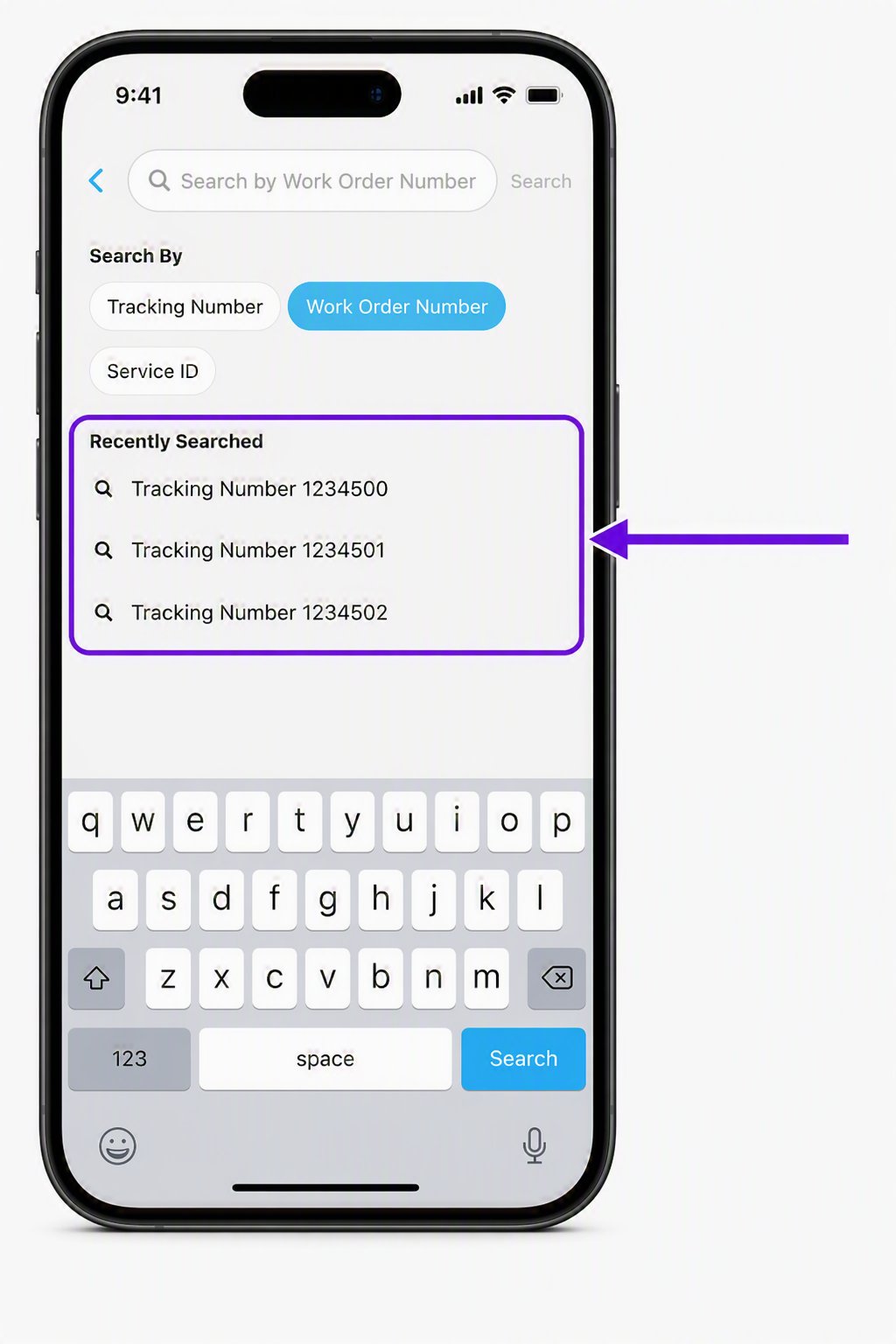
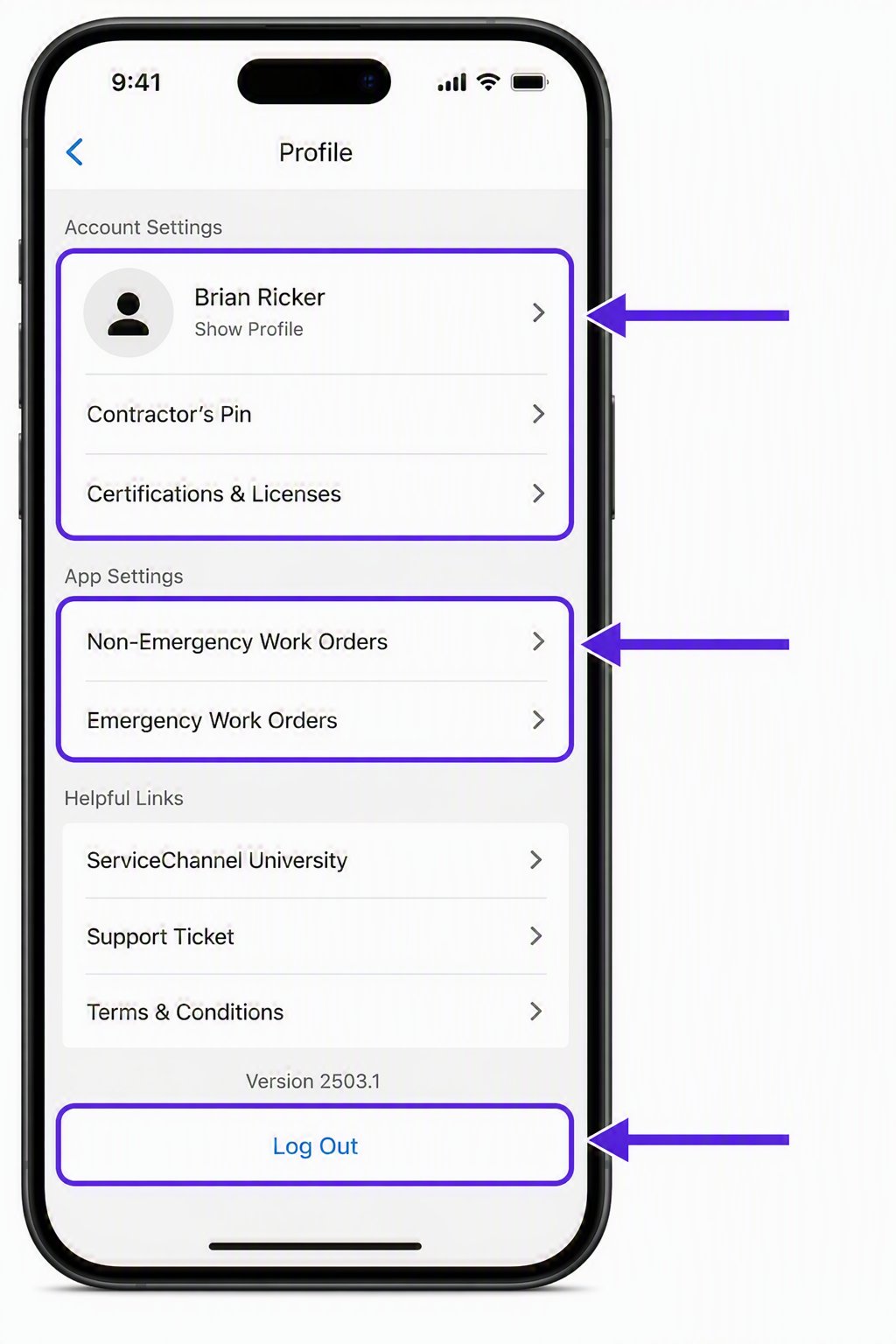
Navigate ServiceChannel Provider mobile with an updated interface and improved search
With an updated experience across key provider mobile screens including profile and search, you now have a faster, easier way to navigate common pages.
- You can now see recent searches, making it easier to return to work orders you’ve already looked up.
- If you sign in with a user ID and password, you’ll be taken to the work order page, getting to your next step faster.
- If you sign in with a PIN, you can quickly look up a work order from the updated search screen.
- Easily access app settings and log out from the profile area.
Get started
There’s no setup required. Just make sure the latest version of the ServiceChannel Provider mobile app is downloaded to your device.
Open work orders requiring a PIN with one click
You can now open a work order with one click, directly from a link in the Service Request email.
- When you need to use a PIN, the Service Request email now includes a link that takes you directly to the work order.
- No more going back and forth between the email and the app to look up and manually enter the work order tracking number and PIN.
- If the link has expired or has been used too many times, you’ll be prompted to log in with your PIN as usual.
Get started
To use this feature, make sure you have the latest version of the ServiceChannel Provider mobile app. Note Service Request emails sent before July 23, 2026 will not include the new direct link.
Download for iOS
Download for Android
Get to the job faster with clear location details
Now your customers can include specific work location details to a work order, such as building, floor, room, or other space information.
- No more getting lost in large campuses or multi-floor facilities or wasting time hunting for the service location.
- Get to the right area fast, without having to search or ask for directions.
Get started
There’s nothing you need to do to get started. If your customer enables this feature on your provider account and adds location details, you’ll see that information right in the work order.
Get paid faster when you know that required compliance details need to be added
A new Completed: Pending Compliance Details work order status lets you know that a PM work order is missing required compliance information such as a compliance status, attachment, or required dates.
- The new status helps your customer ensure they have information needed to maintain required records
- It alerts you to add the required information so you can get the completed work order moved forward quickly to approval for invoicing.
Get started
When you see a work order in Completed: Pending Compliance Details status, review the required compliance fields and add the missing information.
Support refrigerant regulations with required leak verification details
To support refrigerant-specific laws and regulations, your customers may need a record of how leaks were verified. For applicable refrigerant work, you may now be prompted to select a leak verification method and acknowledge compliance before closing the work order.
Get started
When prompted, select the leak verification method used and check the Compliance Acknowledge box before closing the work order.
Looking for details on previous releases? Click here