Contractor Scorecard turns work order activity into objective Speed, Quality, Price, and Engagement scores for every provider. You and your provider see the same dashboard – so vendor reviews are based on facts, paving the way for continuous improvement.
Measure provider performance
Move provider conversations from anecdote to evidence, with shared visibility into what’s working and what isn’t.
Keep an eye on trends
See provider performance trends across your whole network, by region, by trade, or by individual provider, down to the work order.
See how your providers stack up
Benchmark your providers against the top performers across the ServiceChannel network – so you know whether the issue is your provider, your trade, or your market.
Highlights
Measure the speed, quality and cost of your providers
Monitor metrics for both repair and maintenance work
Identify weak spots in your network for improvement
Benchmark against thousands of providers and millions of work orders
Your provider sees the same metrics as you do
See how Contractor Scorecard works for providers
The kind of objective statistics that ServiceChannel provides is worth its weight in gold
Contractor Scorecard makes provider performance measurable, comparable, and actionable, with benchmarking against over 30 million work orders per year across the ServiceChannel Platform. Because providers see the same scores you do, every QBR starts from a shared truth, not a guess, so you can create stronger partnerships and improve service outcomes together.
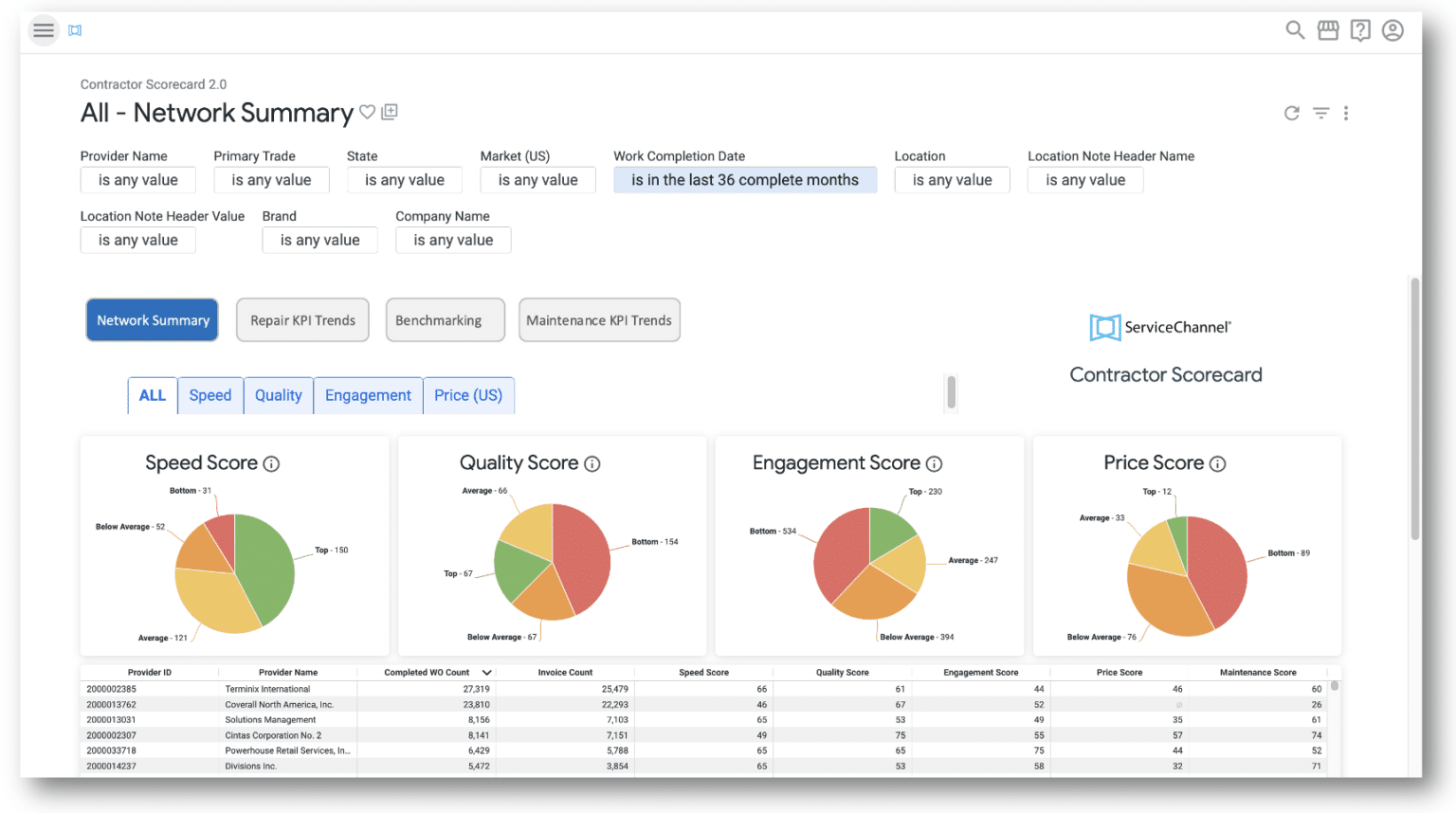
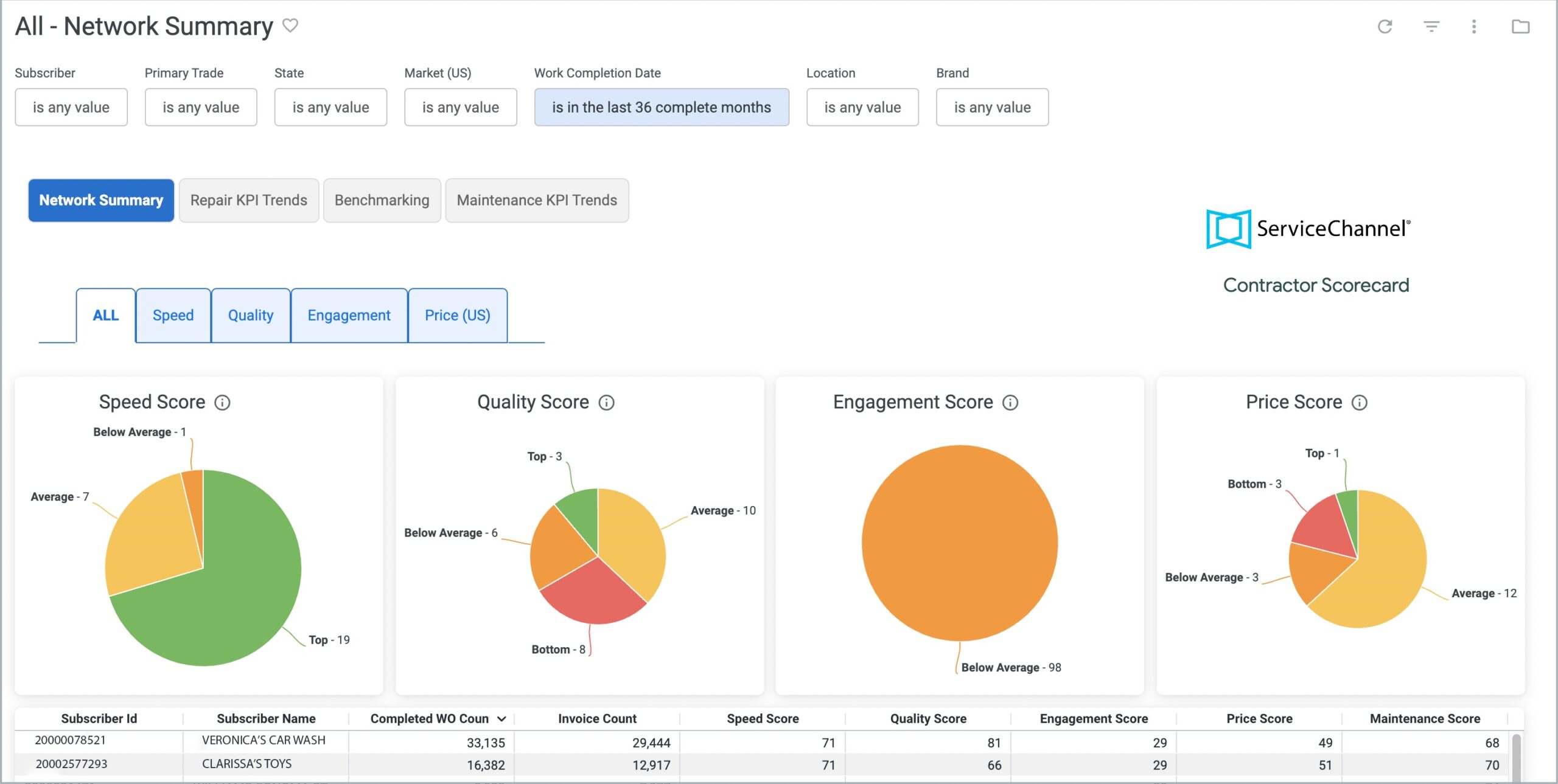
The Network Summary tab shows how your network compares to all providers on the ServiceChannel Platform
Network Summary
Evaluate the strength of your provider network with data-driven insights
Use the Network Summary tab to see how your provider network compares to all the providers on ServiceChannel based on Speed, Quality, Engagement, and Price Scores
Dive into each score to see how providers measure on the underlying KPIs
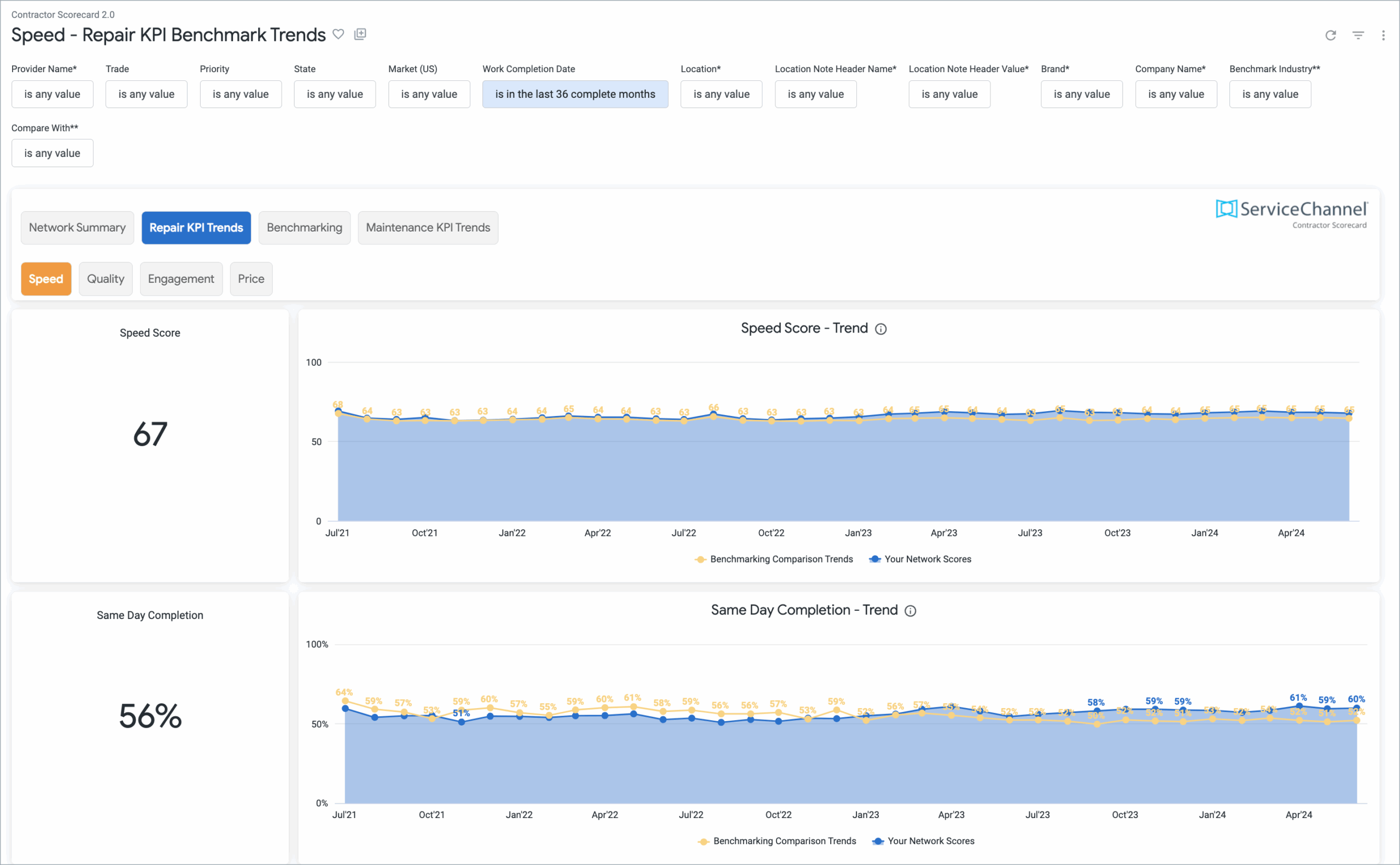
Repair KPI trends
Check on performance trends over time on repair work orders
See each score and trendline over time across Speed, Quality, Engagement and Price KPIs
You can also see the related work orders by clicking on a single point in time
The Repair KPI Trends dashboard shows how a performance score and its contributing KPIs are trending over time
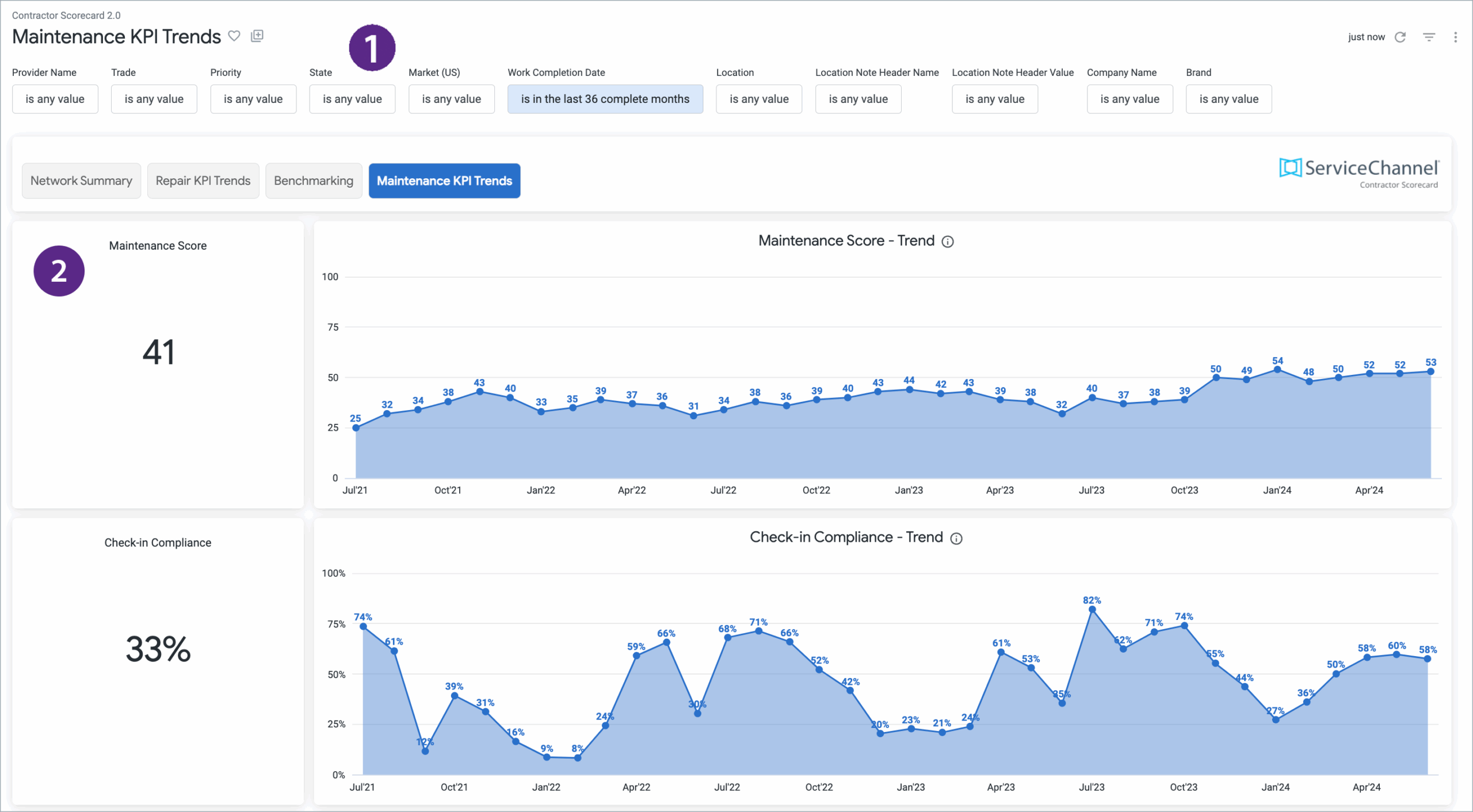
The Maintenance KPI Trends dashboard shows how its contributing KPIs are trending over time
Maintenance KPI trends
Gauge the efficiency of maintenance efforts with Maintenance KPIs
Monitor performance on maintenance work orders, as well as KPI trends over the past year and per location
Maintenance KPIs include Check-In Compliance, Schedule Date Entry Confirmation and Scheduled Work Orders Completed
Benchmarking
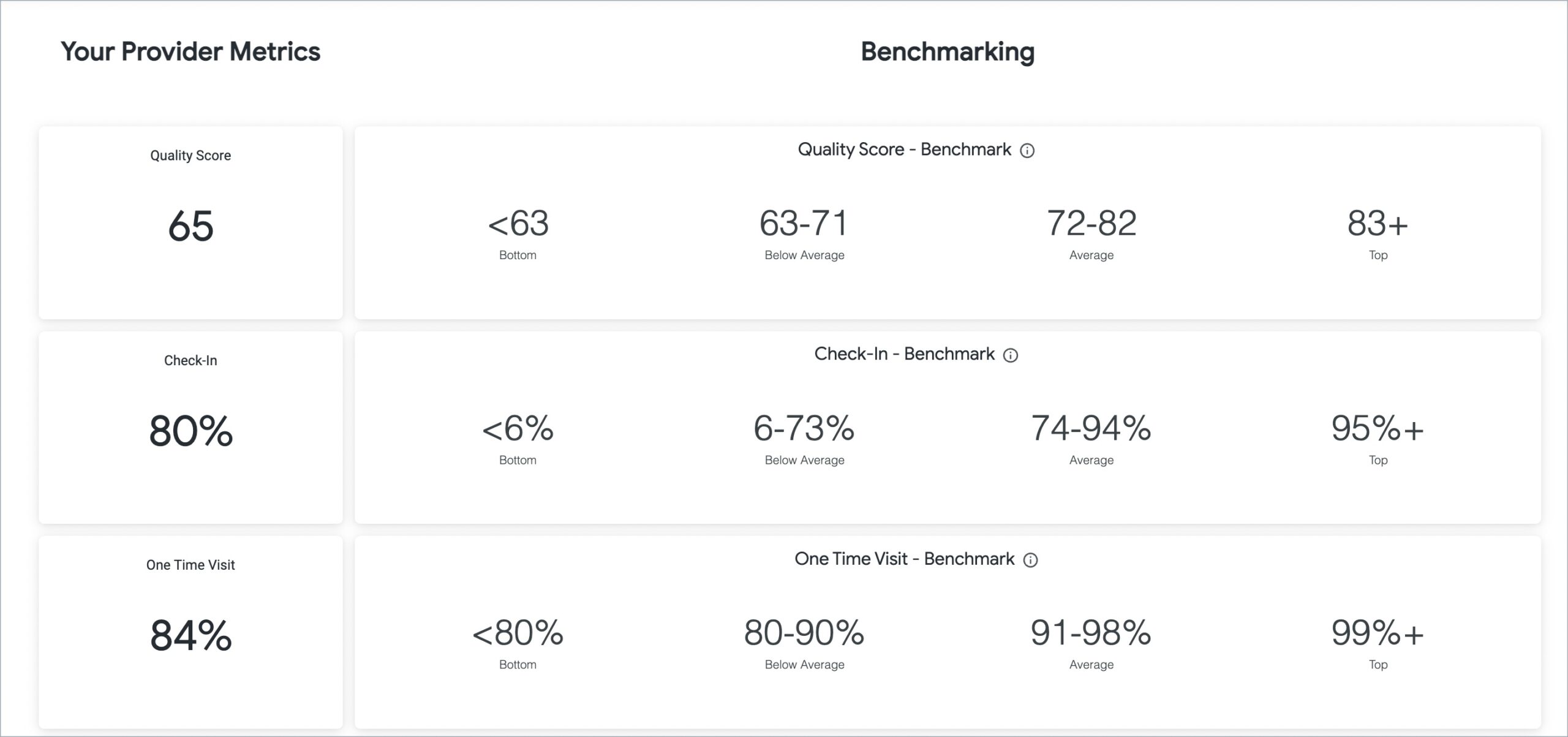
See how your providers stack up against 70,000+ providers on the ServiceChannel Platform
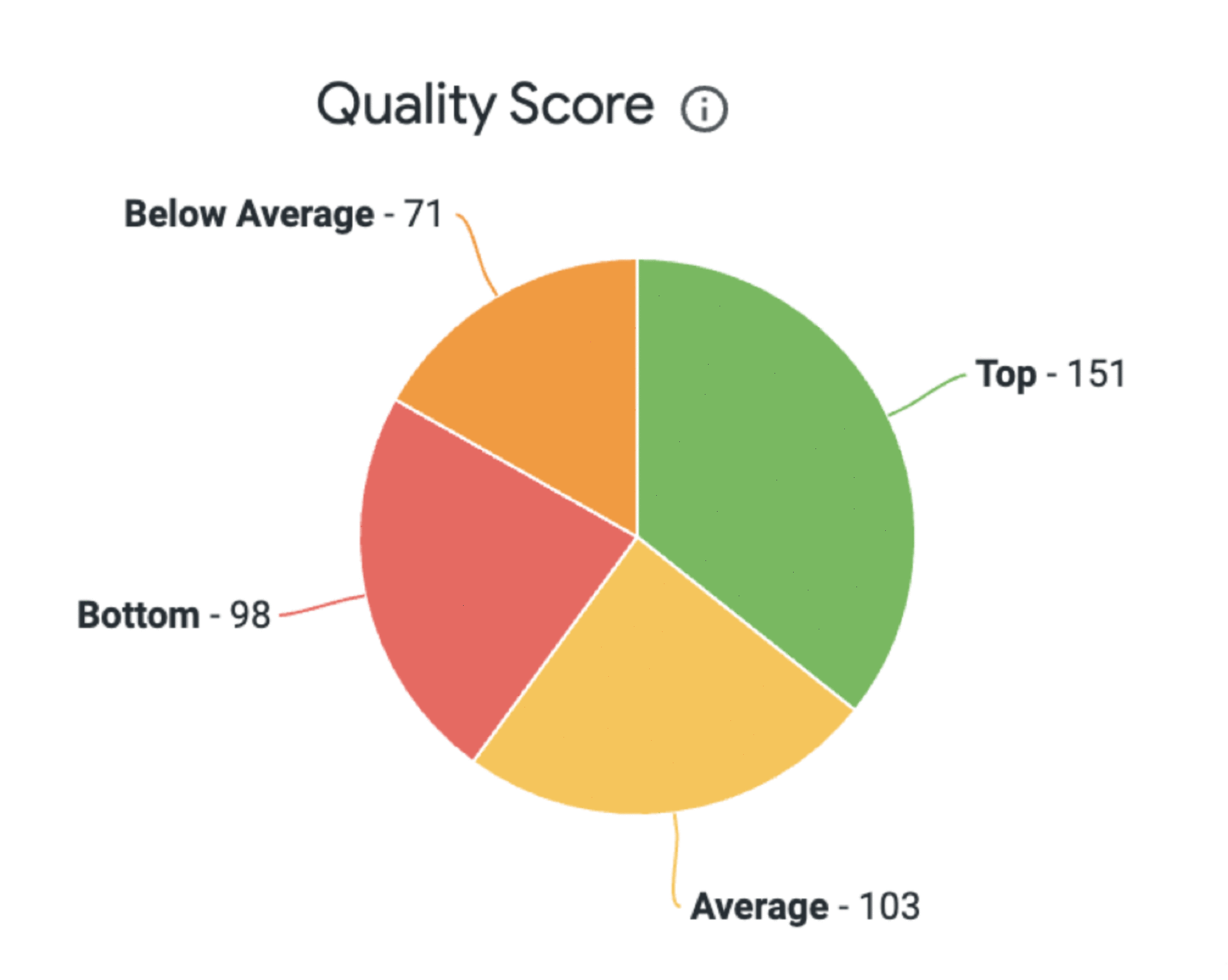
Get a quick snapshot of their performance on ServiceChannel across four tiers: top, average, below average, and bottom
Drill into every metric that comprises Speed, Quality, Engagement and Price scores
See a list of providers and their scores, with filters for trade, work order priority, location, and date range
Quartile distribution view shows where each provider sits within its peer group
Compare against peers in your spend size cohort, not just the network average
Filter benchmarking by internal vs. external provider for like-for-like comparisons
Benchmark your providers against all others on the platform
Identify score trends across your provider network
Network Comparison
Network Comparison lets you compare contractor performance across your entire network—by state, region, trade, and location note
Identify performance trends across different geographic and trade segments
Pinpoint high-performing regions or trades and areas needing improvement
Prepare for business reviews with data-driven insights
Catch performance issues before they show up in monthly scores
What your provider sees
Providers can see their speed, quality, engagement and price scores over time
They can also see breakdowns by score in the tabs above
With this information at their fingertips, they can identify areas for improvement
Providers can benchmark against their peers on ServiceChannel by geography and trade
Your providers can keep track of their scores and see the individual breakdowns
FAQs
Frequently Asked Questions about Contractor Scorecard
ServiceChannel evaluates provider performance across four key dimensions of service with Speed, Quality, Price, and Engagement Scores. Each score is calculated from a weighted set of KPI inputs. Scores are computed monthly and benchmarked against every other provider on ServiceChannel performing similar work in similar markets, so the comparison is apples to apples. Remember that a score of 100 would be perfect service, which is impossible in the real world. In reality, a Speed Score of 68 or higher puts a provider in the top 25% of all vendors.
For easy insight, the Benchmarking tab in Contractor Scorecard shows how your providers fall into one of four performance tiers for each score: Top, Average, Below Average, and Bottom. You can select one or more filters for trade, geographic location, industry, and priority to focus your benchmarking on just the providers matching those criteria.
What is the benefit of working with providers with good performance scores?
Provider scores are the best way to spot opportunities to streamline your operations, get better outcomes for your customer and employee experience, and boost your profitability. Good scores reflect great service by the provider and give you the industry’s best way to identify and retain the right new providers to optimize your network.
Can I see benchmarked performance scores for providers that are not in my network?
Only scores for your current providers are shown in Contractor Scorecard, including benchmarking. To benchmark new providers, use Provider Search to compare their overall scores, KPIs, and rankings for your specific criteria.
SEE ALSO
Provider Search
Evaluate providers across quality, speed, engagement, and cost with objective performance data available only on ServiceChannel.