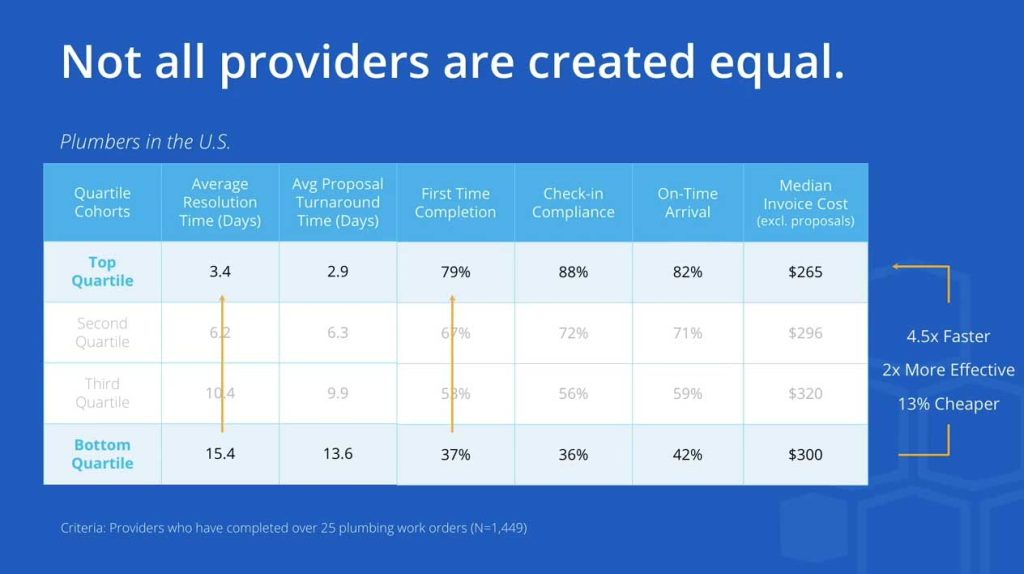
Powerful AI for Proactive FM
ServiceChannel AI helps your team create accurate work orders, spot issues before dispatch, and get quick status summaries. Additional updates streamline sourcing, budgeting, and asset management. These innovations and more are coming soon in the Spring Product Release on March 24–26, 2026.

ServiceChannel
Highlights
NEW! ServiceChannel AI embedded into your workflows
- Create work orders easily with ServiceChannel AI — no training required
- Prevent avoidable delays by detecting work order blockers before dispatch
- Get instant work order context with AI summaries
Streamline provider sourcing, budgeting, assets, and more
- Find proven providers with enhanced Provider Search results
- Track parts shipping status directly on work orders
- Give your team easy access to real-time budget reporting
- Monitor compliance faster at the location level
- Improve data accuracy and governance for assets and refrigerant leaks
- Streamline your operations with additional feature and tool updates
NEW! Get work done faster with ServiceChannel AI
With ServiceChannel AI insights embedded into your critical workflows, you can get faster service, free up your time, and stretch your budget. This release is just the beginning, kicking off a groundbreaking year for ServiceChannel AI — one that will transform the facilities role forever.
Create accurate work orders with ServiceChannel AI
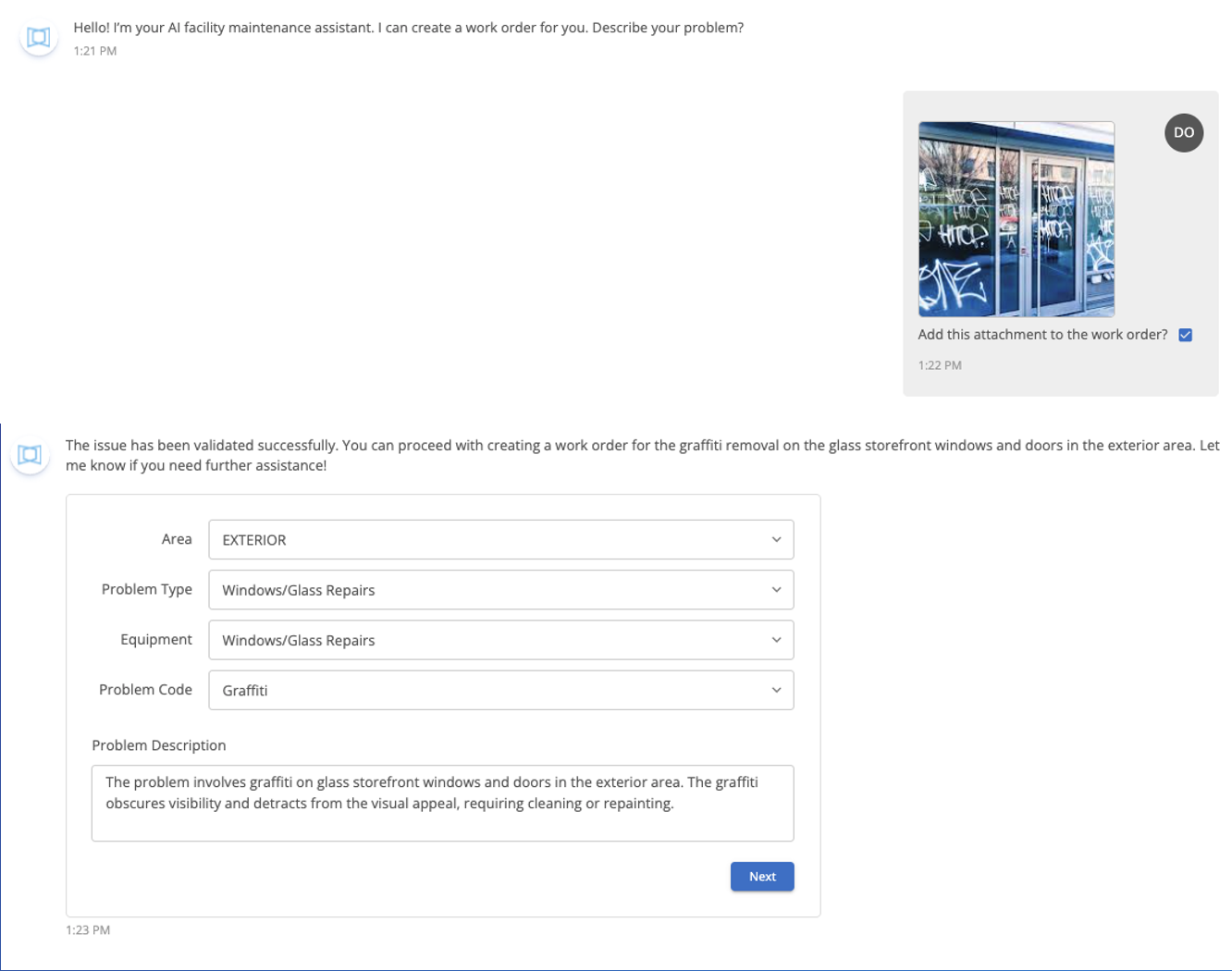
You and your operations team can now create clear, complete work orders by chatting with ServiceChannel AI on desktop or mobile. The experience is easier for everyone, while still following your existing routing logic.
Make it easy for operations to request service
- No training required. Your operations team can submit better work orders with less friction, even when there’s high turnover.
- Fewer delays and extra costs. Reduces the need to redo work orders because of missing information, while helping providers diagnose and resolve issues faster.
- Less follow-up for facilities teams: Cuts the back-and-forth needed to clarify scope and symptoms.
Capture more details while staying in control
- Add photos or videos. ServiceChannel AI analyzes them for more context on the problem, from both mobile and web.
- Review before submitting. Confirm the suggested work order details and selections, then edit anything as needed.
- Route as usual. Submit the work order and let your standard issue list routing and controls take it from there.
Get Started
Creating work orders with ServiceChannel AI chat is included for all subscribers, and it’s now available for beta testing on mobile and web. Contact your customer support team for access. Share your feedback with the thumbs up/down buttons to help improve results.
Avoid work order delays with ServiceChannel AI
When your important work orders get delayed, your customers and employees are left waiting. Whether you sent the wrong provider or you’re waiting for an unnecessary proposal, these issues can raise your costs and disrupt your operations.
Spot issues early, before they snowball
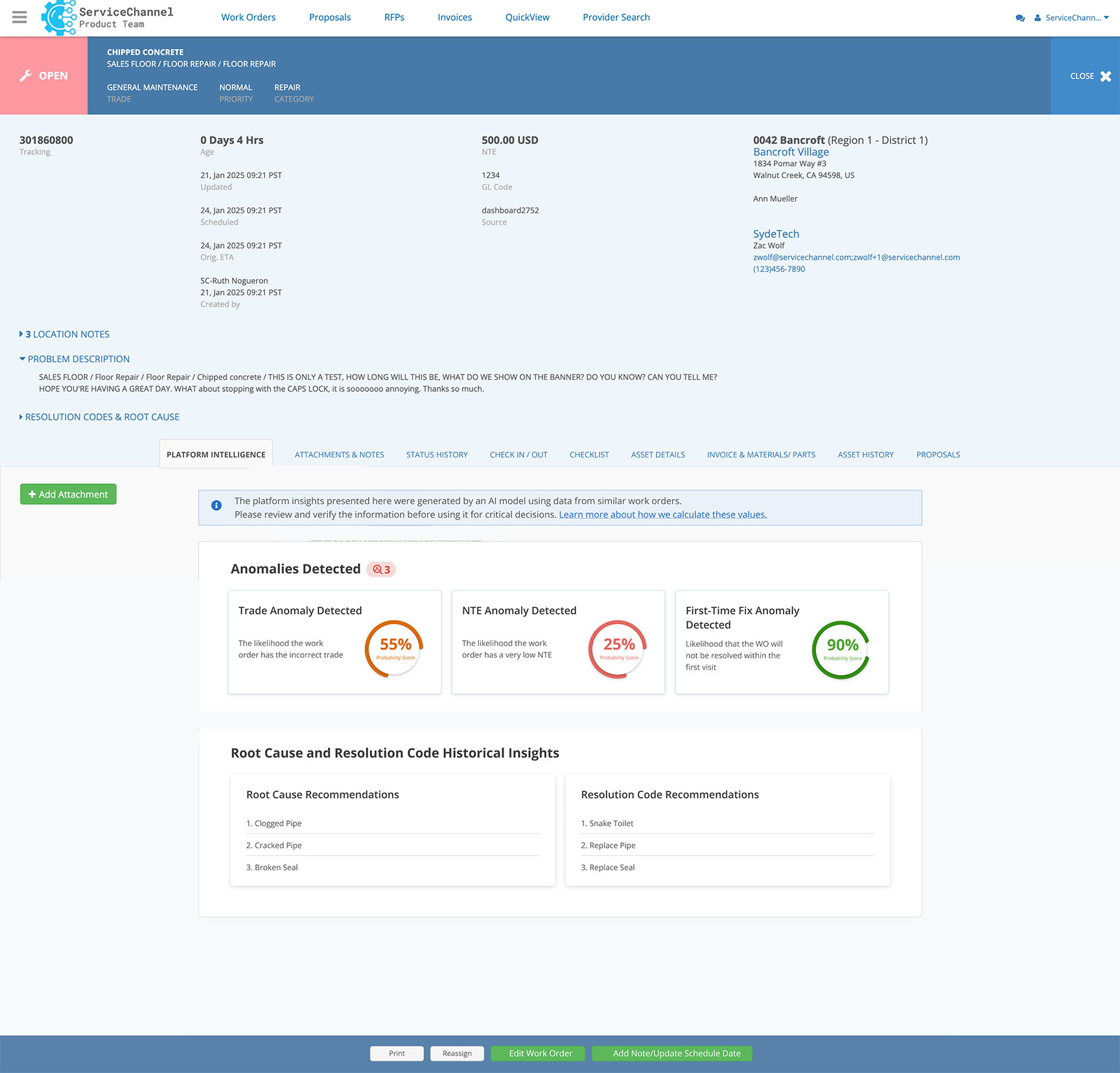
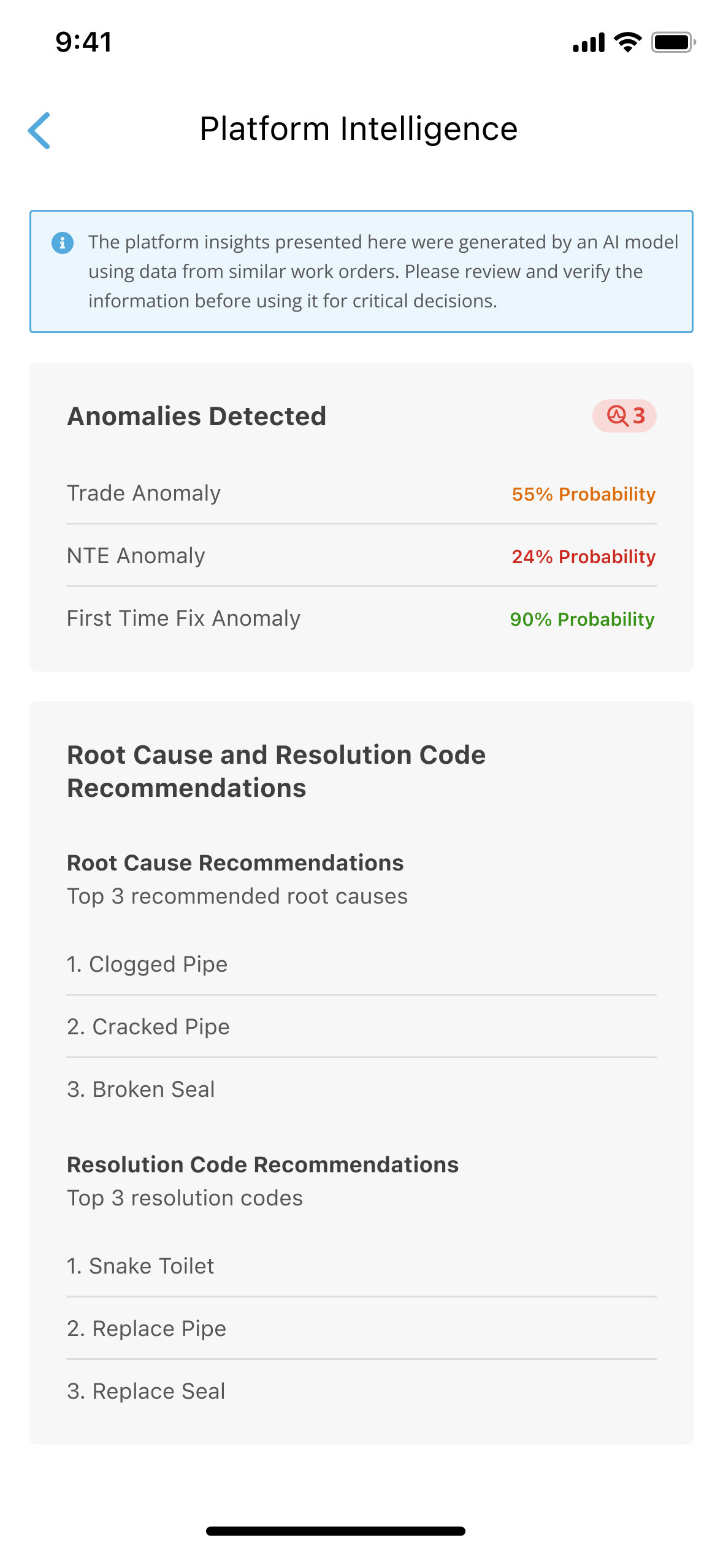
- Early warnings to prevent escalations. As soon as a work order is created, ServiceChannel AI flags any potential anomalies and suggests updates.
- Bypass common blockers. Based on millions of past work orders, ServiceChannel AI catches pitfalls including wrong trades, unrealistic not-to-exceed (NTE) price limits, or unexpected multi-visit repairs.
- See insights where you work. The ServiceChannel AI tab on work orders highlights likely anomalies and recommends fixes, so you can take action quickly and finish work faster.
- Stay in control. Decide when to reroute work orders for internal review so you can address the issues before they lead to wasted trips or downtime.
- Inform providers ahead of arrival. Your provider gets a service request email that flags the anomaly, so they can arrive on the job fully prepared with the right parts and plan.
Reduce costs and delays with proactive fixes
- Less downtime. Correcting the trade and NTE up front means fewer reassignments and approvals, so your equipment gets back online sooner.
- Lower costs. By sending the right provider the first time, with the right parts and an adequate NTE, you avoid wasted trip charges.
- Smoother operations. Proactive visibility means fewer surprises and a calmer day for your team.
Get Started
Contact your customer support team to enable work order anomalies. Configure overrides in Admin > ServiceChannel AI > WO Anomaly Overrides.
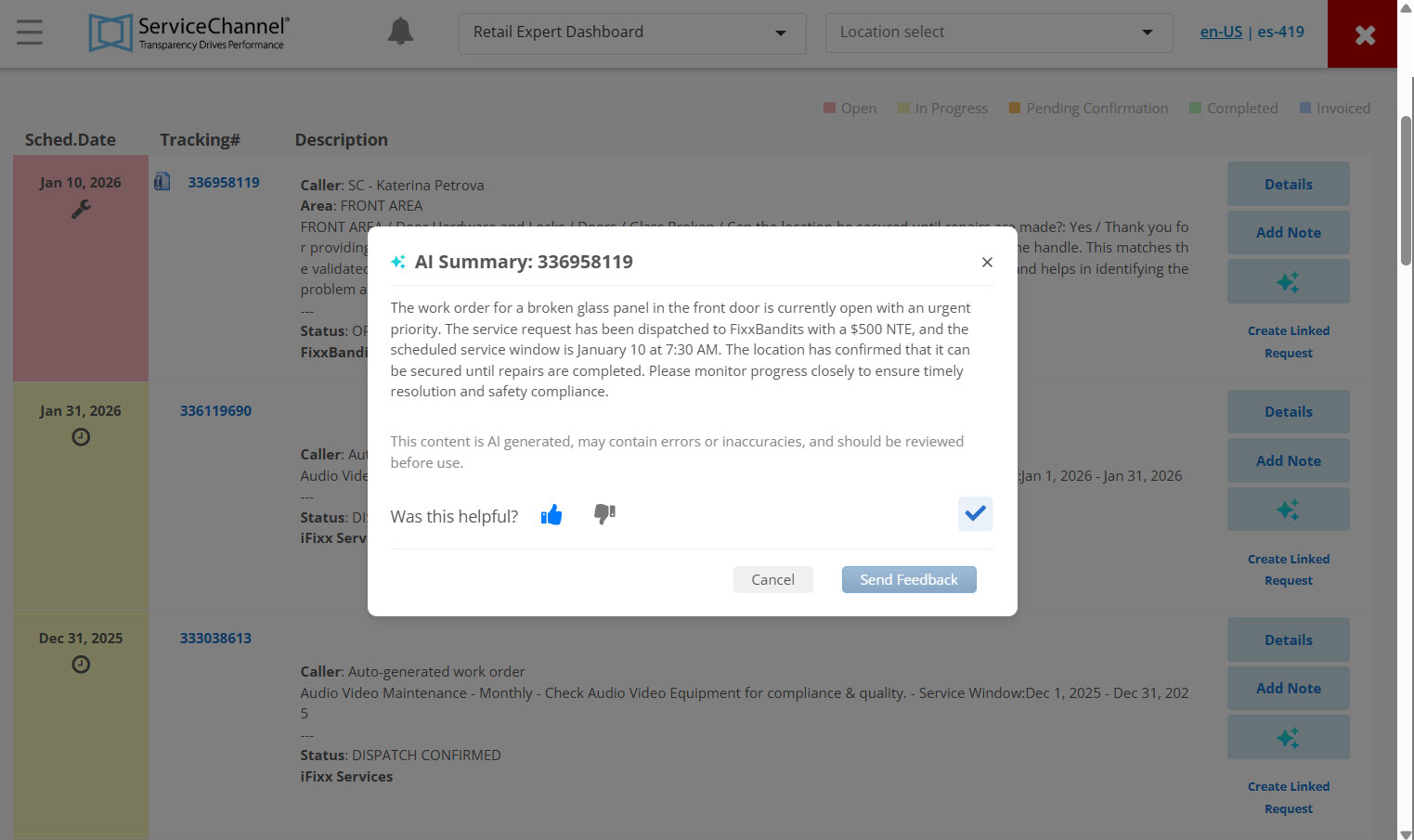
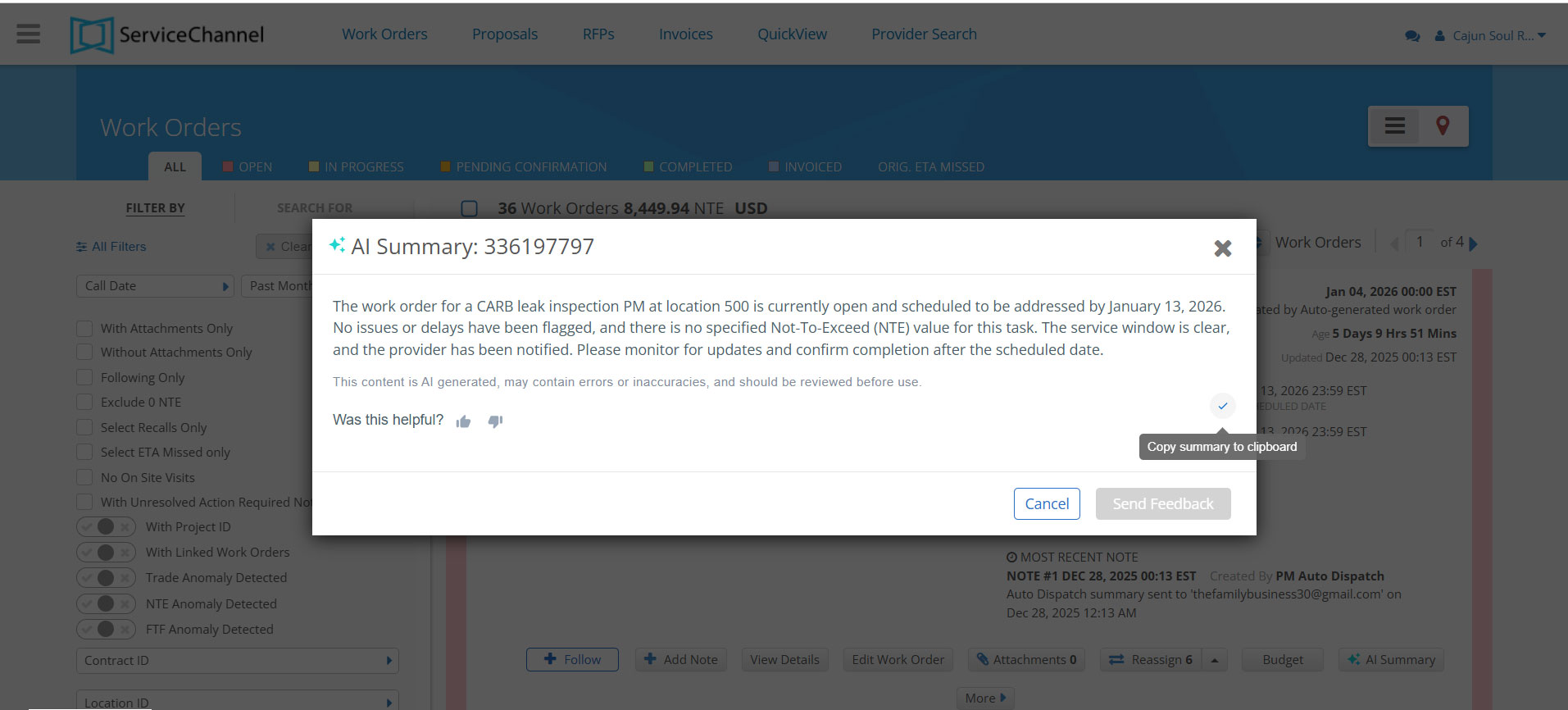
Get instant work order context with ServiceChannel AI summaries
ServiceChannel AI summarizes work orders to give you a quick, clear snapshot of the current situation, so you can understand what’s happened, what’s next, and what’s blocking progress without digging through long note histories.
Jump straight to the end of the story
- Right where you need it. When you open a work order on web or mobile, the AI summary loads automatically for immediate context.
- One-click summaries from lists. On the work order list or the location dashboard, click AI Summary to generate an instant overview.
- Providers see the same story. Summaries appear for providers, as well, on the web and the ServiceChannel Provider app.
Save time and act faster
- Faster understanding of work order status across lots of open work orders, without manual note review.
- Fewer escalations and less back-and-forth by email or phone because everyone can quickly align on the current state and any blockers.
Get Started
ServiceChannel AI work order summaries are included for all subscribers and providers, and they’re now available for beta testing. Contact your support team to get access.
Streamline provider sourcing, budgeting, assets, and more
Find proven providers with enhanced Provider Search results
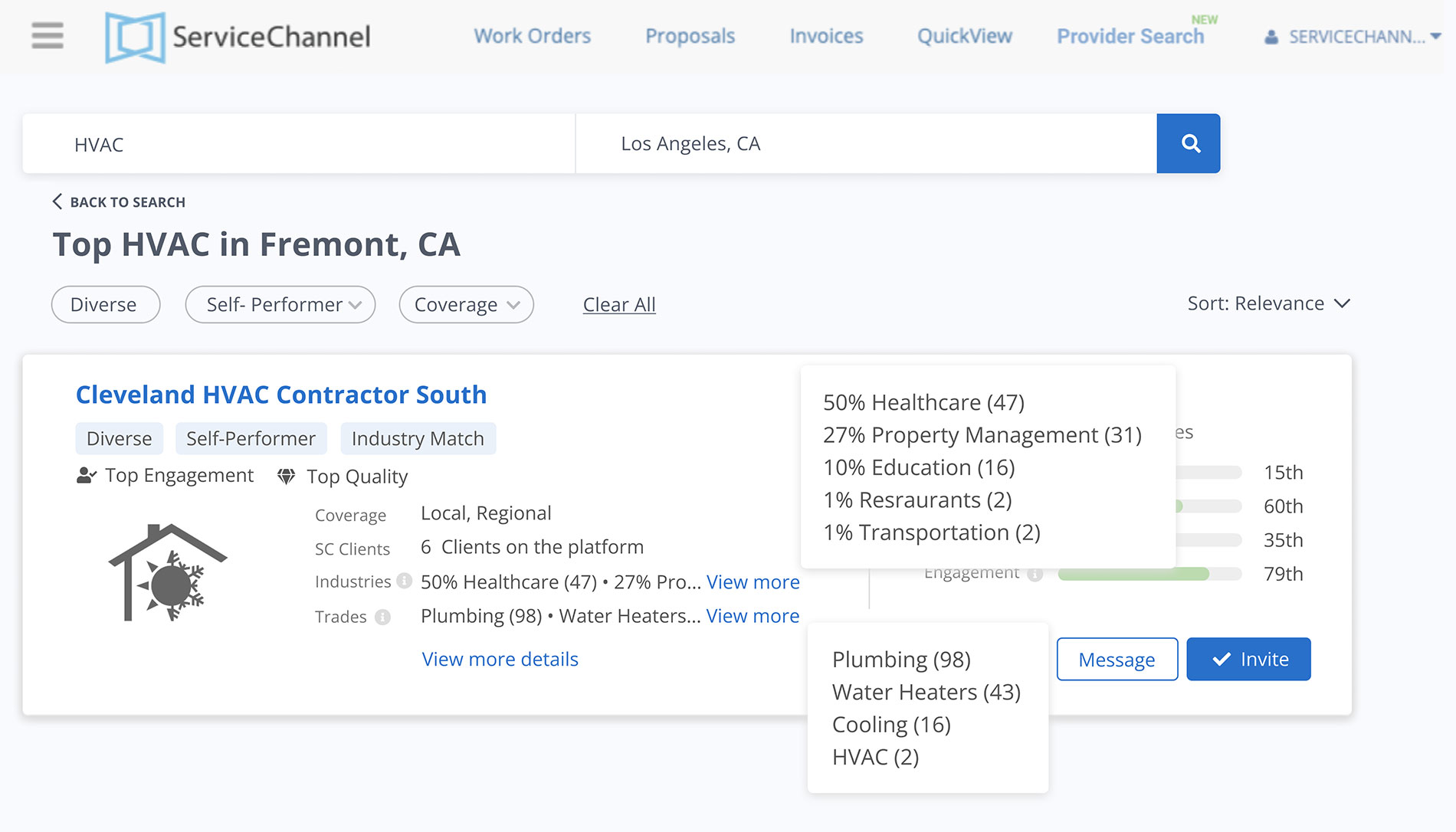
Now you can see the key differentiators to make the best choice right in search results — no need to click through to every provider profile:
- Run your search and see each provider’s Speed and Quality scores by trade and industry, right in search results.
- See the number of matching work orders they’ve completed to evaluate their depth of experience.
- Explore and invite those that best meet your criteria.
Get Started
Go to Provider Search, search by trade, and compare ranked results. Then invite the ones that meet your standards for quality and experience.
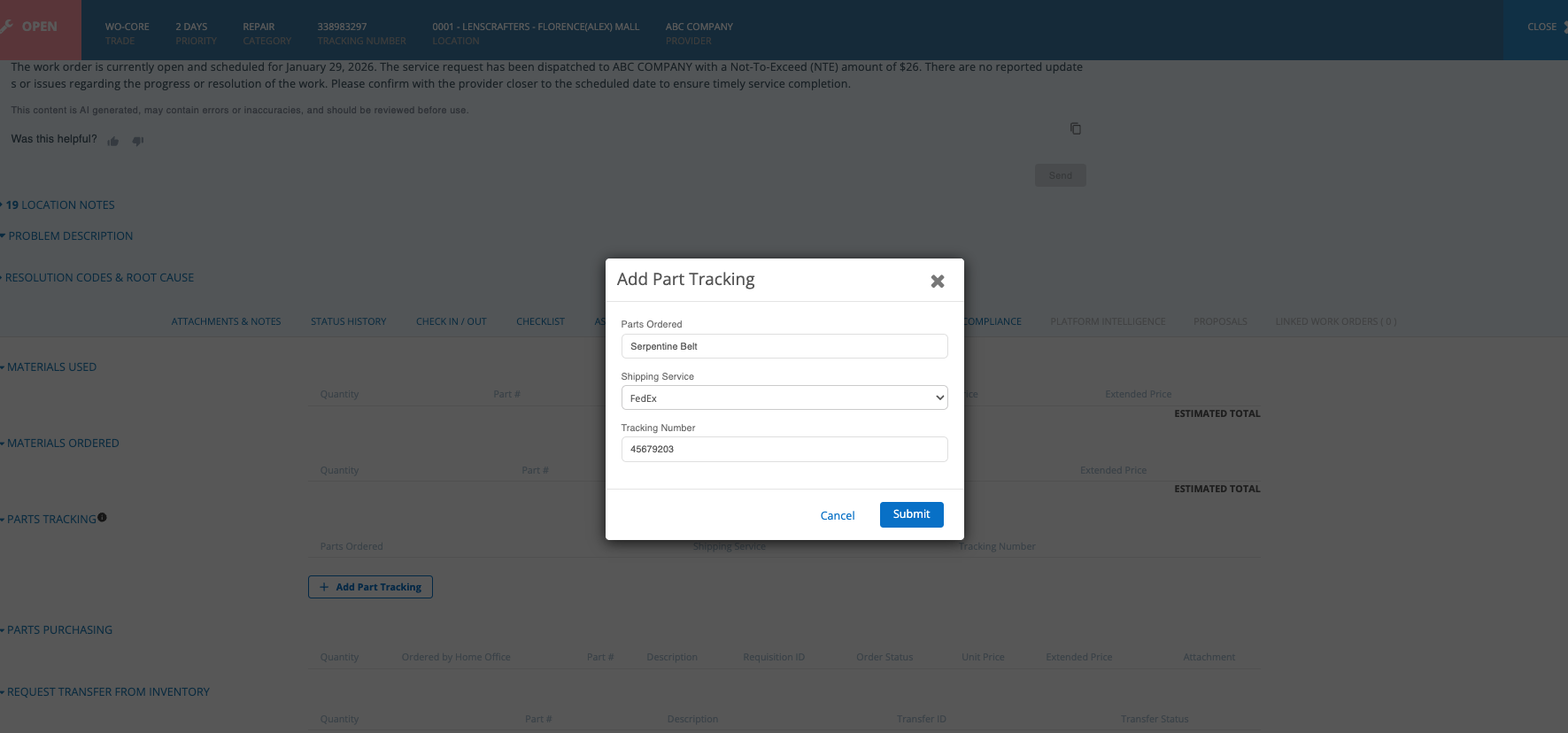
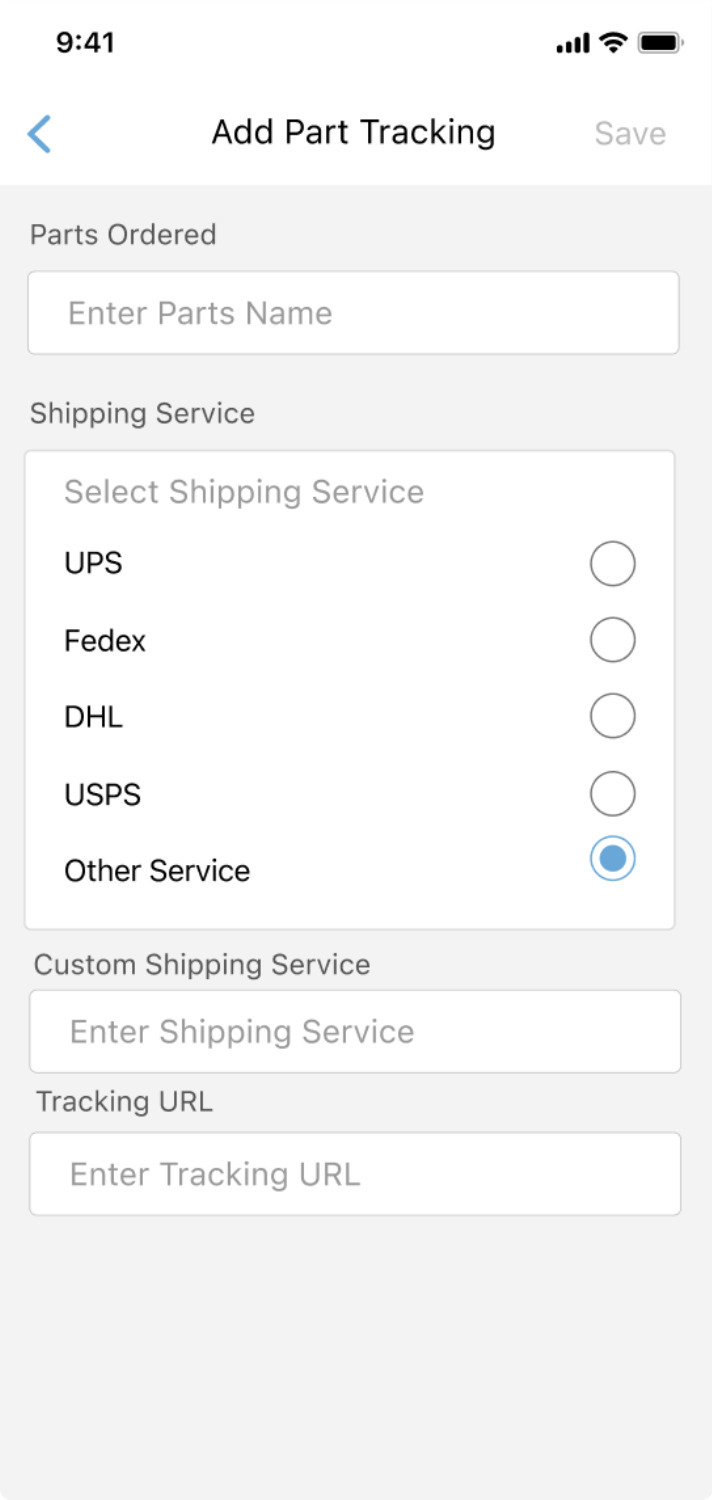
Track parts shipping status directly on work orders
See when parts are on the way and what is blocking completion, without extra emails, calls, or screenshots.
- See the part name, carrier, tracking number, and link directly on work orders with parts ordered.
- Tracking automatically updates so reporting and follow-ups stay accurate.
- You and your provider can add shipping details, see the same live tracking view, and click through to the carrier site.
- Filter and report on jobs waiting on parts.
Get Started
Part order tracking is available for all subscribers and providers. Request activation by your customer support team. Then go to work order details > Materials > click + Add Part Tracking and enter the tracking information.
Give your team easy access to real-time budget reporting
Explore spend, budgets, and trends across locations, regions, trades, and categories directly in the core ServiceChannel Platform — no need for Analytics login!
- See the same Budget Insights Report from Analytics.
- Broaden reporting access with a new user permission vs. additional licenses.
- Make faster decisions with better budget visibility where work orders and proposals are managed.
Get Started
The Budget Insights Report is included with the Budget Insights module.
You can access it two ways:
- From the main menu, click Admin > Budget Insights > Reports > Choose Budget.
- Or open a work order or proposal > click Budget Insights > click again to see the Budget Insights Report.
Monitor compliance faster at the location level
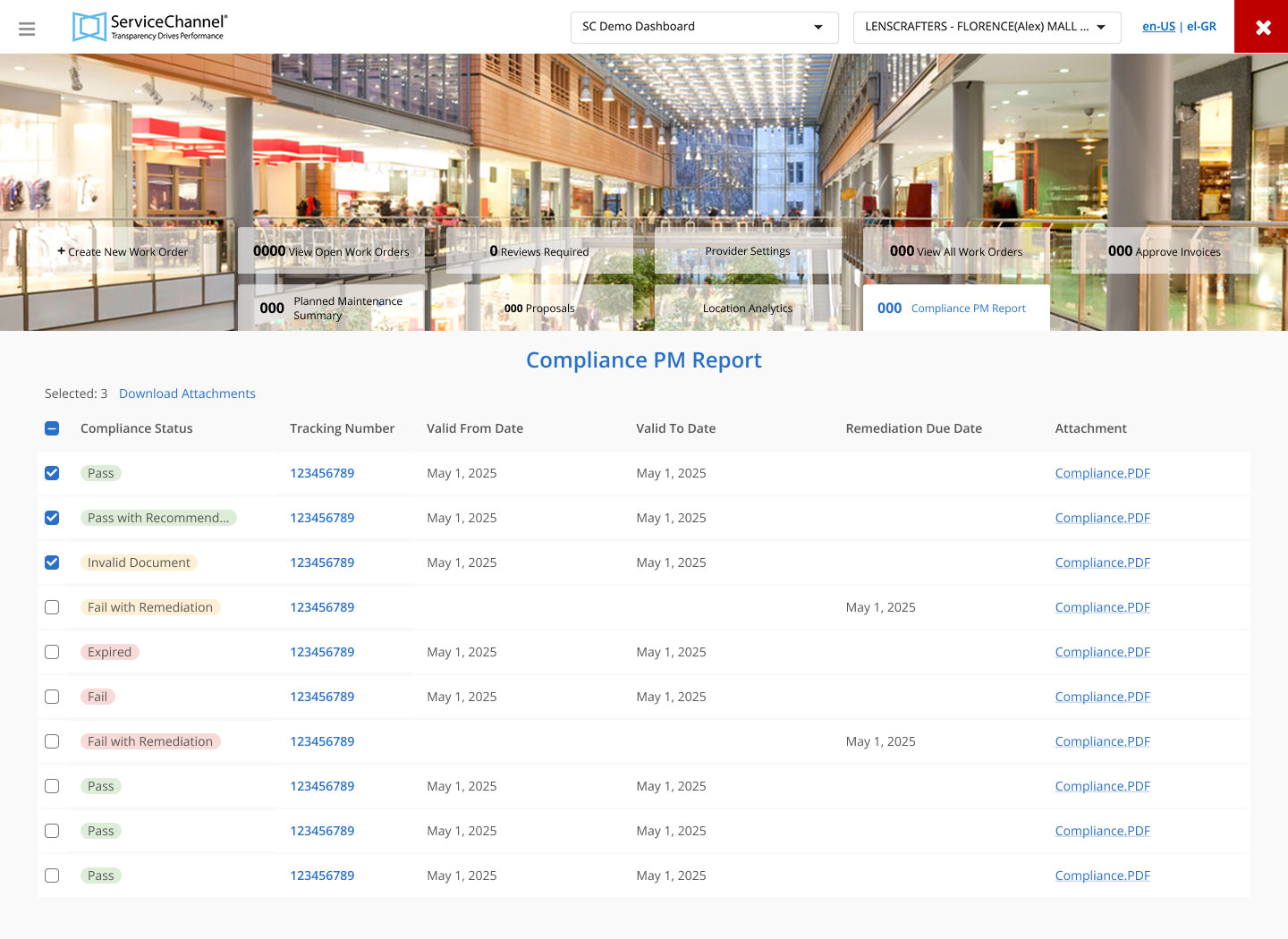
A new compliance PM report and enhanced PM location views make it easier to monitor compliance, retrieve attachments, and track remediation.
- Identify failing or expired compliance items quickly.
- Retrieve current certificates with ease.
- Track remediation across locations.
- Appears as a tab on the location dashboard, once enabled
- See compliance status, validity dates, remediation due dates, and attachment links.
Get Started
To use the compliance PM Report, ask your customer support team to enable the Compliance PM features. Then go to Dashboard > Settings > Report > check Enable Compliance PM Report.
To see the PM location view, go to Planned Maintenance > pick a service type > Frequency > Locations.
Included for all subscribers.
Onboard assets faster and with fewer data errors
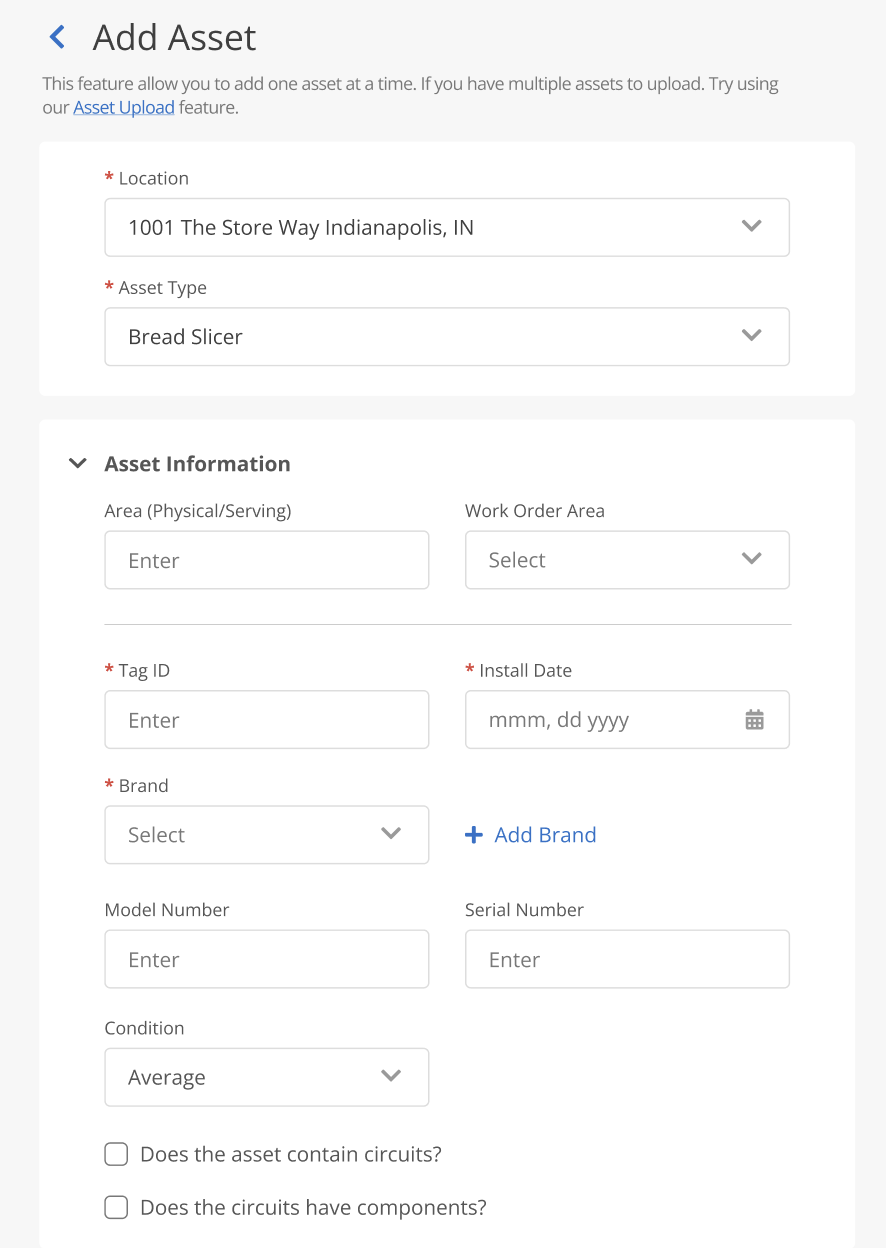
We redesigned the asset creation experience for improved speed and accuracy during data onboarding.
- Enter asset data faster and more intuitively.
- Improve asset data quality and consistency.
Get Started
Go to Asset Manager > Add Asset > select Asset Type from menu > then complete grouped fields with clearer guidance. Included for all subscribers.
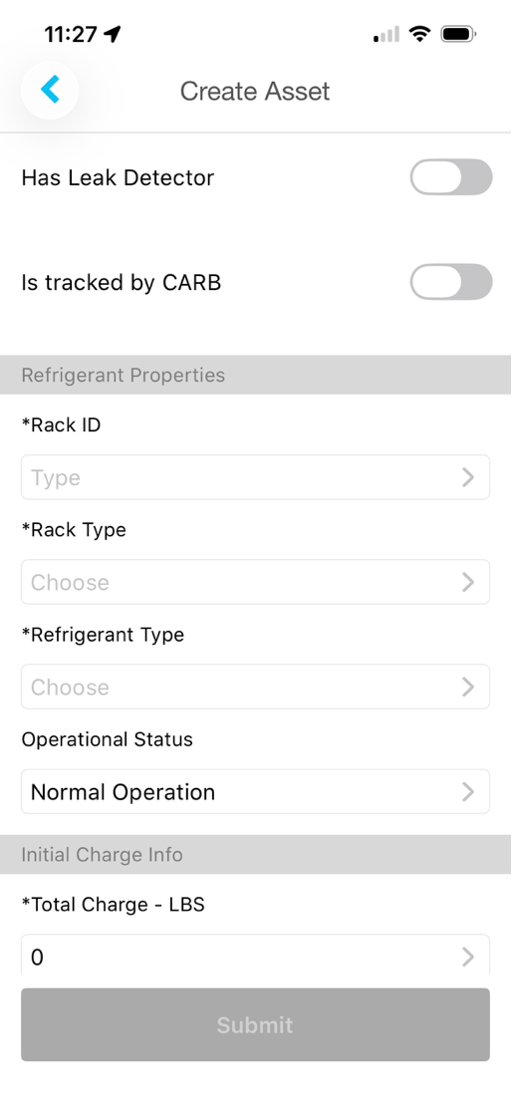
Create and edit refrigerated assets offline in the ServiceChannel Provider App
Field teams can now create and edit refrigerated asset records in the ServiceChannel Provider app, even when they don’t have an internet connection.
- Technicians can create and edit asset records onsite rather than waiting until they’re back online, which improves data accuracy, compliance, and efficiency.
- Quality checks prevent incomplete or invalid submissions with clear error messages.
- The app saves offline changes locally and synchronizes with the cloud after reconnecting, while helping to resolve any conflicts.
Get Started
Included with Refrigerant Tracking.
Improve refrigerant data accuracy with admin edits
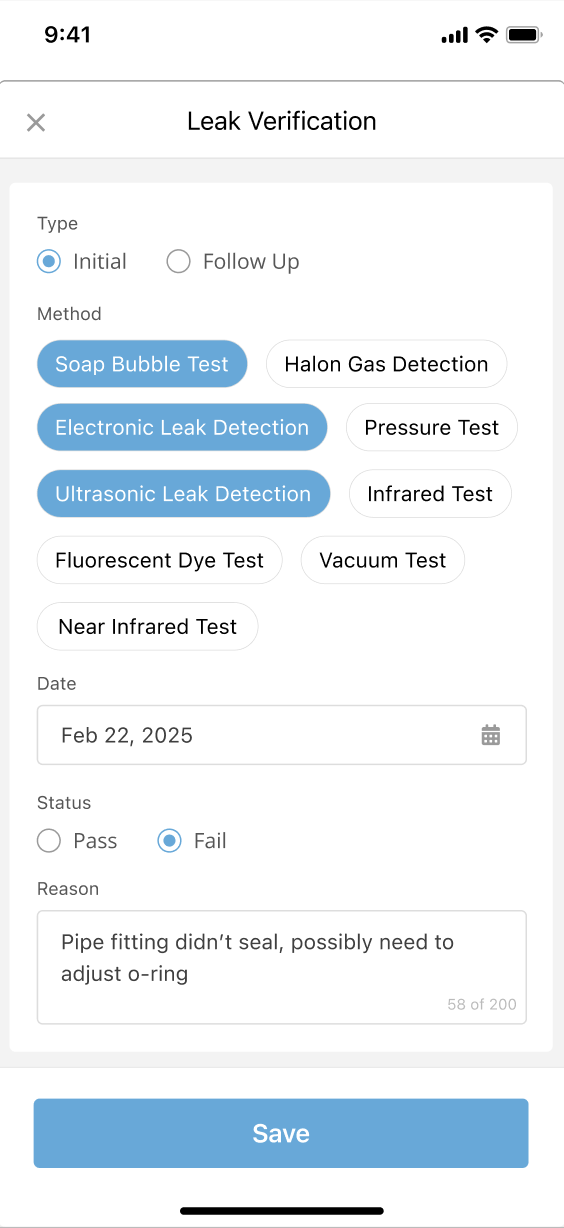
Admins can edit refrigerant leak records, events, usage, certified techs, and asset associations — even on completed work orders. New validation and follow-up controls prevent incomplete records and reduce unnecessary follow-ups.
- Editing of refrigerant leak data is more flexible, with stricter validation.
- Improve refrigerant record quality and support compliance.
- Strengthen regulatory compliance by reducing incomplete leak submissions and correcting errors post-completion without losing auditability.
- Full audit trail (original value, new value, field, date, user) available via Platform, Analytics, and API.
Get Started
Requires admin user permission to edit records. Go to Asset Manager > Work Order > Refrigerant section. Included with Refrigerant Tracking.
See all the updates
These are just the highlights, so be sure to check out all the latest innovations in the Spring 2026 Product Release News.