Keep every project moving from kickoff to closeout
Manage multi-site facility projects from one centralized place. The Projects module helps you standardize scopes, coordinate vendors, track milestones, manage budgets, and keep work moving — so you can complete projects on budget, with fewer surprises.
Improve project visibility and control
Track project status, spend, milestones, and vendor activity across your portfolio in one place.
Keep work on time and on budget
Standardize project plans and monitor progress so timelines and costs stay under control.
Coordinate teams and providers more efficiently
Keep internal teams and contractors aligned so they can execute work faster and with fewer handoffs.
Highlights
Plan and track capital projects across locations, regions, and brands
Create standardized project templates, scopes, milestones, and budgets
Assign internal teams and external providers to project work
Track project status, tasks, deadlines, costs, and approvals in one place
Manage bids, estimates, proposals, and provider selection workflows
Connect project activity to locations, assets, work orders, invoices, and supporting documentation
Use project data to support capital planning, reporting, and future investment decisions
See how Sam’s Club maintains visibility into work across a large portfolio
I can check on any specific key data point that I need to at any point in time… Any work order, or any one asset, right from my fingertips.
RJ Zanes
Senior Director of Facilities Maintenance at Sam’s Club
The ServiceChannel Projects module makes it easy to manage facilities capital projects across your portfolio. It centralizes project planning, execution, vendor coordination, and budget tracking, so you can deliver complex work with greater speed and control. And because Projects runs on the same platform as your work orders, providers, and invoices, project spend and milestones roll up automatically, with no spreadsheet reconciliation.
Plan and standardize
Create structured project plans and consistent execution processes across your portfolio
Define project scope, goals, timelines, budgets, and required tasks
Create standardized templates for recurring and multi-site projects
Organize projects by location, region, category, priority, or business need
Assign project owners, approvers, and providers
Set milestones, deadlines, and approval workflows to keep projects on track
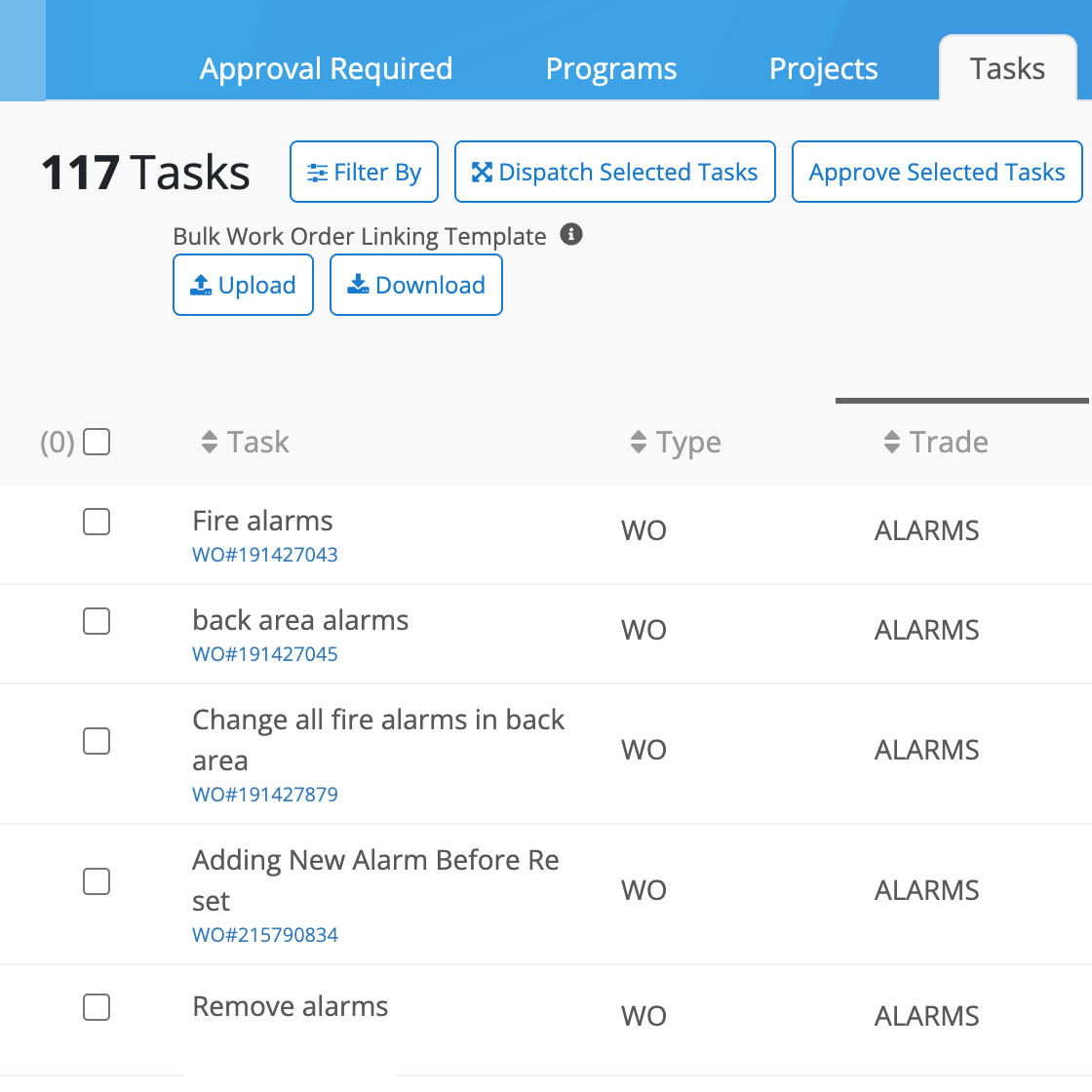
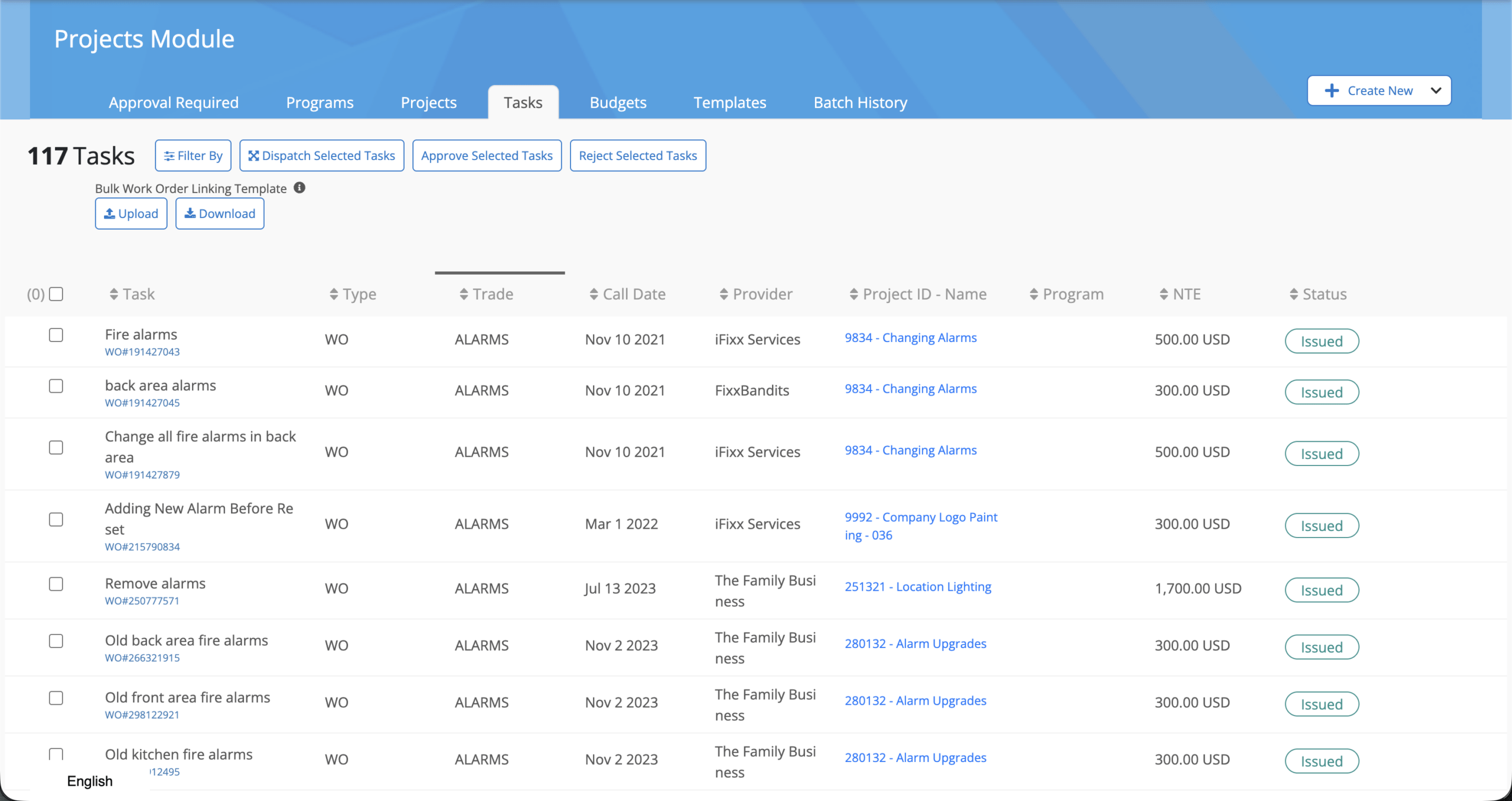
Filter, approve, and dispatch tasks across projects
Manage provider bids, communications, and project execution in one place
Manage bids
Streamline vendor selection, collaboration, and project delivery
Collect bids, estimates, proposals, and supporting documentation
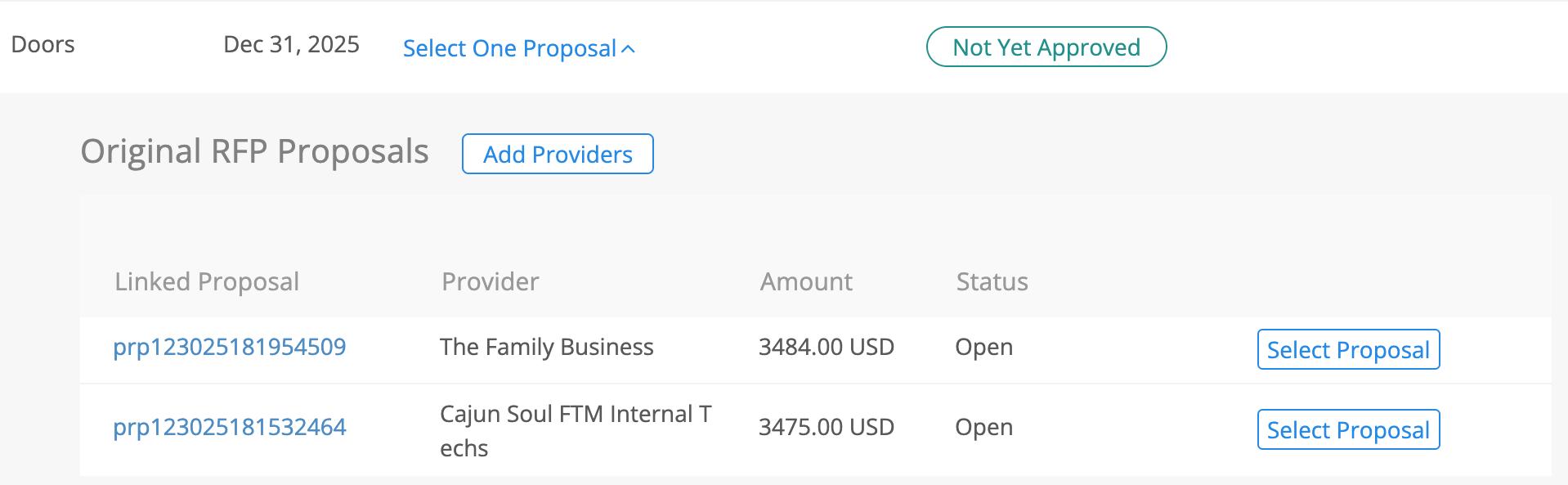
Compare provider bids side by side and select with confidence
Assign approved providers to project tasks and milestones
Centralize provider communications, updates, photos, and files
Maintain a complete project record from bid submission through completion
Track progress
Maintain real-time visibility into project status, tasks, and decisions
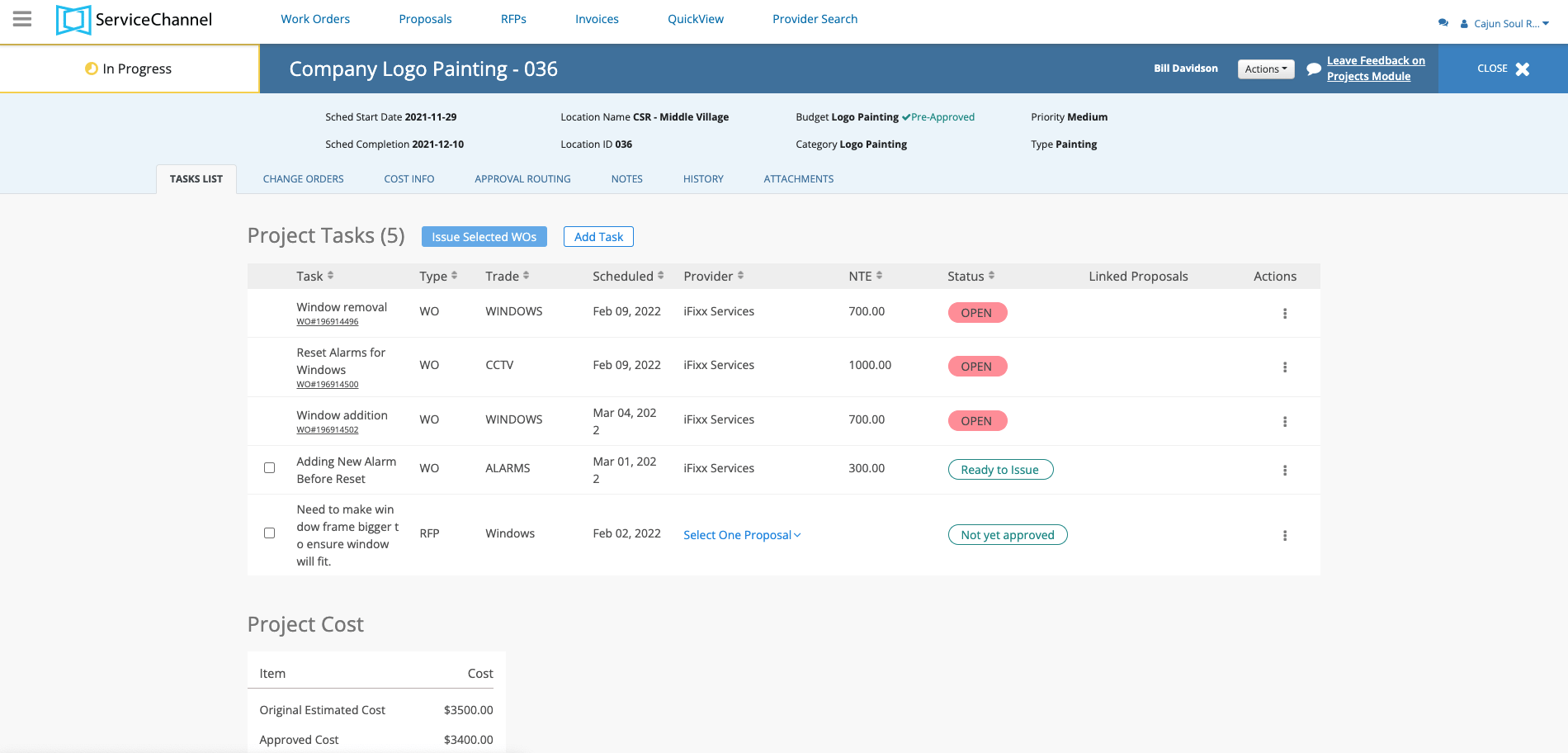
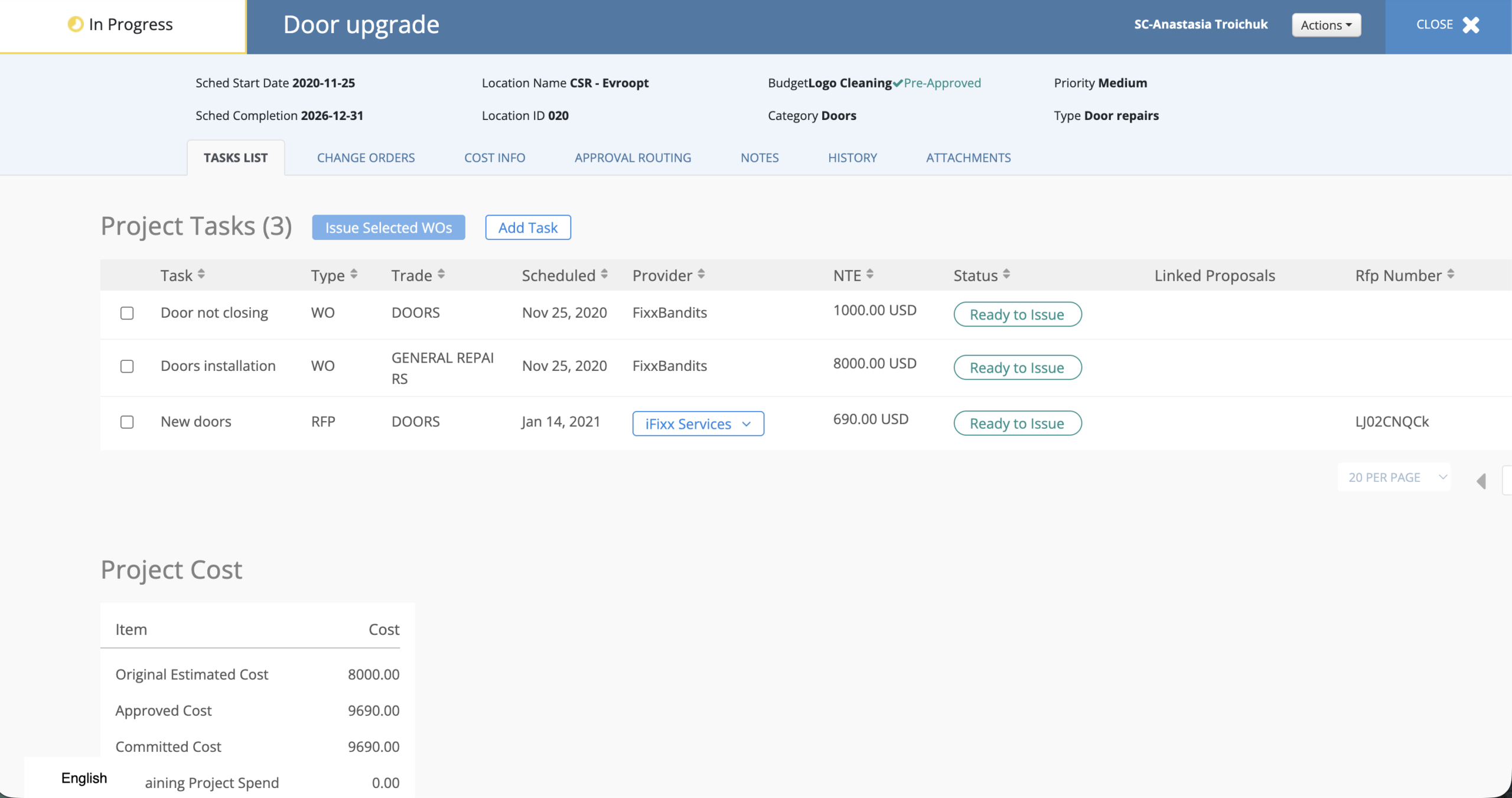
Break projects into manageable tasks, then link those tasks to the work orders, providers, locations, and assets needed to complete the work
Track project progress, budgets, costs, and status in one place, with work order activity and spend automatically rolling up to the overall project
Identify delays, blockers, overdue activities, and missing approvals
Route budgets, proposals, change requests, and project updates for approval
Keep stakeholders informed with real-time project visibility
Keep projects moving with real-time visibility into milestones, tasks, and approvals
Monitor project budgets, costs, and financial performance throughout the project lifecycle
Control costs
Track project spend from estimate through closeout
Set and monitor project budgets
Compare estimated, approved, committed, and actual costs
Review provider quotes and project-related expenses in one place
Identify budget overruns earlier and take corrective action
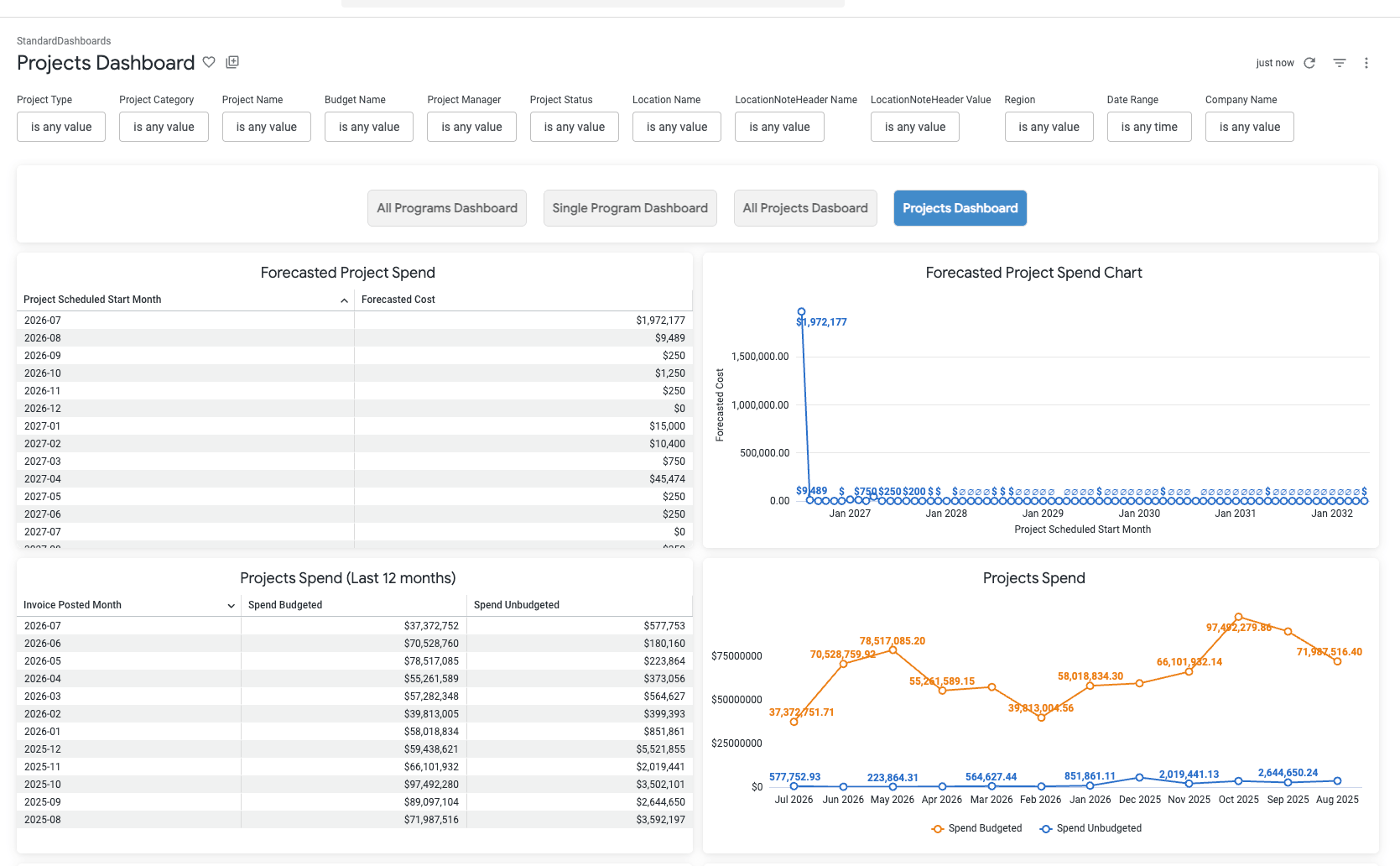
Use project financial data to support forecasting and capital planning
Analyze data
Link project activity to operational work and turn project performance into actionable insights
Connect projects to locations, work orders, assets, providers, and invoices
Maintain a complete history of project activity, decisions, costs, and documentation
Collect final deliverables, photos, files, and completion records
Analyze project spend, timelines, and provider performance
Use project data to improve forecasting, capital planning, and future project execution
Use project data and performance insights to improve planning, budgeting, and execution across your portfolio
Why is it useful to have projects integrated into work order management software?
This integration helps organizations plan, track, and execute capital projects, remodels, equipment rollouts, repairs, and other facility improvement initiatives across one or many locations. Instead of managing projects in separate spreadsheets or systems, teams can oversee project budgets, vendors, approvals, milestones, and documentation alongside repairs, maintenance, and capital spend in one centralized platform.
Can I track project budgets and costs in ServiceChannel?
Yes. ServiceChannel Projects helps you manage project budgets from estimate to completion. You can track estimated, approved, committed, and actual costs, compare spending against budget, review provider proposals, and monitor financial performance throughout the project lifecycle. This visibility helps reduce cost overruns and improve capital planning decisions.
Can I manage contractors and vendor bids within Projects?
Yes. ServiceChannel Projects allows you to collect bids, estimates, proposals, and supporting documentation from your providers. You can compare vendor submissions, assign approved providers to project work, and centralize communications, updates, and project documentation. This helps streamline contractor management while improving accountability and project execution.
How does ServiceChannel help keep facility projects on schedule?
ServiceChannel Projects provides real-time visibility into project status, milestones, tasks, approvals, and deadlines. Project managers can identify delays, overdue activities, and potential risks early, while stakeholders can track progress across locations and regions. Centralized project tracking helps teams take action sooner to keep projects on schedule and minimize disruptions.
Can Projects connect to work orders, assets, and other ServiceChannel modules?
Yes. ServiceChannel Projects connects project activity to locations, assets, work orders, providers, invoices, and supporting documentation. This creates a complete record of project-related activity and allows facility teams to better understand the operational and financial impact of project work. Projects can also be managed as part of a broader facilities management strategy within the ServiceChannel platform.
How can project data improve capital planning and future facility investments?
ServiceChannel Projects tracks project costs, timelines, provider performance, and completion data, giving teams valuable insights into project outcomes. Organizations can use this information to identify cost drivers, improve budgeting accuracy, compare provider performance, and make more informed capital planning decisions. Historical project data also helps create more accurate estimates and improve future project execution.
SEE ALSO
Budget Insights
See how Budget Insights provides real-time visibility into budget performance, tracking remaining budget, committed spend, actual costs, and forecasted expenses, so every approval decision reflects its financial impact.