Manage internal and external technicians, seamlessly
The Field Technicians module unifies repair and maintenance work by dispatching in-house technicians in the same platform as third-party providers. Assign work in seconds, group techs into crews for complex jobs, and prioritize urgent issues so every hour in the field counts.
Focus on priorities first
Set priorities, route urgent work first, and keep the long tail of routine requests from blocking what actually matters today.
Simplify your scheduling process
Spend less time on the scheduling puzzle with a visual dispatch board: see availability, assign work to the right tech, dispatch in seconds.
Increase technician productivity
Cut idle time so your techs spend more of the day fixing things, not driving between them.
Highlights
Dispatch work to internal technicians automatically or manually, depending on your situation
Automatically assign work orders based on trade, location, priority, and category — and reassign work to the next-ranked tech if the first declines
Assign work orders to technicians with a daily calendar on the dispatch board
Technicians can find and use parts from inventory, while tracking costs against work orders
Benchmark technician performance against contractors
Group technicians into crews for jobs that need multiple skill sets
Validate refrigerant certifications so EPA Section 608 work goes to a certified tech every time
See how Field Technicians simplifies scheduling for Sam’s Club
There is so much more engagement across multiple teams as everyone can now ‘see’ what is going on in ServiceChannel.
Scott Graverson
Director of Facilities, Smile Brands
The Field Technicians module simplifies scheduling, cuts idle and travel time, and gets urgent work in front of the right tech first.
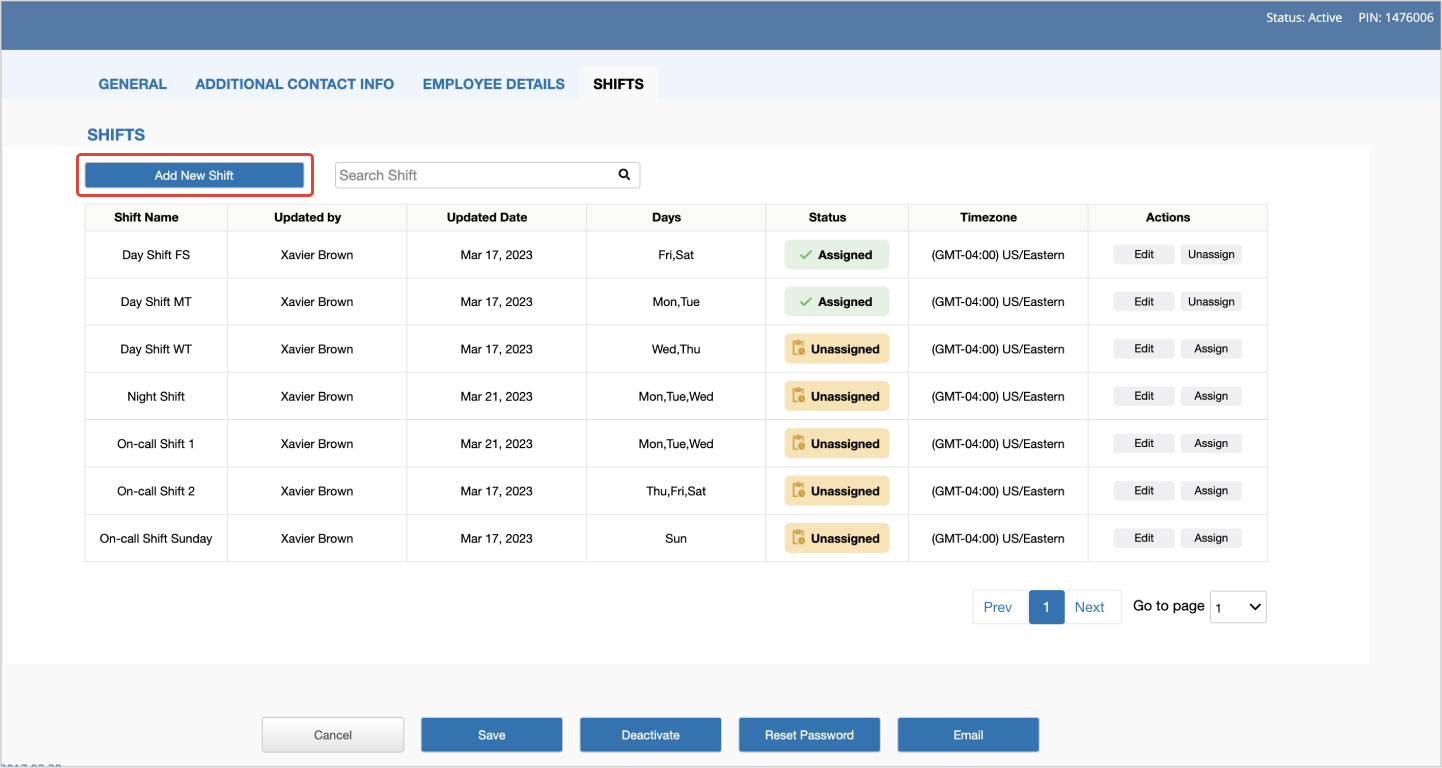
Add new shifts and assign up to three to a technician
Shifts and crews
Create, edit and manage technician shifts to ensure work is performed on time
Create and assign up to 3 shifts per technician
Auto-assign work orders based on technician shifts
Group technicians into crews for jobs that need multiple skill sets
Dispatching
Assign and schedule work for internal technicians to increase productivity
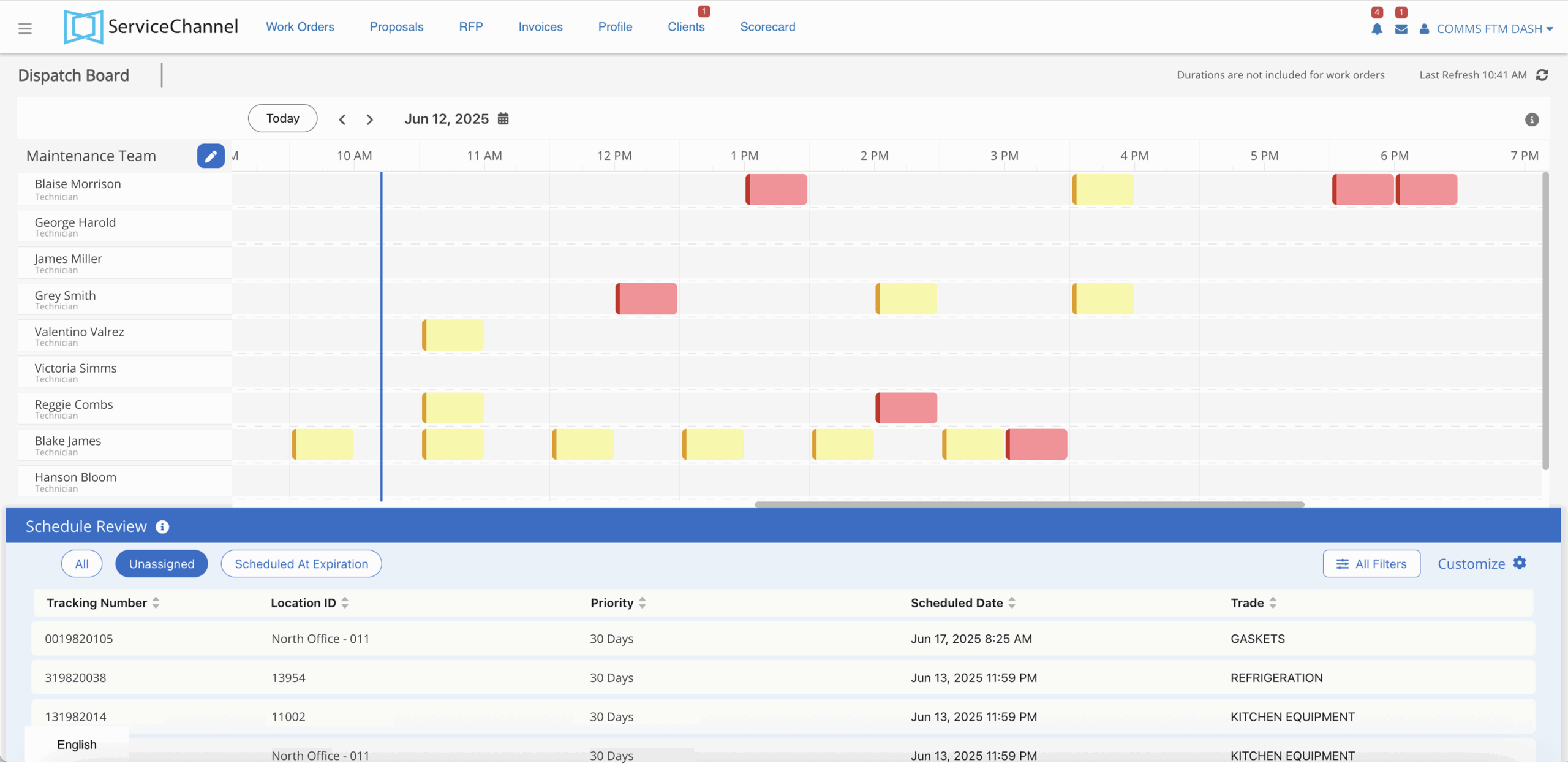
Easily assign and schedule the most urgent work orders on a daily calendar
See the status of work at a glance with color-coded tiles
Assign roles like Supervising Tech and Regional Manager to delegate scheduling and oversight by district
Restrict a technician to specific locations or expand them to all locations
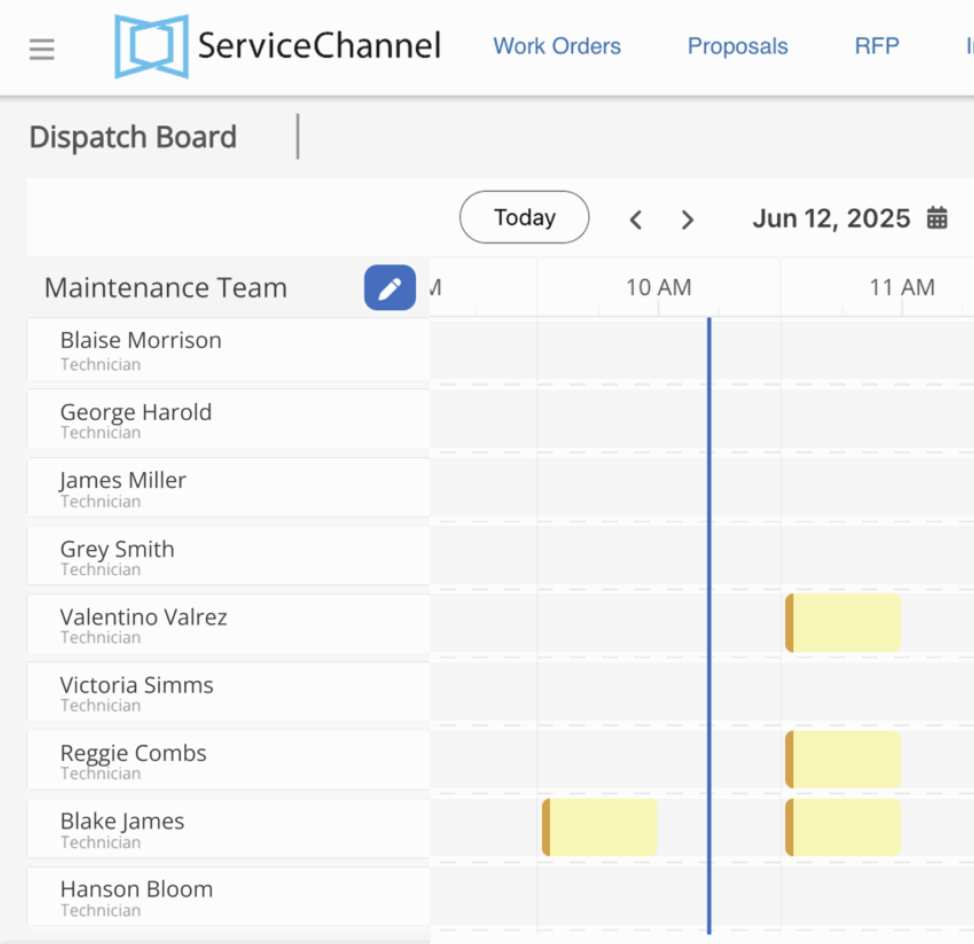
Your dispatch board provides an at-a-glance technician schedule
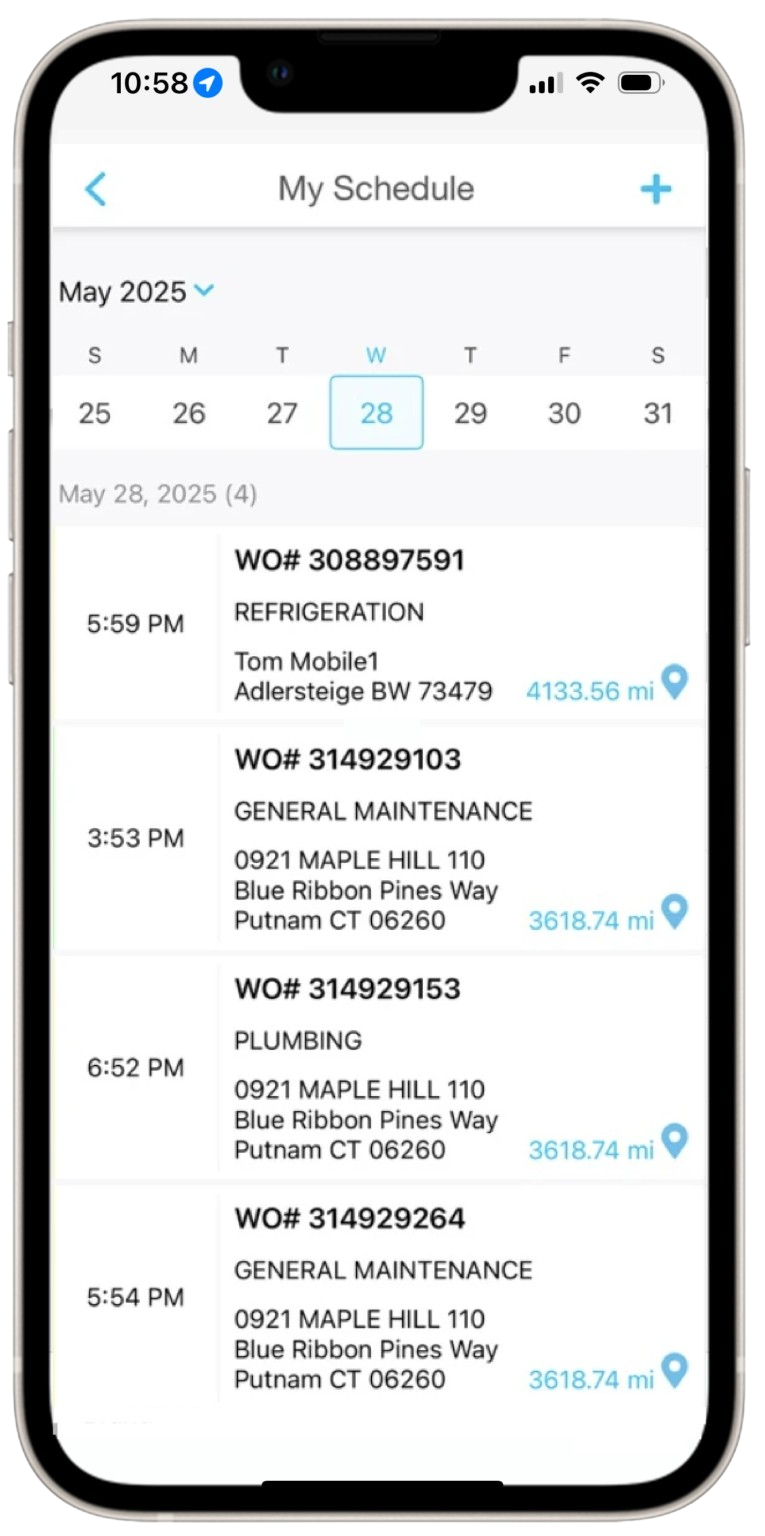
Technicians can see their schedule in a simple mobile view
Technician schedules
A clean mobile calendar so techs always know what’s next
With My Schedule view, techs can see their assigned work orders for each day of the week in the ServiceChannel Provider app
Tap on a work order from My Schedule to get directions or check-in to start tracking time
Technicians can track time across work orders, travel, breaks, and other activities in the app, while verifying onsite presence with GPS, giving managers clear visibility into how they spend their day
FAQs
Frequently Asked Questions about Field Technicians
How does ServiceChannel help me manage my internal and external technicians?
ServiceChannel gives you a single, unified platform to manage all the work your internal technicians and external service providers perform. It helps you assign work to the right technician—internal or external—based on trade, location, and priority. A visual scheduling board for your internal technicians makes it simple to see availability, prioritize urgent work, and assign jobs quickly, while automated rules ensure the right technician is matched to the right task based on skills, location, and timing.
Technicians benefit from a mobile experience designed for real-world field work, giving them clear schedules, step-by-step job details, and multilingual support. Parts and inventory tracking is fully integrated, so technicians can record usage in real time while you get visibility into costs and replenishment needs. With all activity captured in one place, you get insight into performance, spend, and operational efficiency, helping you reduce downtime, improve response times, and keep every location running smoothly.
I have a lot of internal technicians. How do I add them all?
You can add technicians in bulk by uploading an Excel template with basic details like their name, email and phone. You can also indicate their role, such as “Technician,” which will auto-assign them the right permissions.
What integrations does the Field Technicians module have?
Internal technicians can be assigned to locations and trades for automatic dispatch of work orders, and they use the ServiceChannel Provider app in the field the same way external service providers do. Field Technicians workflows are fully integrated with the Inventory module, enabling technicians to track part usage and costs on work orders.
SEE ALSO
Provider Search
Evaluate providers across quality, speed, engagement, and cost with objective performance data available only on ServiceChannel.