Get full visibility and control over every work order, from intake to closeout. Configure workflows, set spend and compliance checkpoints, and route work to the right person automatically – so your team manages exceptions, not the queue.
Solve problems faster with ServiceChannel AI
Proactively address issues before they become delays, escalations, or disruptions to your customer experience with always-on AI that continually checks for schedule risks and recommends urgent actions.
Keep your spend in check
Validate every invoice against approved labor rates, hours, and materials – and use AI to prevent the dispatch errors and repeat truck rolls that quietly inflate your R&M spend.
Get everyone on the same page
All internal and external work orders in one place, so location staff know when providers will arrive – with the asset history, photos, and context to fix it on the first visit.
Highlights
Prioritize tasks that need attention, get recommended next steps, and automate follow-up
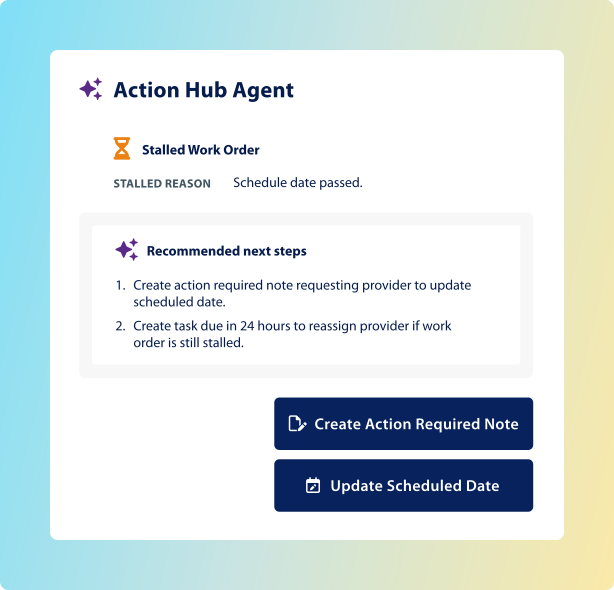
AI agents identify stalled work orders and missed ETAs, then create tasks for teammates or providers to unblock them
Control spend with Not-To-Exceed (NTE) invoice price limits
Validate provider invoices for lower costs and increased accountability
Automate your processes for approvals and landlord responsibilities
Catch recalls to avoid paying twice for the same repair, based on the same problem
Follow any work order to get notified in-app and by email when someone takes action
See how Curo Financial automates work orders
ServiceChannel does all the heavy lifting for you – just place a work order and the rest is practically automatic.
Work order automation helps you minimize the time you spend putting out fires by automating as much of the process as possible, and by keeping everyone informed.
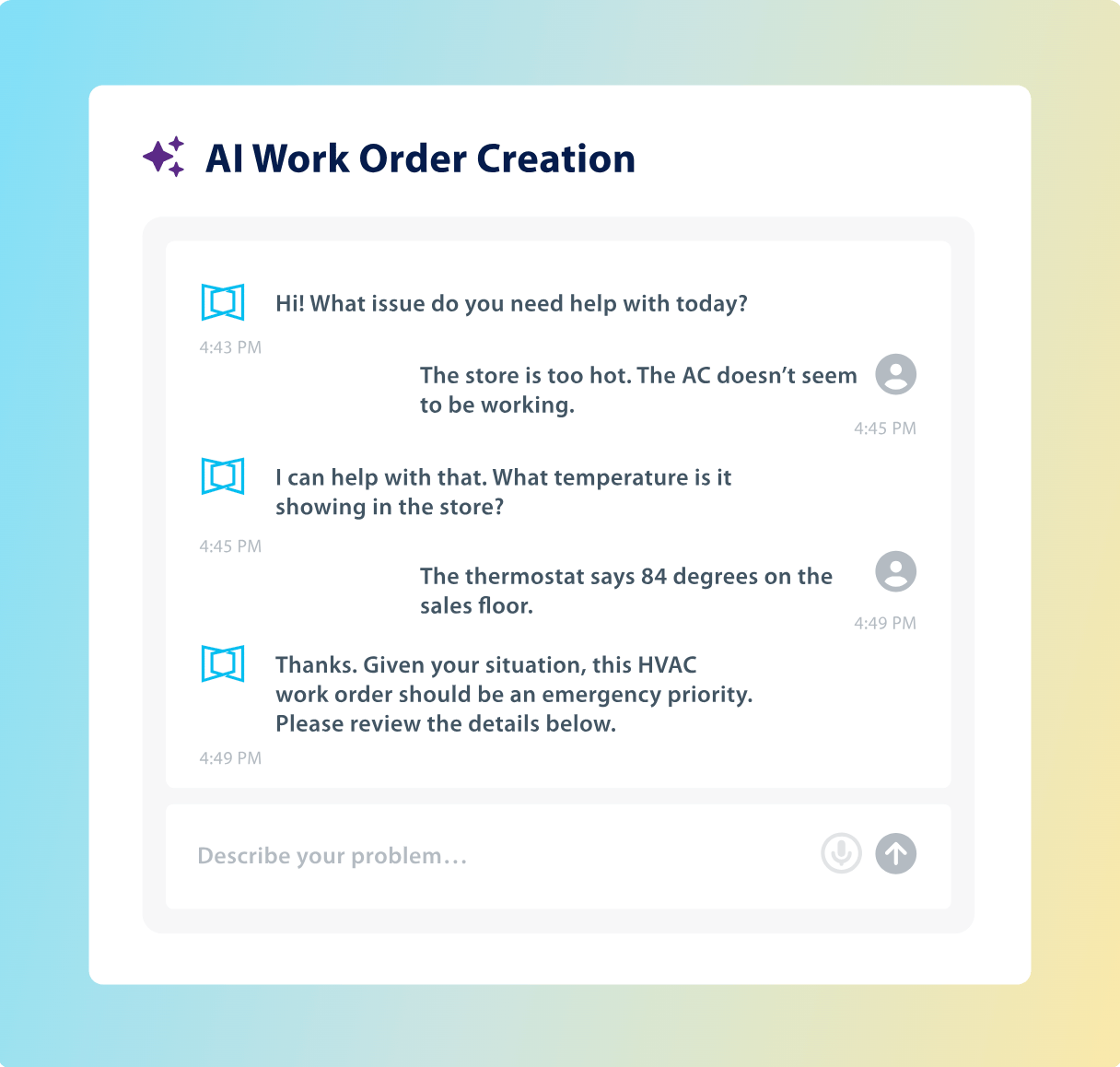
Create work orders with conversational AI to cut the back-and-forth previously needed to clarify scope and symptoms
Location dashboard
Empower location staff and providers to keep things running smoothly onsite
Staff can describe issues in natural language, and ServiceChannel AI will create a work order
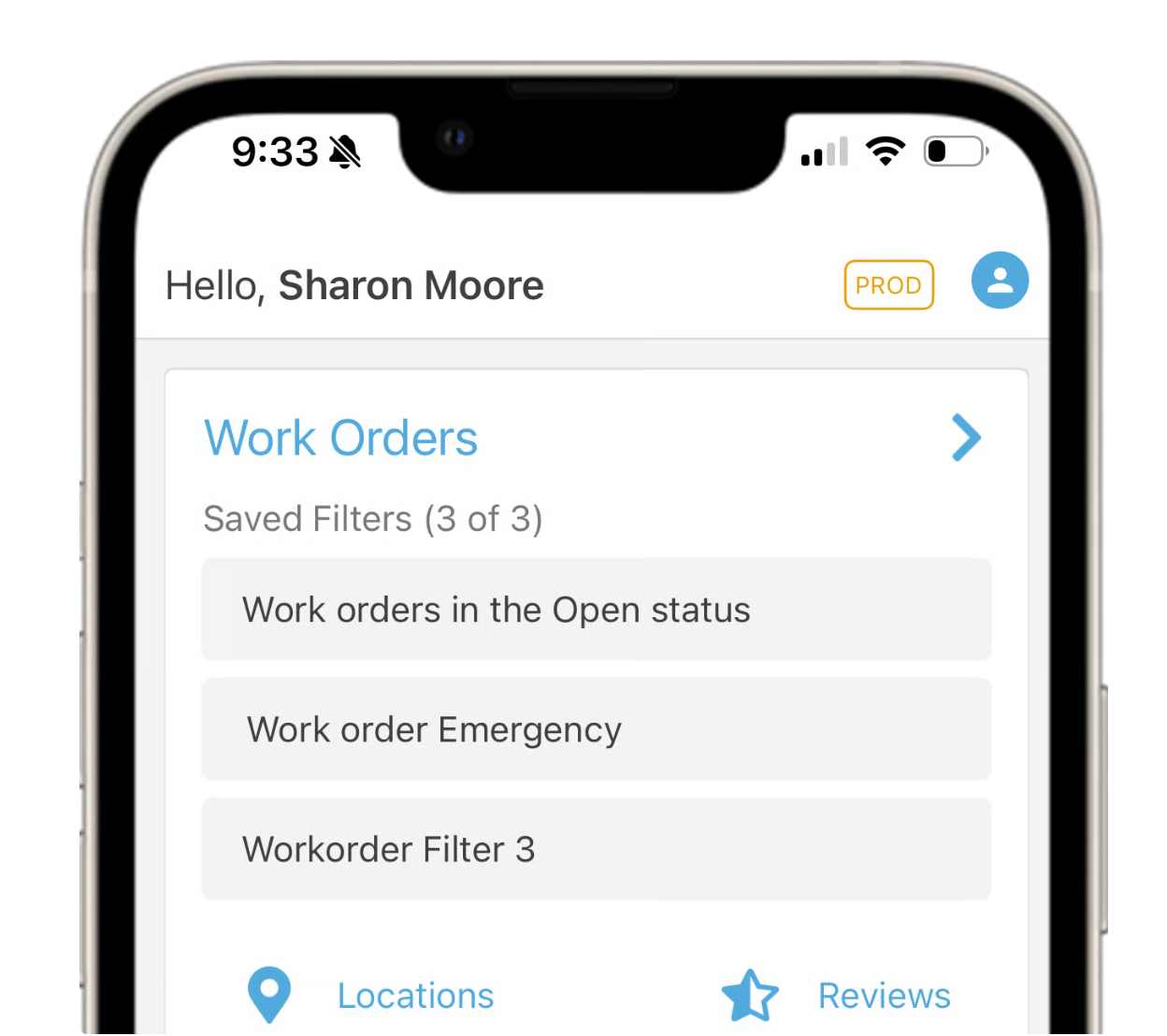
Staff can also place service requests and track status using the mobile app
Ensure location staff know when to expect providers
Add notes to work orders to communicate with providers in real time
Approve proposals and invoices from the dashboard, including multi-level approval routing
Use guided troubleshooting decision trees to resolve common issues without dispatching a provider
Providers and technicians
Give external providers and internal techs a single tool for working onsite
Check in and out, view issue details, access the site, and track work with the ServiceChannel Provider app
Add notes to a work order – visible to location staff and corporate teams in real time
Contractors can generate work orders onsite for pre-approved work types, such as landscaping and snow removal
Submit time, parts used, and refrigerant data on the work order
Multiple check-in methods: IVR, GPS, via SC Provider mobile, or badge scan, with geo-fencing compliant check-in
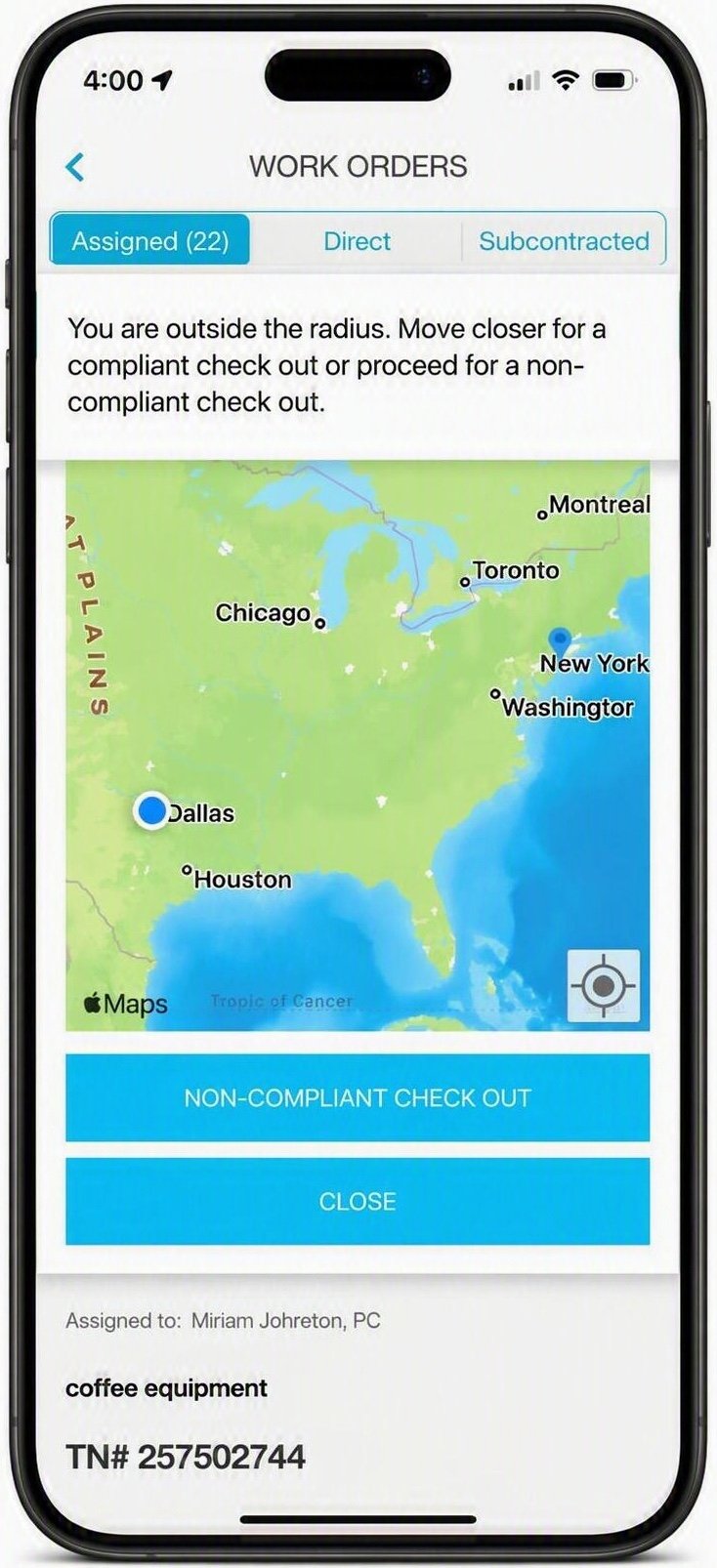
Validate provider time onsite by requiring check-in and check-out within a GPS radius
The ServiceChannel Provider app can detect when a provider is checking in outside of the GPS parameters
Create routine work orders to keep locations compliant
Preventive maintenance
Extend asset lifespan while minimizing downtime
Schedule compliance-related maintenance tasks automatically to help your facility meet safety and regulatory requirements
Automatically create work requests and dispatch maintenance teams based on your set preventive maintenance schedules
Monitor and log historical data for all assets and use these records to help your maintenance managers with regular upkeep and planning upcoming tasks
Require providers to complete site-specific checklists before checking out of a work order, so that tasks are completed consistently and documented properly
Bundle PM tasks across multiple assets at one location into a single work order
Work orders
Keep everyone informed so that nothing slips through the cracks
See attachments and notes, check provider activity, review spend, and more
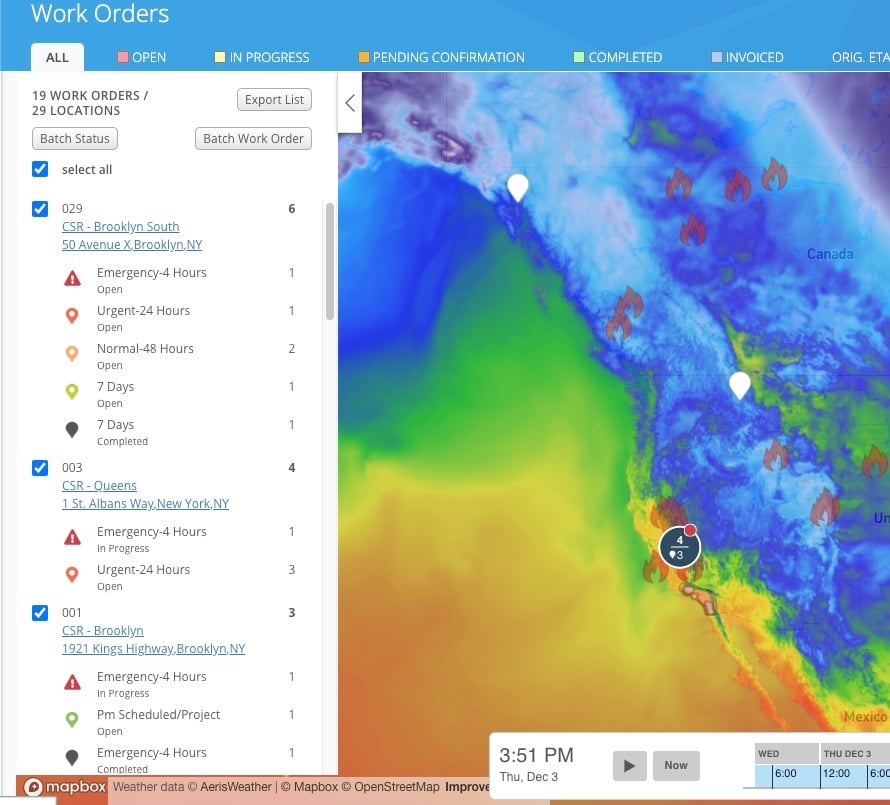
Overlay weather events on your location map and create work orders in bulk to get ahead of disruptions
Keep work orders organized with labels to analyze spending trends for emergency situations, special projects, and other classifications meaningful to your operations
Catch recalls to avoid paying twice for the same repair
Follow a work order to get notified the moment anyone takes action
Configure custom statuses to match how your team actually works
Link related work orders together for visibility across recurring issues or product work
Create up to 2,500 work orders or RFPs from a single template for projects rollouts or storm response
Reduce back-and-forth by aligning everyone on current work order status and blockers
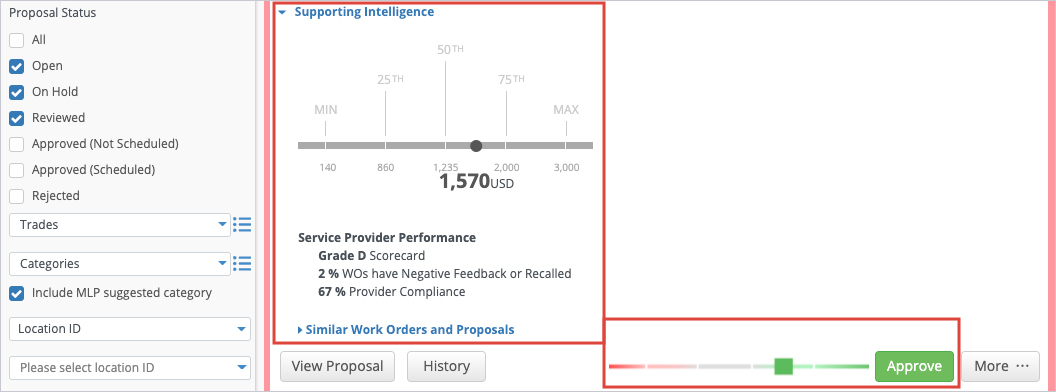
Compare pricing against similar proposals so that you don’t overspend
Proposals and invoices
Approve, validate, and pay with confidence
Get automated proposal recommendations to approve or reject backed by data and practices from your industry peers
Compare pricing to similar proposals with context on provider performance
Set Not-To-Exceed (NTE) cost controls per problem code so providers can’t over-bill
Multi-level invoice approval – route invoices through an approval hierarchy by trade, category, and amount
Automated invoice validation flags labor rate, hours and material discrepancies before payment
Auto-approve invoices that pass all validations, and route exceptions to humans
Dispute, hold or reject invoices with reason codes and a full audit trail
Sync invoice and PO data bi-directionally with ERP and AP systems
Manage RFPs end-to-end: create, send to multiple providers, compare bids, and link the winning proposal to the work order
Action Hub with AI agents
Prioritize tasks that need attention, get recommended next steps, and automate follow-up
AI agents identify stalled work orders and missed ETAs, then create tasks for teammates or providers to unblock them
Keep work on schedule by alerting providers about urgent actions needed
Define automated rules for escalating work orders, ranking their urgency, and ordering actions to address them, so your most important situations get the timely attention they need
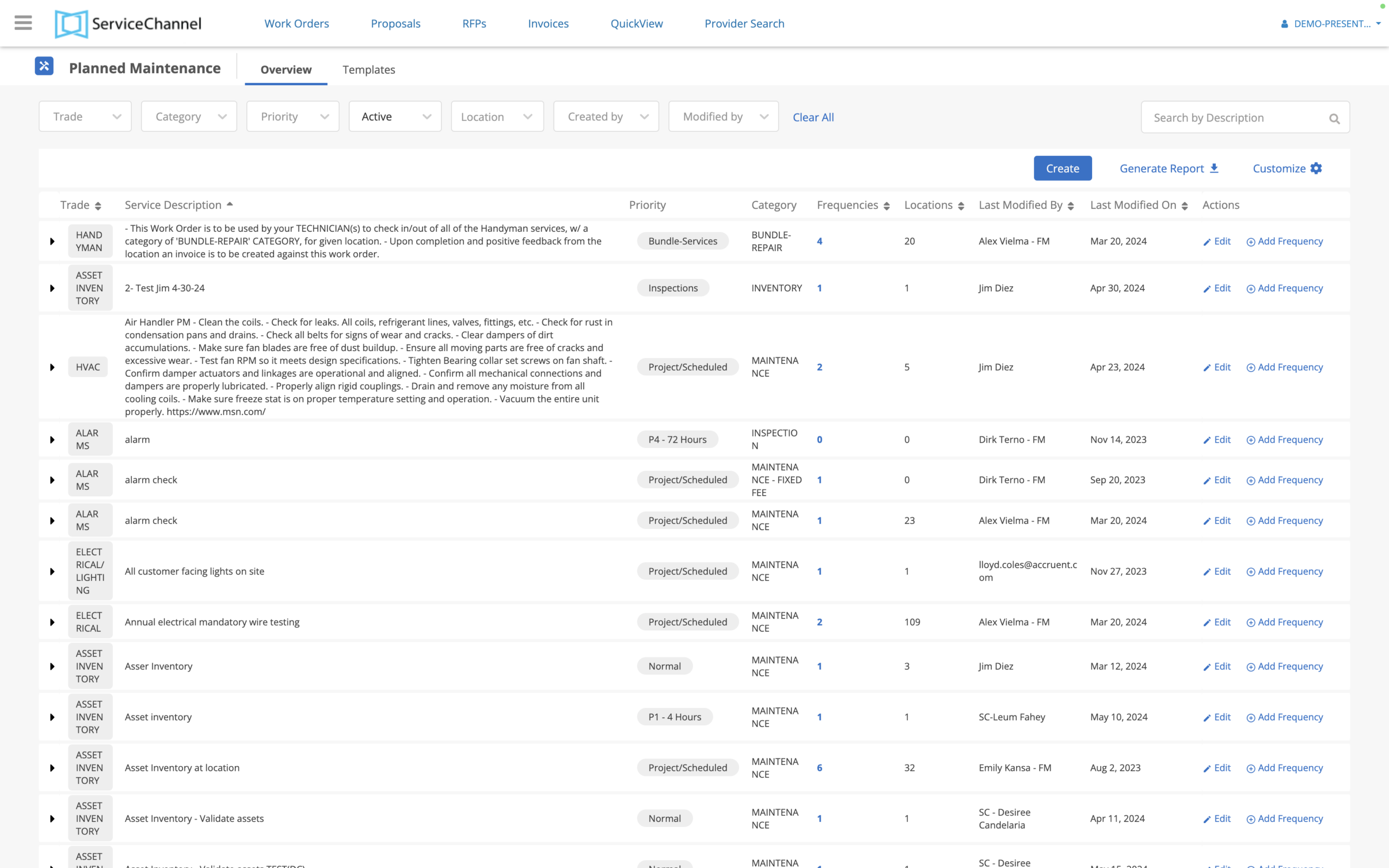
Automate the busywork and reduce disruptive delays with Action Hub
As soon as work orders are created, AI flags potential pitfalls and suggests updates before they cause extra downtime or cost
Workflow automation
Avoid work order delays and automate routine processes with ServiceChannel AI
Automatically assign work orders to the top-ranked provider (external or internal) based on location and trade, and reassign to the next-ranked provider if declined
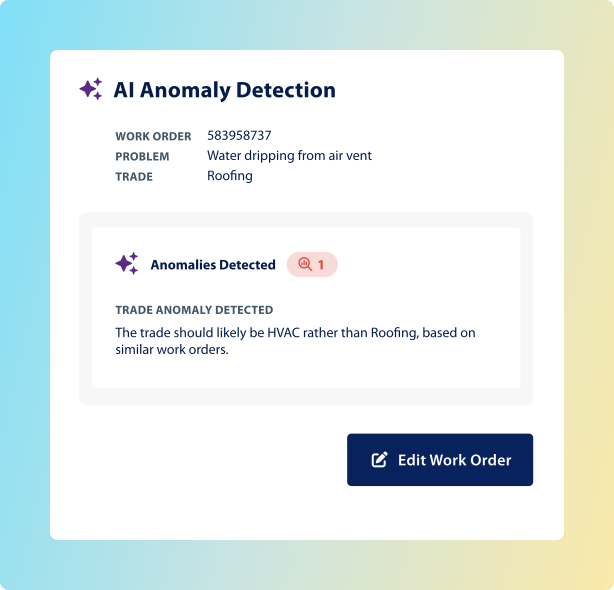
ServiceChannel AI detects wrong trades, unrealistic NTEs, and multi‑visit risks before dispatch based on 300+ million work orders
Route work orders for internal review before dispatch based on AI anomaly detection or landlord responsibility, and automatically send asset repairs to the warranty provider
Avoid unnecessary work orders with configurable guided troubleshooting and decision trees
Native ServiceNow integration for work order creation and feedback workflows
FAQs
Frequently Asked Questions about work order automation
Work order software is used to manage the planning, purchasing, tracking, and invoicing of maintenance and repair services. With the right work order software, you can automate workflows, minimize downtime, and keep facilities ready for your customers, leading to increased sales and reduced costs.
Also known as a work order management system, it centralizes all the work done on a company’s facilities and assets in a single source of truth, and it streamlines communications between location staff, external service providers, internal technicians, and corporate staff.
Work order management is one of the core functions of facilities management software, also known as a computerized maintenance management system (CMMS) or an enterprise asset management (EAM) system.
Who uses work order software?
Work order software is used by employees ranging from store associates to the VP of Facilities, as well as by third party contractors.
Finance teams use the data from work order software for financial reporting and forecasting and to identify cost savings opportunities.How do Not-To-Exceed (NTE) limits work?
Facilities teams, along with IT, Risk, Loss Prevention, and Merchandising teams, use work order software to manage service delivery and analyze performance for both internal technicians and contracted providers.
Technicians use work order software to track time spent, work done, and asset conditions all in one app while in the field.
Location managers use work order software to submit requests for service, monitor real-time status, and leave feedback for providers.
Operations leaders use work order software to monitor location conditions and to preserve brand standards.
Compliance managers use work order software to document maintenance activities, comply with regulations, and prepare for audits.
How does ServiceChannel AI help with work orders?
AI helps with work orders by automating routine tasks, flagging issues early, and giving teams real‑time insights so nothing slips through the cracks. It reduces delays, improves accuracy, and keeps everyone aligned—from location staff to providers—so work gets done faster and more reliably. Specifically, ServiceChannel AI:
Creates clear, accurate work orders from natural‑language descriptions
Flags potential work order issues early (wrong trade, proposal required due to low NTE limit, or multi‑visit risk)
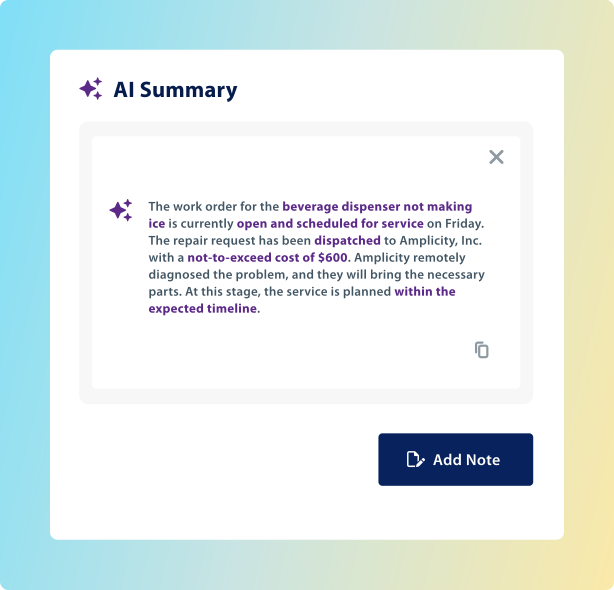
Keeps everyone aligned and saves time with clear work order summaries
Identifies work that is likely to be delayed and proactively recommends next steps to avoid disruptions to your customer experience
In essence, ServiceChannel AI turns work order management from a manual, reactive process into a faster, smarter, more proactive one.
How do not-to-exceed (NTE) limits work?
You can set not-to-exceed (NTE) limits for each problem code you configure in the Platform. Providers cannot submit invoices that exceed the NTE limit, so when the cost will be greater, they need to submit a proposal and get approval from you. In urgent situations, they can also contact you directly to request an NTE increase while onsite. When your user changes an NTE limit, the system records an audit trail.
How long does it take to implement work order software?
We’ll get you ramped up and realizing value quickly. With the hands-on support of our expert team, including dedicated implementation and customer success managers, clients usually go live with ServiceChannel in 30 to 90 days.
If you have existing work order or asset software, we can help import your historical data into ServiceChannel.
If you don’t have enough staff to use work order software, then ServiceChannel Managed can help to administer the platform software and oversee work orders and providers on your behalf.
With the app, you’re never more than a tap away from your work orders. Onsite or on the road, make every minute of your day productive and ensure issues are resolved promptly.
See how ServiceChannel AI moves your facilities team from reactive operations to strategic impact – backed by 300 million work orders, embedded in the workflows you use every day.