
Platform Software
Field Tech Manager
Spend less time scheduling internal technicians and third party providers
Spend less time scheduling internal technicians and third party providers
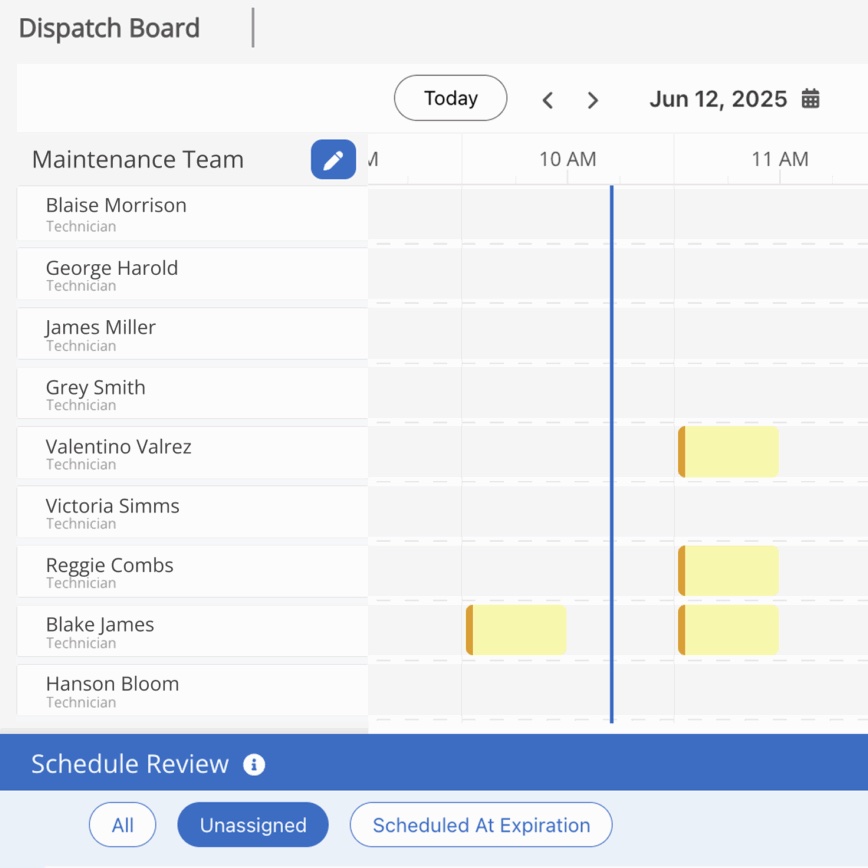
With Field Tech Manager, you can manage repair and maintenance work performed by internal teams and external providers, all in one place.
Quickly assign work to internal technicians, group them into crews for specific jobs, and ensure the most urgent work is getting done, so that you can be sure you’re getting the most out of their time.
With control over technician schedules, you can ensure they are focused on the most urgent work for your business.
Spend less time on the scheduling puzzle with a simple, visual board.
By optimizing schedules to reduce idle and travel time, your technicians can make the most of their day.
RJ Zanes Senior Director of Facilities, Sam's Club
Field Tech Manager simplifies the scheduling process and ensures the most urgent work is getting done fastest.
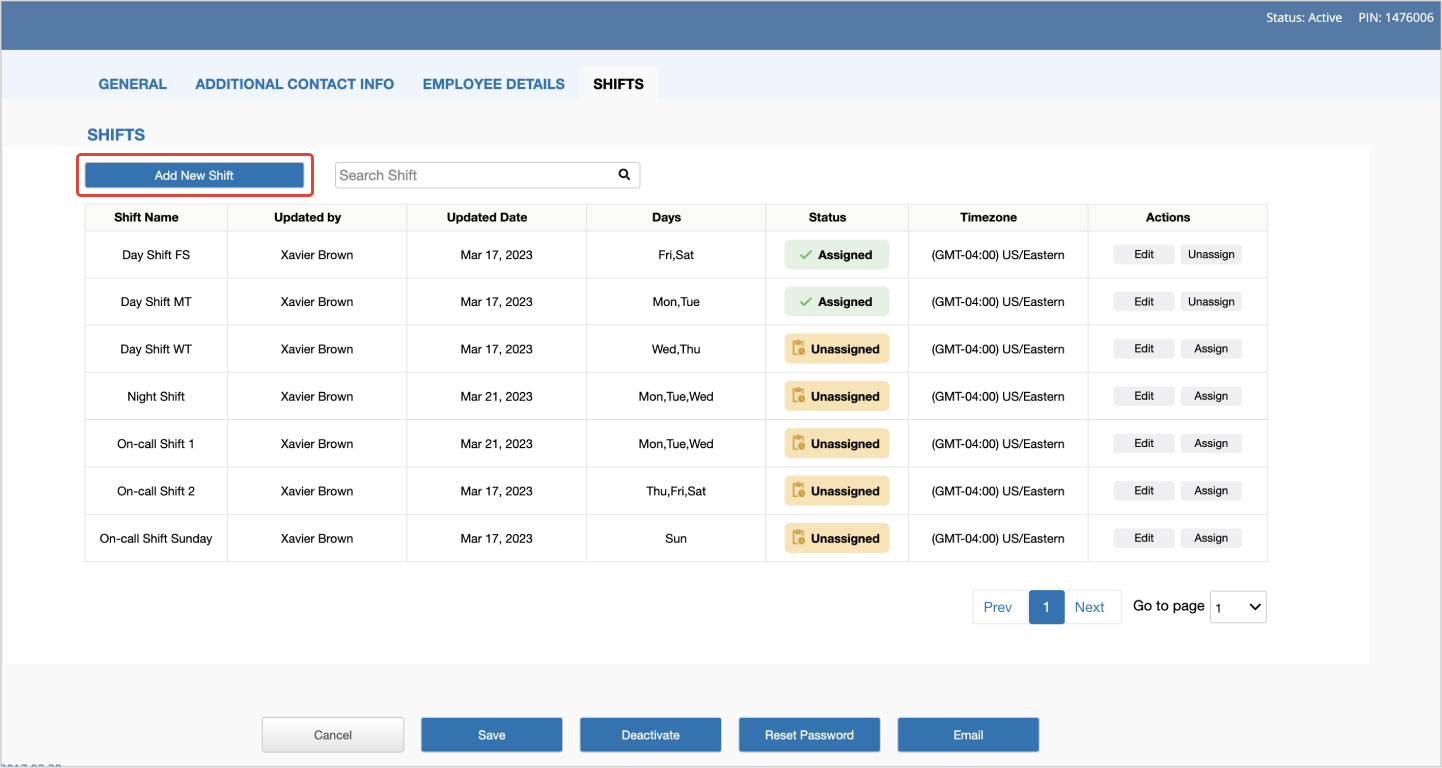
Create, edit and manage technician shifts to ensure work is performed on time
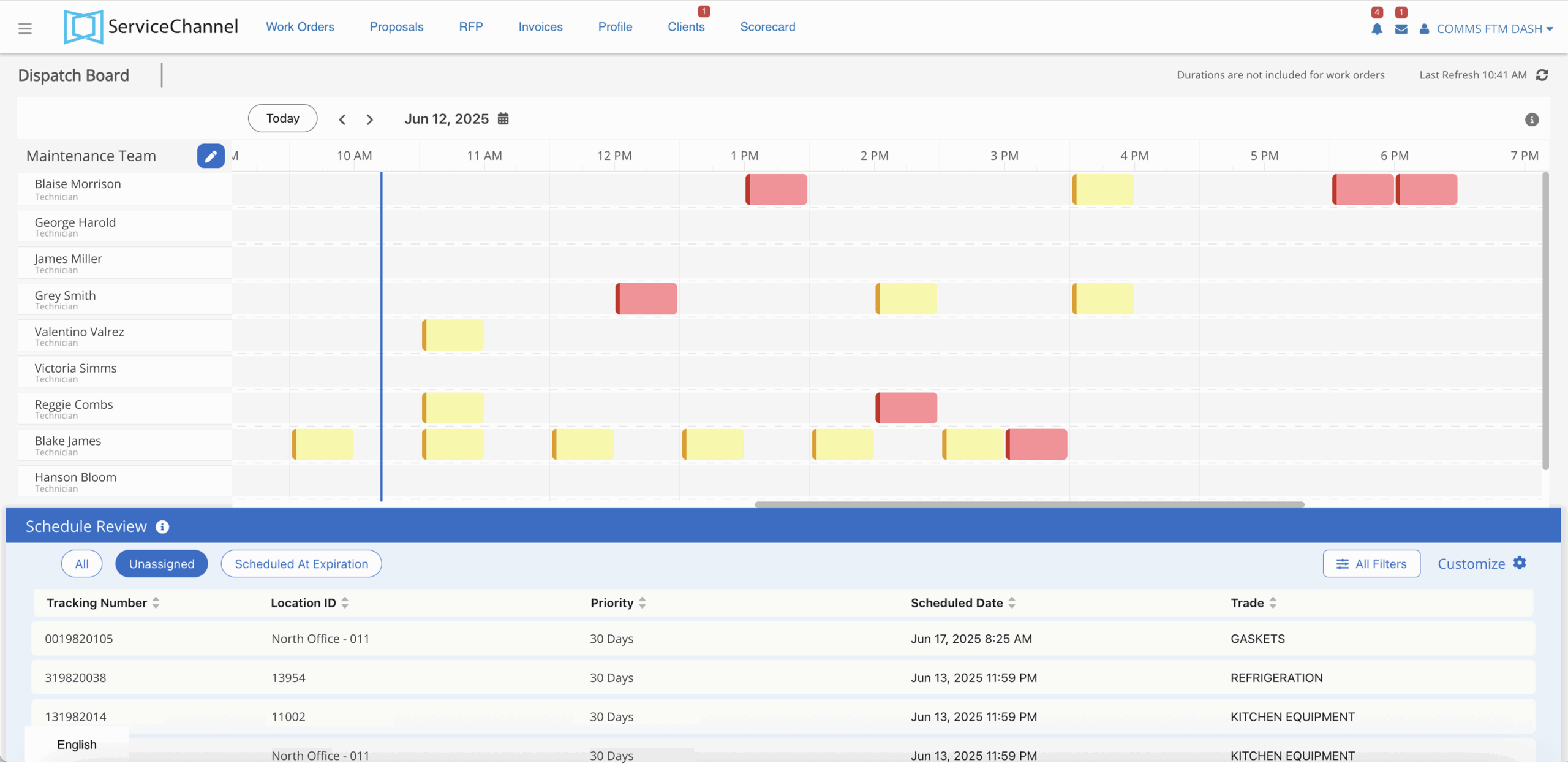
Assign and schedule work for internal technicians to increase productivity
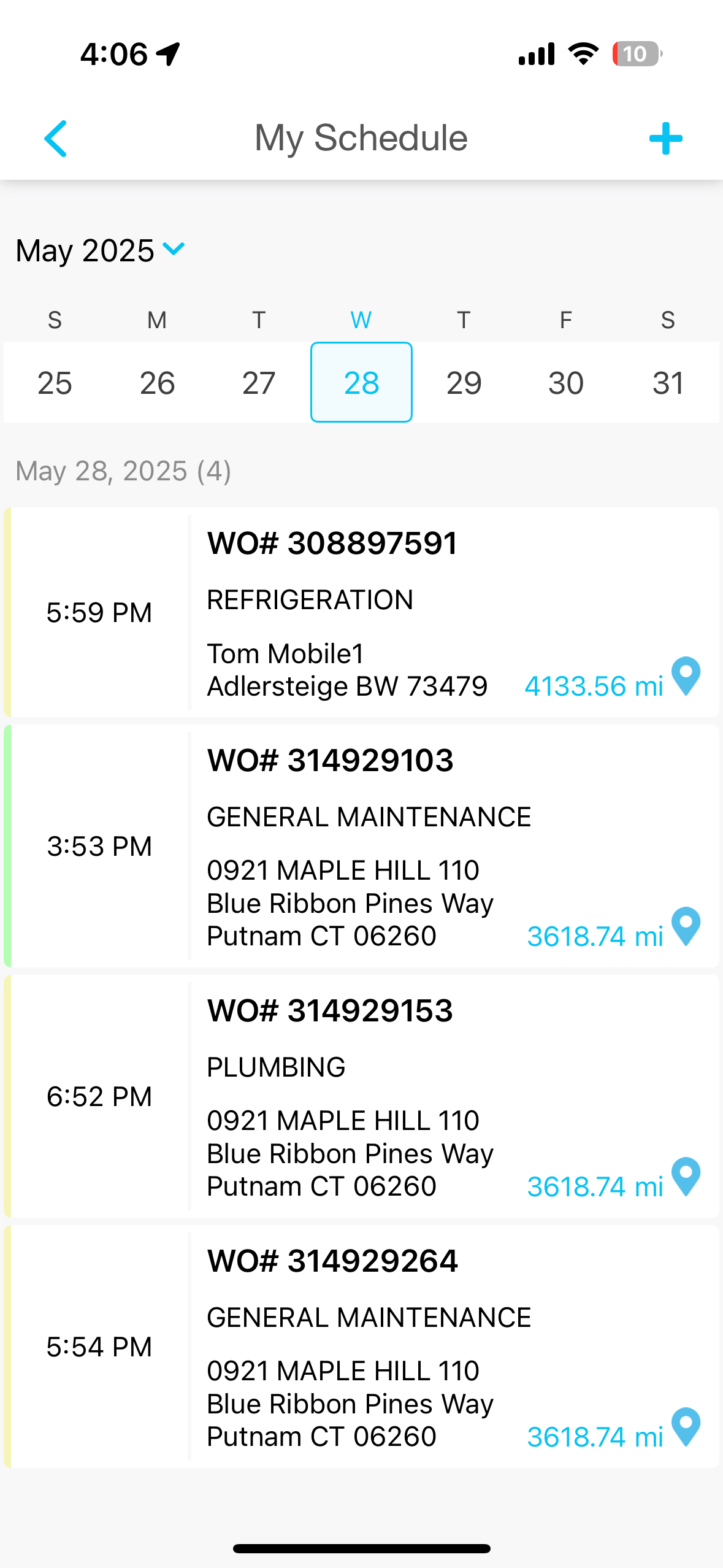
A simple calendar view for internal technicians
Evaluate providers across quality, speed, engagement, and cost with objective performance data available only on ServiceChannel.

Tell us more about your challenges assigning work to internal and external providers.
Book a Demo