
ServiceChannel
Modified on
September 16, 2026
Check in and out in real-time with the ServiceChannel Provider mobile app.
Ask facilities teams at any one of the 600+ leading brands on ServiceChannel what they value most about the platform, and you’ll likely hear one or more of 3 key benefits:
- Powerful tools to efficiently manage across hundreds of locations
- Data-driven insights to make good business decisions
- Access to proven providers — which, of course, includes you!
How can you best align your service with these expectations?
The first, most fundamental step: check in and check out with every work order, whether your customer requires it or not. Operationalize this simple practice for immediate benefits:
Build customer confidence
Check-in/check-out is a critical point of communication with your customers. It documents your high standards of service and your reliability. It shows that you care, you’re “on top of it.” You’re serious about and know how to use the tools both you and your customers have at your fingertips.
Boost your efficiency and profitability
It may not be obvious — and not all providers understand this. But routine check-in and check-out can be a direct contributor to your own efficiency and profitability. Your field techs are accountable. You can spot opportunities to gain efficiencies, to increase billable hours, invoice faster, and reduce operational costs.
Pave your path to grow
Your track record for great service is documented by your performance scorecard. A good scorecard establishes you as a proven provider and solidifies your partnerships with current customers. It also boosts your opportunity to be discovered by other companies on the hunt for great providers like you.
Check-in drives more key performance indicators (KPIs) that comprise your scores than any other single factor:
– On-time arrival
– First-time completion
– One-time visits
– Labor hour tracking
– Accurate resolution codes
How to make it work for you
More good news: many successful providers maintain consistent 95–100% check-in/check-out rates. You can easily apply their strategy in your own business:
Make check-in and check-out a clear company standard
– Put it in writing!
– Include it as a core part of the training for your field technician and office support staff.
– Reinforce the importance during performance discussions and team meetings.
– Assign responsibility to a team member to oversee this metric, report on compliance, identify barriers, and help field techs make it a habit.
Ensure every technician has the current version of ServiceChannel Provider mobile and is trained to use it.
– Show them how to download the app.
– Invite each tech to set up their own account.
– Hold training sessions on using all the features, including checking in and out, especially for those techs who may be less comfortable with mobile technology.
Do it right to make it count.
– Every work order needs to include both a check-in and a check-out, preferably using the same method: ServiceChannel Provider mobile or IVR (Automated call-in system).
– Check out only when the work order is complete. If a technician needs to leave before completion, make sure they know to select the In Progress/Incomplete status to pause the clock. Then update the status to In Progress/On Site upon return.
Understand and remove barriers
– An occasional miss is no cause for alarm. But if missing check-ins becomes a pattern, look for issues that may be barriers for your team.
– Train your technicians to use the IVR when the job location is out of range for mobile access or unavailable for any reason.
– Establish clear communications between field technicians and office staff so work orders are consistently updated and you and your customers are kept informed.
Empower techs with ServiceChannel Provider mobile app
Administrators: Invite techs to setup their own accounts.
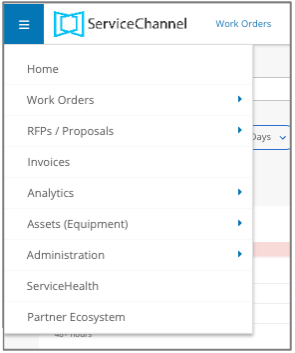
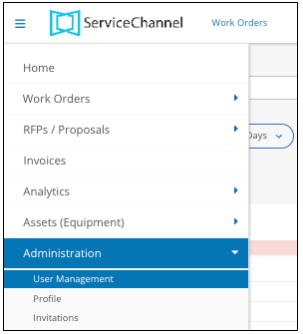
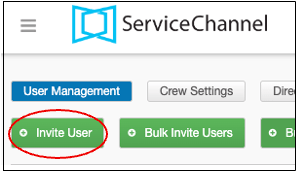
Technicians: Set up your account, download or add ServiceChannel Provider to your mobile device. Create your account with your User ID and password. Upload your picture so customers know who to expect.
Download and update the app:
How to check in and check out
Find the work order. Look under ALL or Assigned tabs, or enter the work order number, or use Search. If you have a pin-enabled service request email, click the link directly from the email.
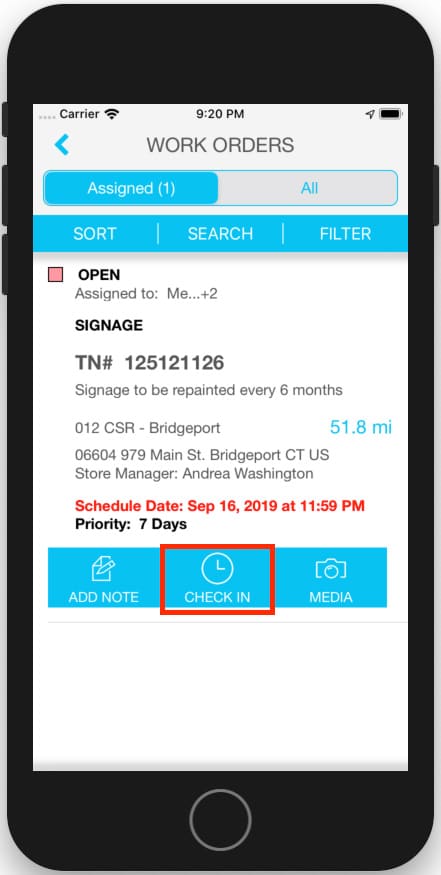
Open the work order and tap CHECK IN.
The app will display a time showing how long you have been checked in.
If you need to leave before the work order is complete (e.g.for lunch or to get parts), don’t check out. Instead, change the work order status to In Progress/Incomplete to pause the clock. Then update the status to In Progress/On Site when you return.
When then the work order is complete, tap CHECK OUT. Update the status, add notes or pictures, and resolution codes.
Learn more about Service Channel Provider mobile app, technician access, and using IVR.
Providers on the importance of check-in
“Before ServiceChannel, keeping track of your time was more of an honor system. Now you can clock in and it starts a timer on the app. That’s a big thing with ServiceChannel, accountability.”
Chris Lampien, Lampien Mechanical
“There are benefits of having everything in one place on any work order so you can see that communication history, and tell when a job has been completed. It just makes everything that much faster.”
Ric Hobby, CheckSammy Waste Management
“Our AR has as actually fallen so now have less than a 45-day turnaround from the time we do a service to the time we get paid. And that’s something that used to be well over 100 days.”
Monte Anders, Truly Nolan Pest Control